Idle Engine Simulator
Updated
Current Version
1.1.0
Offered By

With your passion for Idle Engine Simulator, you shouldn’t have to limit yourself to the small screen of a phone. Play like a pro and take full control of the game using a keyboard and mouse. MEmu gives you everything you’re looking for. Download and play Idle Engine Simulator on PC. Play as long as you want — no more worries about battery life, mobile data, or unexpected calls. The all-new MEmu 9 is the best way to play Idle Engine Simulator on PC. With our expertly designed keymapping system, Idle Engine Simulator feels just like a real PC game. The MEmu multi-instance manager lets you run two or more accounts on the same device at the same time. Most importantly, our exclusive emulation engine unlocks your PC’s full potential, delivering smooth and seamless performance.
Show more
Download Idle Engine Simulator on PC with MEmu Android Emulator. Enjoy playing on big screen. Start with a worn 50cc lawn mower engine and build your way up to a roaring 28-cylinder radial.
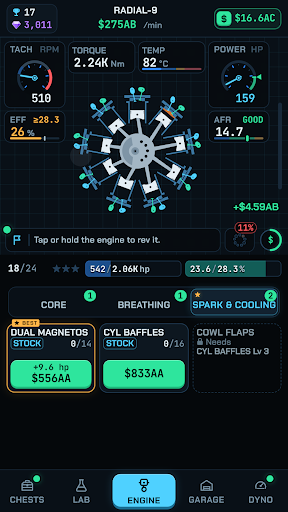
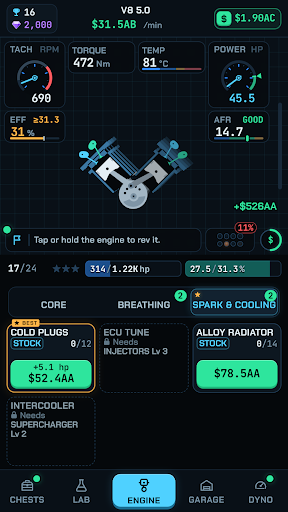
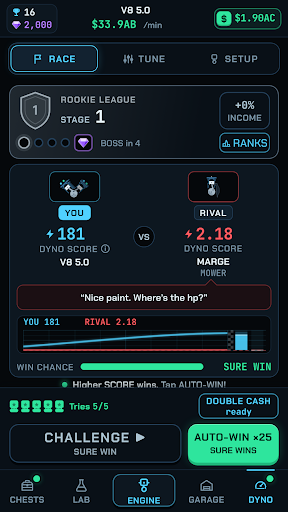
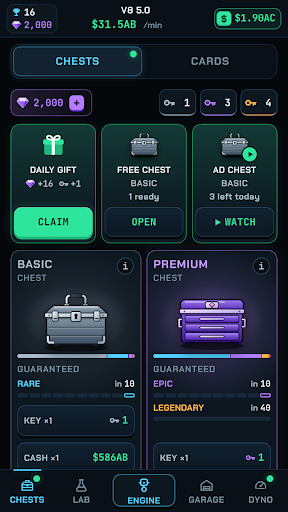
Start with a worn 50cc lawn mower engine and build your way up to a roaring 28-cylinder radial. Idle Engine Simulator is a relaxing engine tycoon game: rev your engine, bolt on better parts, tune it on the dyno and keep earning cash even while you are away.
Every engine has a power target and an efficiency target. Upgrade it part by part, find what is holding it back, and certify it at the redline to unlock the next build. Mopeds, dirt bikes, V-twins, inline-4s, flat-4s, straight-6s, V8s, V12s, W16s and giant radials: 24 engines, each one animated piston by piston, with an engine note to match.
BUILD
• Tap and hold to rev your engine all the way to the redline
• Upgrade intake, exhaust, ignition, fuel, cooling and boost parts
• Badges show what holds you back: bottleneck, overheating, knock or misfire
• Certify each engine for power and efficiency, then build the next one
TUNE
• Dial in air/fuel, spark advance and cam timing by hand
• Choose piston crowns, engine shapes and firing orders
• Race rival engines up the dyno league, from Rookie to Legend
COLLECT AND RESEARCH
• Open toolbox chests and collect 56 part cards in 5 rarities
• Research lasting upgrades in the R&D Lab, even while you are offline
• Daily goals and free daily chests
• Rebuild as Mk II, Mk III and beyond, and keep your cards and research
• Offline earnings while you are away
• Calm, clean visuals and satisfying engine sounds
• No account needed. Your progress is saved on your device.
• Perfect for fans of idle games, tycoon games, car games and engine simulators
Idle Engine Simulator is free to play. It shows ads and offers optional in-app purchases.
Show more

1. Download MEmu installer and finish the setup

2. Start MEmu then open Google Play on the desktop

3. Search Idle Engine Simulator in Google Play
Install
4. Download and Install Idle Engine Simulator
5. On install completion click the icon to start

6. Enjoy playing Idle Engine Simulator on PC with MEmu
MEmu Play is the best Android emulator and 100 million people already enjoy its superb Android gaming experience. The MEmu virtualization technology empowers you to play thousands of Android games smoothly on your PC, even the most graphic-intensive ones.
Bigger screen with better graphics; Long duration, without limitation of battery or mobile data.
Full Keymapping support for precise control of keyboard and mouse or gamepad.
Multiple game accounts or tasks on single PC at one time with Multi-Instance manager.
Play Idle Engine Simulator on PC by following steps: