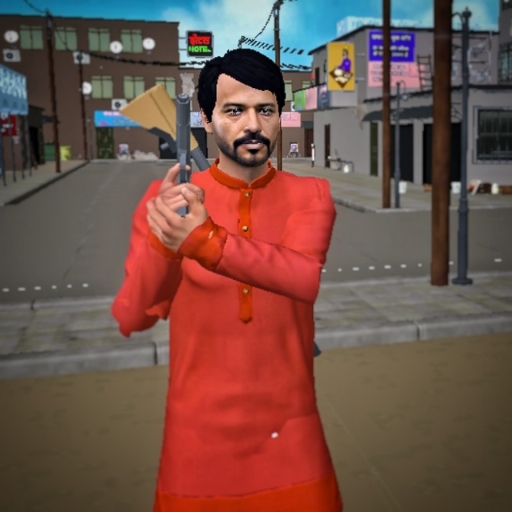
Indian Gully Gangster Sim 3D
Updated
Current Version
1747676585
Offered By

With your passion for Indian Gully Gangster Sim 3D, you shouldn’t have to limit yourself to the small screen of a phone. Play like a pro and take full control of the game using a keyboard and mouse. MEmu gives you everything you’re looking for. Download and play Indian Gully Gangster Sim 3D on PC. Play as long as you want — no more worries about battery life, mobile data, or unexpected calls. The all-new MEmu 9 is the best way to play Indian Gully Gangster Sim 3D on PC. With our expertly designed keymapping system, Indian Gully Gangster Sim 3D feels just like a real PC game. The MEmu multi-instance manager lets you run two or more accounts on the same device at the same time. Most importantly, our exclusive emulation engine unlocks your PC’s full potential, delivering smooth and seamless performance.
Show more
Download Indian Gully Gangster Sim 3D on PC with MEmu Android Emulator. Enjoy playing on big screen. Indian Gully Gangster is a free, open-world action game filled with Indian vehicles, Hindi dialogues, and the raw feel of Indian city life.
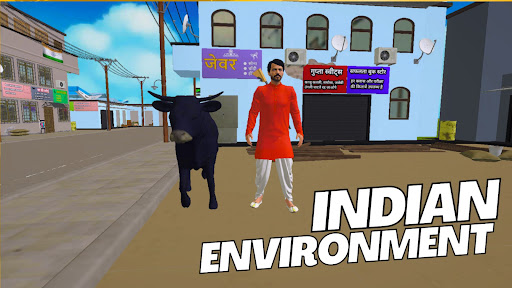
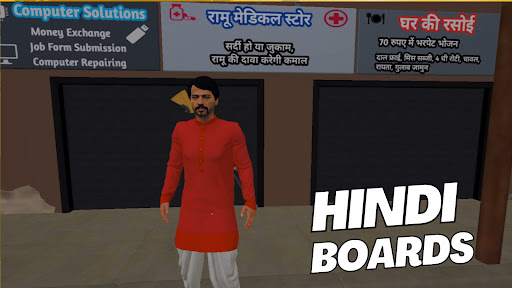
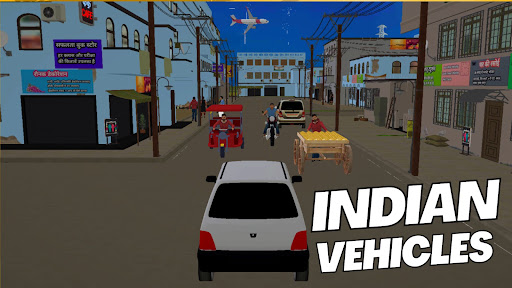
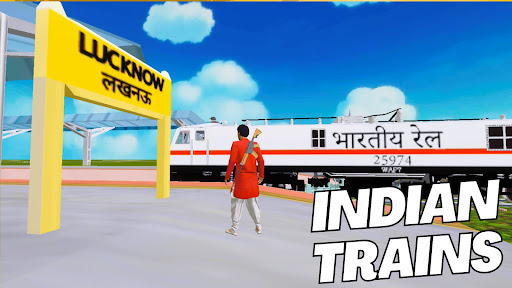
Indian Gully Gangster is a free, open-world action game filled with Indian vehicles, Hindi dialogues, and the raw feel of Indian city life.
Step into a desi world where you can walk, drive, punch, kick, and shoot – all in an Indian environment packed with Hindi signboards, local NPCs, and real Indian vibes.
Key Features:
Drive Indian Vehicles – From e-rickshaws, bikes, and cars to local Indian trains and even planes and helicopters, take full control and roam around like a true gully gangster.
Hindi Dialogues – All the characters speak in desi Hindi style, giving full-on Bollywood vibes and local humor. No other game feels this desi!
Indian Environment – Explore streets, gullies, and city corners built with Indian architecture, signs, colors, and crowd. You'll see Hindi boards everywhere, giving the game a truly Indian atmosphere.
Potato Seller - There are NPCs who are selling Potato on Indian Thela. They scream "Aalu Lelo" just like Indian Vegetable sellers. You can even forcefully take the thela from him, and sell the potato yourself !
Punch, Kick & Shoot – Attack like a true Indian hero. Fight using punches and kicks, or take out your gun and shoot enemies to control your turf.
Police NPCs – Beware of the Indian police! If you cause trouble, they’ll open fire. Stay alert in the gully.
Fly Planes & Helicopters – Why stay on the ground? Fly aircraft including jets and helicopters across your Indian city and dominate from the skies.
Indian NPCs – The streets are full of people who look and sound like they belong. Walk past locals in kurta, saree, or jeans – just like real life.
Why Indian Gully Gangster?
This is not just another crime or driving game. This is a true Indian-style open world. With Hindi dialogues, desi vehicles, and an Indian feel in every corner, it brings you closer to local streets than any other game.
Explore, fight, drive, and enjoy the desi vibes. Whether you’re flying a jet over Indian buildings or driving an e-rickshaw through a tight lane with Hindi boards around – this is India, in a game.
Show more

1. Download MEmu installer and finish the setup

2. Start MEmu then open Google Play on the desktop

3. Search Indian Gully Gangster Sim 3D in Google Play
Install
4. Download and Install Indian Gully Gangster Sim 3D
5. On install completion click the icon to start

6. Enjoy playing Indian Gully Gangster Sim 3D on PC with MEmu
MEmu Play is the best Android emulator and 100 million people already enjoy its superb Android gaming experience. The MEmu virtualization technology empowers you to play thousands of Android games smoothly on your PC, even the most graphic-intensive ones.
Bigger screen with better graphics; Long duration, without limitation of battery or mobile data.
Full Keymapping support for precise control of keyboard and mouse or gamepad.
Multiple game accounts or tasks on single PC at one time with Multi-Instance manager.
Play Indian Gully Gangster Sim 3D on PC by following steps: