JayPlay
Updated
Current Version
1.0.0
Offered By

With your passion for JayPlay, you shouldn’t have to limit yourself to the small screen of a phone. Play like a pro and take full control of the game using a keyboard and mouse. MEmu gives you everything you’re looking for. Download and play JayPlay on PC. Play as long as you want — no more worries about battery life, mobile data, or unexpected calls. The all-new MEmu 9 is the best way to play JayPlay on PC. With our expertly designed keymapping system, JayPlay feels just like a real PC game. The MEmu multi-instance manager lets you run two or more accounts on the same device at the same time. Most importantly, our exclusive emulation engine unlocks your PC’s full potential, delivering smooth and seamless performance.
Show more
Download JayPlay on PC with MEmu Android Emulator. Enjoy playing on big screen. JayPlay is your party game app for rounds with friends – on the couch or from anywhere.
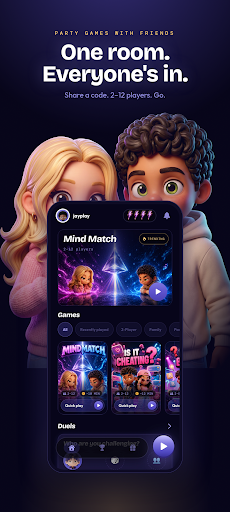
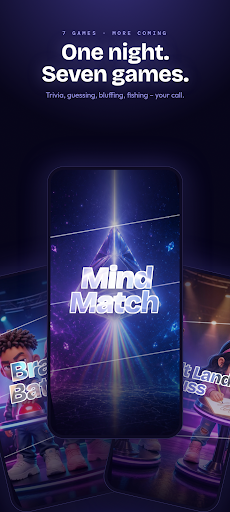
JayPlay is your party game app for rounds with friends – on the couch or from anywhere.
HOW IT WORKS
Create a room with one tap, share the code or QR code, and you're in – 2 to 12 players per round. You can also invite friends directly by username.
THE GAMES
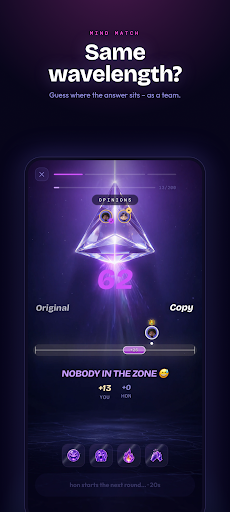
Mind Match – How well do you really know each other? Guess where on the scale the answer lands.
Is It Cheating – The big debate: does it count as cheating? Vote and argue it out.
Brain Battle – Real-time quiz duel: who actually knows their stuff?
Stadt Land Fluss – The classic categories game, reinvented: type instead of scribble, same letter, no mercy.
Wer kennt wen besser – Guess how your friends will answer – and find out who really knows who.
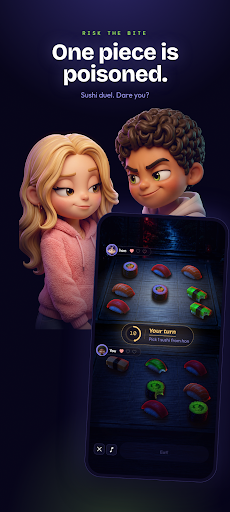
Risk the Bite – A sushi duel with a twist: one piece is poisoned. Do you dare?
Lucky Catch – Who reels in the best catch? Timing and luck decide.
New games are added all the time.
RAISE THE STAKES
Set a bet for the round – the loser does the dishes, gets the next round of drinks, or whatever you agree on. Collect XP, level up and unlock achievements.
YOUR PROFILE
Build your own look, claim your username and show your friends who wins around here.
Perfect for game night, the shared kitchen, long train rides, or the group chat that needs a sign of life.
Sign in with Apple or Google and jump right in.
Show more

1. Download MEmu installer and finish the setup

2. Start MEmu then open Google Play on the desktop

3. Search JayPlay in Google Play
Install
4. Download and Install JayPlay
5. On install completion click the icon to start

6. Enjoy playing JayPlay on PC with MEmu
MEmu Play is the best Android emulator and 100 million people already enjoy its superb Android gaming experience. The MEmu virtualization technology empowers you to play thousands of Android games smoothly on your PC, even the most graphic-intensive ones.
Bigger screen with better graphics; Long duration, without limitation of battery or mobile data.
Full Keymapping support for precise control of keyboard and mouse or gamepad.
Multiple game accounts or tasks on single PC at one time with Multi-Instance manager.
Play JayPlay on PC by following steps: