Jigmerge Puzzles
Updated
Current Version
29
Offered By

With your passion for Jigmerge Puzzles, you shouldn’t have to limit yourself to the small screen of a phone. Play like a pro and take full control of the game using a keyboard and mouse. MEmu gives you everything you’re looking for. Download and play Jigmerge Puzzles on PC. Play as long as you want — no more worries about battery life, mobile data, or unexpected calls. The all-new MEmu 9 is the best way to play Jigmerge Puzzles on PC. With our expertly designed keymapping system, Jigmerge Puzzles feels just like a real PC game. The MEmu multi-instance manager lets you run two or more accounts on the same device at the same time. Most importantly, our exclusive emulation engine unlocks your PC’s full potential, delivering smooth and seamless performance.
Show more
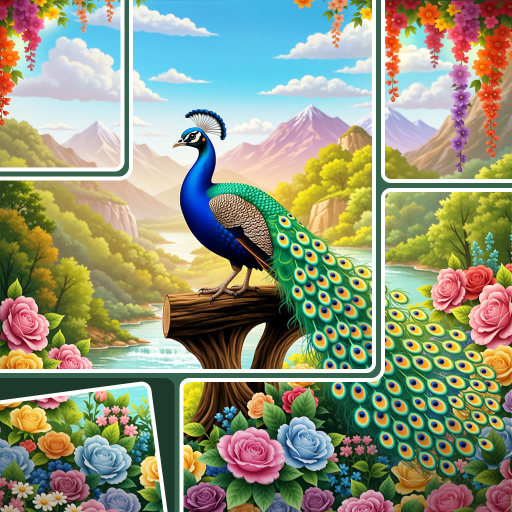
Download Jigmerge Puzzles on PC with MEmu Android Emulator. Enjoy playing on big screen. Step into the world of Jigmerge Puzzles — where photos come alive, piece by piece!
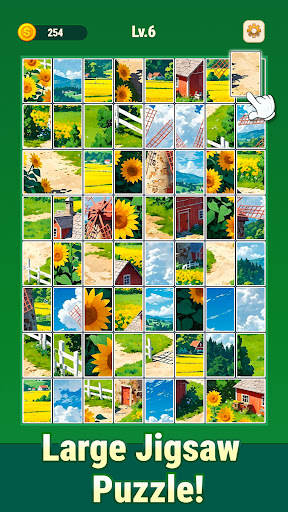
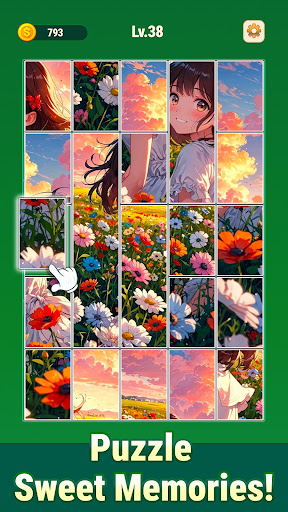
Step into the world of Jigmerge Puzzles — where photos come alive, piece by piece!
Relax, focus, and feel the joy of snapping picture fragments together to reveal stunning scenes. Every perfect snap brings that deeply satisfying “aha” moment you’ll want to experience again and again!
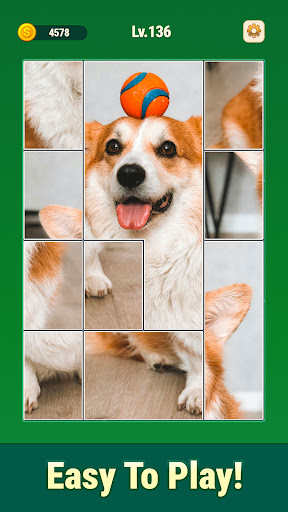
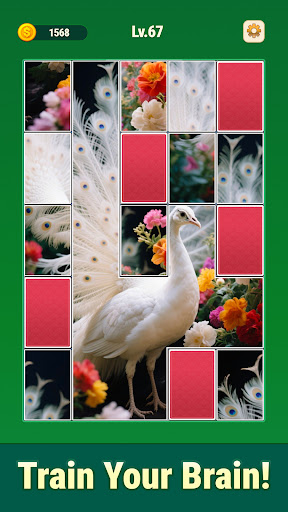
In Jigmerge Puzzles, each image is divided into photo tiles that can be freely rearranged, and reconnected. Your goal is to analyze patterns, discover hidden hints, and restore the original picture. It’s more than just a jigsaw—each puzzle challenges your logic, observation, and creativity.
Unlike traditional puzzles with only one solution, Jigmerge Puzzles lets you explore multiple possibilities. Mix, match, and merge tiles in countless ways until you discover the perfect fit. Every puzzle becomes a creative journey filled with surprise and delight.
Why You’ll Love Jigmerge Puzzles
● Satisfying Snap Moments:
Hear and feel the crisp snap as tiles connect—it’s pure puzzle bliss!
● Simple Yet Deep Gameplay:
Drag, swap, and combine photo tiles effortlessly. Every move feels intuitive, yet every puzzle keeps your brain engaged.
● Chain Reactions of Joy:
Link multiple tiles at once and watch your puzzle fall into place in the most rewarding way!
● For All Puzzle Lovers:
From casual players to puzzle veterans, everyone can find their flow through hundreds of thoughtfully crafted levels.
● Play Anytime, Anywhere:
Quick sessions or long puzzle marathons—your progress saves automatically, so you can resume anytime.
● New Themes Every Month:
Explore ever-growing photo packs featuring landscapes, art, architecture, nature, and more.
● Brain Boosting Fun:
Sharpen focus, enhance visual memory, and train your logical thinking with each satisfying challenge.
Features of Jigmerge Puzzles
● Relaxing and rewarding puzzle-solving experience
● Multiple solutions for each puzzle—unleash your creativity
● Smooth touch controls optimized for phones and tablets
● Offline play supported—no WiFi needed!
● High-quality visuals with stunning detail and clarity
How to Play
● Drag & Drop: Move photo tiles freely to explore possibilities.
● Connect Pieces: Once tiles snap together, they move as a group.
● Think Ahead: Smaller pieces can merge into larger ones—plan your moves strategically!
Whether you’re a fan of jigsaw puzzles, matching games, or brain teasers, Jigmerge Puzzles offers a refreshing twist on the classics. It’s your perfect mix of calm, challenge, and creativity—ideal for both adults and kids alike.
Download Jigmerge Puzzles today and experience the joy of snapping perfection!
Show more

1. Download MEmu installer and finish the setup

2. Start MEmu then open Google Play on the desktop

3. Search Jigmerge Puzzles in Google Play
Install
4. Download and Install Jigmerge Puzzles
5. On install completion click the icon to start

6. Enjoy playing Jigmerge Puzzles on PC with MEmu
MEmu Play is the best Android emulator and 100 million people already enjoy its superb Android gaming experience. The MEmu virtualization technology empowers you to play thousands of Android games smoothly on your PC, even the most graphic-intensive ones.
Bigger screen with better graphics; Long duration, without limitation of battery or mobile data.
Full Keymapping support for precise control of keyboard and mouse or gamepad.
Multiple game accounts or tasks on single PC at one time with Multi-Instance manager.
Play Jigmerge Puzzles on PC by following steps: