初音ミクぐらふぃコレクションなぞの音楽すい星Re:Merge
Updated
Current Version
Offered By

With your passion for 初音ミクぐらふぃコレクションなぞの音楽すい星Re:Merge, you shouldn’t have to limit yourself to the small screen of a phone. Play like a pro and take full control of the game using a keyboard and mouse. MEmu gives you everything you’re looking for. Download and play 初音ミクぐらふぃコレクションなぞの音楽すい星Re:Merge on PC. Play as long as you want — no more worries about battery life, mobile data, or unexpected calls. The all-new MEmu 9 is the best way to play 初音ミクぐらふぃコレクションなぞの音楽すい星Re:Merge on PC. With our expertly designed keymapping system, 初音ミクぐらふぃコレクションなぞの音楽すい星Re:Merge feels just like a real PC game. The MEmu multi-instance manager lets you run two or more accounts on the same device at the same time. Most importantly, our exclusive emulation engine unlocks your PC’s full potential, delivering smooth and seamless performance.
Show more
Download 初音ミクぐらふぃコレクションなぞの音楽すい星Re:Merge on PC with MEmu Android Emulator. Enjoy playing on big screen. 初音ミクの完全新作スマホ向けゲームが登場!
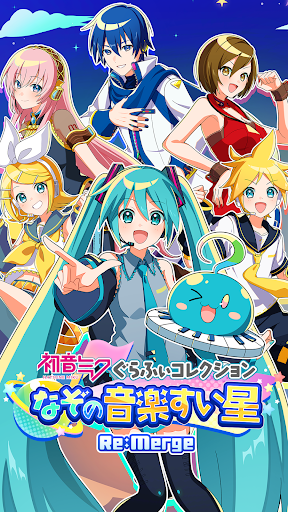
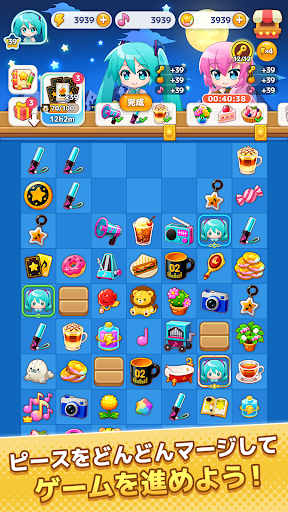
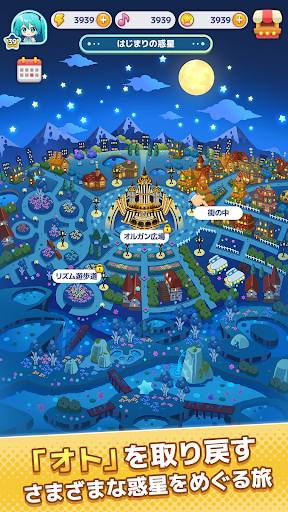
初音ミクの完全新作スマホ向けゲームが登場!
『初音ミク ぐらふぃコレクション なぞの音楽すい星 Re:Merge』は、初音ミクたちピアプロキャラクターズと一緒に、宇宙のさまざまな惑星を巡って冒険するパズルゲームです。
パズルでアイテムを作りながら、困っている惑星の住人たちのお願いを叶えていきましょう!
◆壊れてしまった世界の「オト」を取り戻そう!
ある日、北の大地に突然あらわれた「なぞのすい星」。
その影響で、色んな惑星の「オト」がバラバラに壊れてしまいました……!
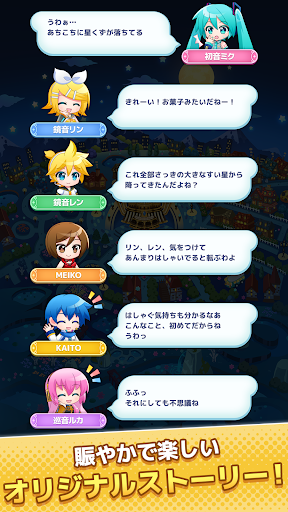
初音ミク、鏡音リン、鏡音レン、巡音ルカ、MEIKO、KAITOの6人は、不思議な仲間「メロピィ」と一緒に宇宙へ出発!
壊れてしまった大切な「オト」を取り戻すため、星々を巡る旅が始まります!
◆書き下ろし楽曲がパズルで本来の姿に!
冒険する惑星のテーマソングは、すべて本作だけの書き下ろし!
パズルを遊んでいくと、壊れていた楽曲がどんどんキレイな「オト」に直っていきます。
新しい惑星でどんな楽曲が待っているのか、ぜひパズルを解いて確かめてみてください!
◆ミクたちのオリジナルストーリーが楽しめる!
行く先々で出会う住人たちの悩みを解決したり、思わぬトラブルに巻き込まれたり…。
ピアプロキャラクターズとメロピィが力を合わせて奮闘する、賑やかで楽しいオリジナルストーリーは必見です!
◆ 参加クリエイター(順不同・敬称略)
メインビジュアル: 紅茶マジ太郎
テーマソング「Mystery」: のぼる↑
本作には、上記をはじめとする多数のクリエイターが参加しています!
Show more

1. Download MEmu installer and finish the setup

2. Start MEmu then open Google Play on the desktop

3. Search 初音ミクぐらふぃコレクションなぞの音楽すい星Re:Merge in Google Play
Install
4. Download and Install 初音ミクぐらふぃコレクションなぞの音楽すい星Re:Merge
5. On install completion click the icon to start

6. Enjoy playing 初音ミクぐらふぃコレクションなぞの音楽すい星Re:Merge on PC with MEmu
MEmu Play is the best Android emulator and 100 million people already enjoy its superb Android gaming experience. The MEmu virtualization technology empowers you to play thousands of Android games smoothly on your PC, even the most graphic-intensive ones.
Bigger screen with better graphics; Long duration, without limitation of battery or mobile data.
Full Keymapping support for precise control of keyboard and mouse or gamepad.
Multiple game accounts or tasks on single PC at one time with Multi-Instance manager.
Play 初音ミクぐらふぃコレクションなぞの音楽すい星Re:Merge on PC by following steps:


















































