ブルーロック Project: World Champion
Updated
Current Version
3.13.0
Offered By

With your passion for ブルーロック Project: World Champion, you shouldn’t have to limit yourself to the small screen of a phone. Play like a pro and take full control of the game using a keyboard and mouse. MEmu gives you everything you’re looking for. Download and play ブルーロック Project: World Champion on PC. Play as long as you want — no more worries about battery life, mobile data, or unexpected calls. The all-new MEmu 9 is the best way to play ブルーロック Project: World Champion on PC. With our expertly designed keymapping system, ブルーロック Project: World Champion feels just like a real PC game. The MEmu multi-instance manager lets you run two or more accounts on the same device at the same time. Most importantly, our exclusive emulation engine unlocks your PC’s full potential, delivering smooth and seamless performance.
Show more
Download ブルーロック Project: World Champion on PC with MEmu Android Emulator. Enjoy playing on big screen. 最後の1人まで勝ち残れた人間は世界一のストライカーになれる。
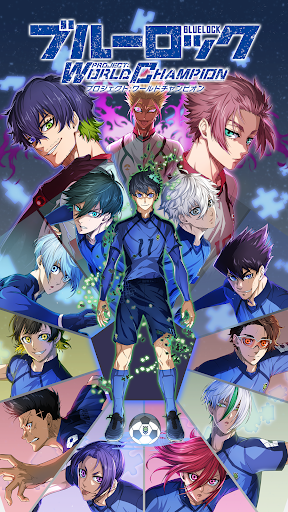
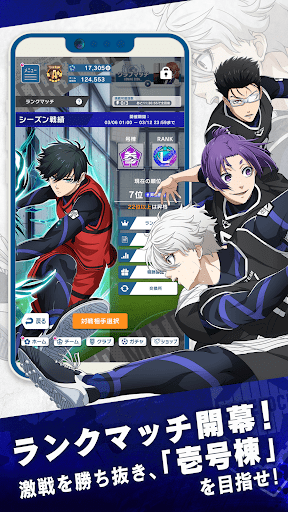
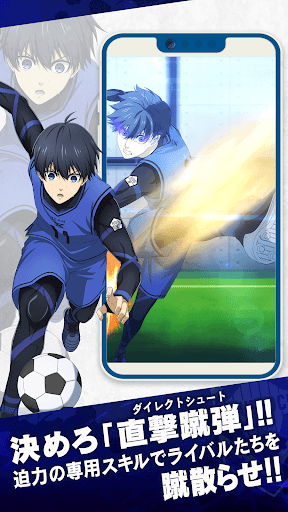
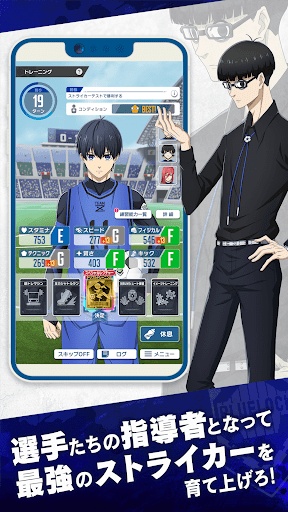
最後の1人まで勝ち残れた人間は世界一のストライカーになれる。これはそんな"ブルーロック(青い監獄)"プロジェクトで 存在したかもしれないもう1つの可能性の物語。
■ストーリー
「アシスタントはクビだ。
これからは選手を率いてもらう」
アシスタントのひとりとして
"ブルーロック(青い監獄)"プロジェクトに参加していたあなたは
新たなる『化学反応』を求める絵心によって
選手たちの指導者へと任じられる――
■キミの思い描く最強のストライカーを育てあげろ
「トレーニング」では好きな選手を好きなように育てることが可能!
どのステータスを強化するか、どんなスキルを獲得させるか、キミの手腕ですべてが決まる!
キミだけの最強ストライカーを誕生させよう!
■本作だけのオリジナルストーリー
「トレーニング」では、選手とのオリジナルストーリーが展開!
トレーニング中の選手とコミュニケーションをとりながら、彼らの成長をサポートしよう!
■白熱した試合で勝利を掴みとれ
試合にはサッカー初心者でも手軽に楽しめるオートシステムを採用!
選手の活躍を、その目に焼き付けろ!
■自分だけの最強チームで挑め
育て上げた選手でライバルと競い合え!
どんな選手を育て、どんなチームを目指すのかーー。
キミのエゴとビジョンを爆発させ、勝利の方程式を導きだせ!
©金城宗幸・ノ村優介・講談社/「ブルーロック」製作委員会
Show more

1. Download MEmu installer and finish the setup

2. Start MEmu then open Google Play on the desktop

3. Search ブルーロック Project: World Champion in Google Play
Install
4. Download and Install ブルーロック Project: World Champion
5. On install completion click the icon to start

6. Enjoy playing ブルーロック Project: World Champion on PC with MEmu
MEmu Play is the best Android emulator and 100 million people already enjoy its superb Android gaming experience. The MEmu virtualization technology empowers you to play thousands of Android games smoothly on your PC, even the most graphic-intensive ones.
Bigger screen with better graphics; Long duration, without limitation of battery or mobile data.
Full Keymapping support for precise control of keyboard and mouse or gamepad.
Multiple game accounts or tasks on single PC at one time with Multi-Instance manager.
Play ブルーロック Project: World Champion on PC by following steps: