Kingdomino Deluxe
Updated
Current Version
1.3.7140
Offered By

With your passion for Kingdomino Deluxe, you shouldn’t have to limit yourself to the small screen of a phone. Play like a pro and take full control of the game using a keyboard and mouse. MEmu gives you everything you’re looking for. Download and play Kingdomino Deluxe on PC. Play as long as you want — no more worries about battery life, mobile data, or unexpected calls. The all-new MEmu 9 is the best way to play Kingdomino Deluxe on PC. With our expertly designed keymapping system, Kingdomino Deluxe feels just like a real PC game. The MEmu multi-instance manager lets you run two or more accounts on the same device at the same time. Most importantly, our exclusive emulation engine unlocks your PC’s full potential, delivering smooth and seamless performance.
Show more
Download Kingdomino Deluxe on PC with MEmu Android Emulator. Enjoy playing on big screen. Compete to build a mighty kingdom in the official Kingdomino digital board game!


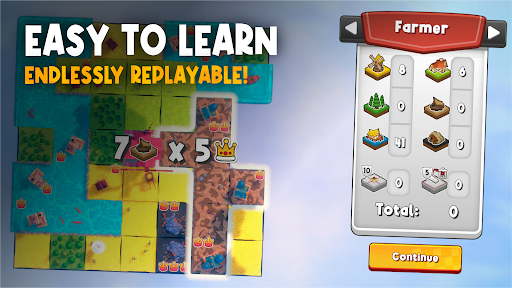

Compete to build a mighty kingdom in the official Kingdomino digital board game!
Expand your realm by placing domino-style terrain tiles, collecting valuable crowns and making clever strategic decisions. Every tile shapes your kingdom, every draft presents a new challenge, and every decision brings you closer to victory.
Winner of the prestigious Spiel des Jahres award, Kingdomino combines simple rules with satisfying strategic depth. Whether you're playing your first game or playing competitively for the perfect score, every kingdom is unique.
PLAY YOUR WAY
• Challenge players from around the world in online multiplayer
• Create private matches and play with friends
• Sharpen your skills against intelligent AI opponents
• Play together on one device with Pass & Play
• Enjoy full cross-platform gameplay across PC and mobile
BUILD THE PERFECT KINGDOM
Connect forests, lakes, fields and more, watching your kingdom come to life with every turn. Collect crowns to multiply your score and carefully plan each draft, balancing powerful tiles against turn order.
Quick to learn and endlessly rewarding to master, Kingdomino is perfect for casual players, families and strategy fans alike.
UNLOCK NEW REWARDS
• Earn achievements as you play
• Unlock new castles, avatars and other cosmetics
• Discover the mysterious Lost Kingdom
THE COMPLETE KINGDOMINO EXPERIENCE
• Official digital adaptation of the multi-award-winning board game
• Classic 1–4 player turn-based gameplay
• Multiple kingdom sizes, including 5×5 and 7×7 modes
• Age of Giants game variation
• Interactive tutorial
• Premium experience with no pay-to-win mechanics or ads
WHY MILLIONS LOVE KINGDOMINO
Designed by Bruno Cathala and published by Blue Orange, Kingdomino has become a modern classic among tabletop fans worldwide. Its elegant tile-placement gameplay creates meaningful decisions every turn while remaining approachable for players of all ages.
Whether you're competing online, enjoying a relaxing solo game or gathering friends around a single device, Kingdomino delivers a fast, satisfying strategy experience in just 10–20 minutes.
Download Kingdomino today and start building your kingdom.
Show more

1. Download MEmu installer and finish the setup

2. Start MEmu then open Google Play on the desktop

3. Search Kingdomino Deluxe in Google Play
Install
4. Download and Install Kingdomino Deluxe
5. On install completion click the icon to start

6. Enjoy playing Kingdomino Deluxe on PC with MEmu
MEmu Play is the best Android emulator and 100 million people already enjoy its superb Android gaming experience. The MEmu virtualization technology empowers you to play thousands of Android games smoothly on your PC, even the most graphic-intensive ones.
Bigger screen with better graphics; Long duration, without limitation of battery or mobile data.
Full Keymapping support for precise control of keyboard and mouse or gamepad.
Multiple game accounts or tasks on single PC at one time with Multi-Instance manager.
Play Kingdomino Deluxe on PC by following steps: