Knights Go!
Updated
Current Version
1725279530
Offered By

With your passion for Knights Go!, you shouldn’t have to limit yourself to the small screen of a phone. Play like a pro and take full control of the game using a keyboard and mouse. MEmu gives you everything you’re looking for. Download and play Knights Go! on PC. Play as long as you want — no more worries about battery life, mobile data, or unexpected calls. The all-new MEmu 9 is the best way to play Knights Go! on PC. With our expertly designed keymapping system, Knights Go! feels just like a real PC game. The MEmu multi-instance manager lets you run two or more accounts on the same device at the same time. Most importantly, our exclusive emulation engine unlocks your PC’s full potential, delivering smooth and seamless performance.
Show more
Download Knights Go! on PC with MEmu Android Emulator. Enjoy playing on big screen. 【Vertical Gaming with One Hand】.
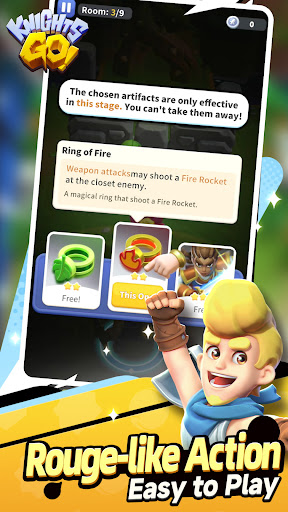
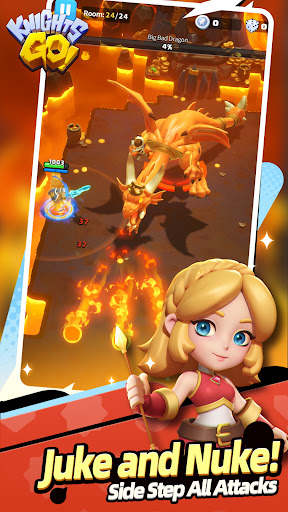
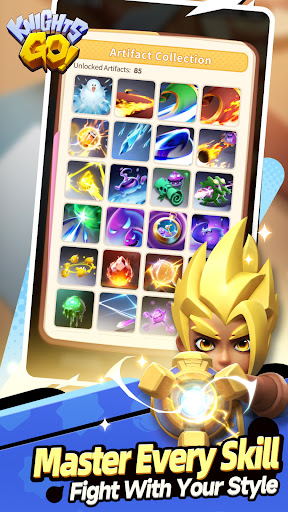
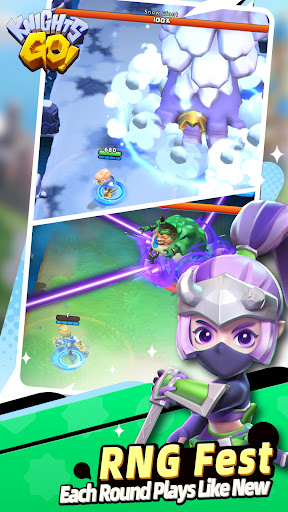
【Vertical Gaming with One Hand】
With just simple taps and swipes of your fingertips, you can experience exhilarating action!
【Choose Your Weapons and Unleash Your Combos】
Mix and match about a hundred weapons. Whether you prefer close-quarter combat or kiting and juking, there's always something for you!
【Customize Your Build and Stack Your Skills】
In-game skills can be stacked, three choices at a time, with countless combinations. Build your own fighting style and grow endlessly stronger!
【Collect Heroes! Multiple Paths Await Your Discovery】
The game features five knights. Each has a distinctive combat style and exclusive talents, allowing you to battle monsters and mow down enemies in different ways.
【Simple Joy: Casual and Relaxing】
Say no to "work" in a video game! Just spend half an hour a day, and you can enjoy the endless weapon and skill combos while developing your character.
【Never Gets Boring with RNG!】
Play over a hundred levels with varying difficulties. Also try Endless Mode, Speed Trophy Competition, Boss Arena, and more, waiting for you to discover!
◆ World Background
There is a planet named "Protero."
During its prosperous times, Protero engaged in a prolonged meteor war with invading aliens. The guardian gods used their divine powers to cast a protective spell, finally bringing peace. However, according to ancient legends, before this well-known war, the guardian gods had performed another unknown spell, and that was for...
This sounds fishy to you? Oh, this "ancient legend" is from an unofficial history book...
Umm, let's talk about the truth later. In short, after the Meteor War, Protero enjoyed centuries of peace, but now strange events are occurring.
The gods remain in a deep slumber, treasures are gathering dust, and the aliens in distant orbit are stirring once more.
Amidst the rising crisis, a humble knight embarks on a journey. Heroes from all walks of life will gather in this newly formed knights' order, regardless of their origins, to travel together on the path of saving the world.
Show more

1. Download MEmu installer and finish the setup

2. Start MEmu then open Google Play on the desktop

3. Search Knights Go! in Google Play
Install
4. Download and Install Knights Go!
5. On install completion click the icon to start

6. Enjoy playing Knights Go! on PC with MEmu
MEmu Play is the best Android emulator and 100 million people already enjoy its superb Android gaming experience. The MEmu virtualization technology empowers you to play thousands of Android games smoothly on your PC, even the most graphic-intensive ones.
Bigger screen with better graphics; Long duration, without limitation of battery or mobile data.
Full Keymapping support for precise control of keyboard and mouse or gamepad.
Multiple game accounts or tasks on single PC at one time with Multi-Instance manager.
Play Knights Go! on PC by following steps: