Kyrie & Terra: Eternal
Updated
Current Version
1.0.6
Offered By

With your passion for Kyrie & Terra: Eternal, you shouldn’t have to limit yourself to the small screen of a phone. Play like a pro and take full control of the game using a keyboard and mouse. MEmu gives you everything you’re looking for. Download and play Kyrie & Terra: Eternal on PC. Play as long as you want — no more worries about battery life, mobile data, or unexpected calls. The all-new MEmu 9 is the best way to play Kyrie & Terra: Eternal on PC. With our expertly designed keymapping system, Kyrie & Terra: Eternal feels just like a real PC game. The MEmu multi-instance manager lets you run two or more accounts on the same device at the same time. Most importantly, our exclusive emulation engine unlocks your PC’s full potential, delivering smooth and seamless performance.
Show more
Download Kyrie & Terra: Eternal on PC with MEmu Android Emulator. Enjoy playing on big screen. Kyrie & Terra : Eternal.
Kyrie & Terra : Eternal
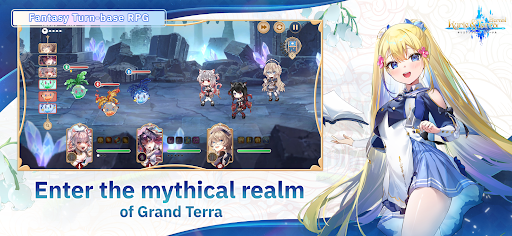
Kyrie & Terra is : Eternal a turn-based fantasy RPG that seamlessly blends strategic gameplay with the thrill of the Dice of Destiny.
Step into the role of a wanderer transported to the parallel world of Grand Terra, and wield the power of currency itself to rewrite the fate of a collapsing world!
In a realm created by the Twelve Divines, a mystical force known as Kyrieaura once nourished all living things.
But as this energy fades, Grand Terra’s economy begins to crumble.
A young girl named Regina, gifted with visions of the future, foresees an age of inflation and war that will soon engulf the land.
You — a trader who lost everything in your previous world — are drawn into Grand Terra to prevent its downfall.
Use your knowledge of economics to establish Ad Ventura, introduce a new currency called Trim, and harness the divine relic known as the Dice of Destiny to change the course of this world’s future.
≪ Key Features ≫
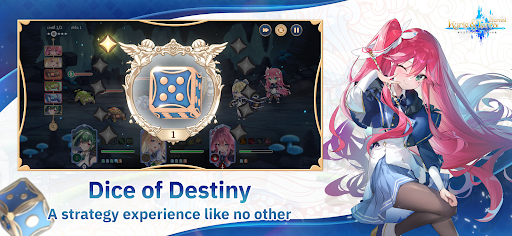
▶ Dice of Destiny – Roll for Fate
Experience a turn-based dice-driven combat system where every roll determines your destiny.
Blend probability, tactics, and character skills to craft your own path to victory.
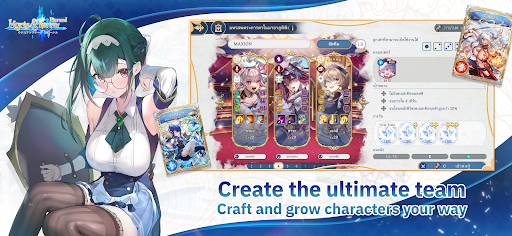
▶ Customizable Skills & Equipment
Build your team your way with unique characters, skills, and gear.
Experiment with limitless combinations and playstyles to suit your strategy.
▶ Element & Class System
Plan your tactics carefully and take advantage of each class and element’s strengths.
Assemble the ultimate party to overcome every enemy that stands in your way.
▶ Day & Night Encounter System
Explore an ever-changing open world where time alters your encounters.
Face rare monsters and earn exclusive rewards that appear only at certain times of day.
▶ An Epic Storyline Set in a Living World
A tale of economy, belief, and the true value of life that will challenge your perception of worth.
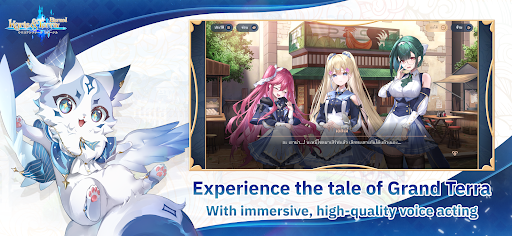
Featuring beautiful art direction and full-voice performances by renowned Japanese voice actors.
The Fate Is in Your Hands
When every turn decides destiny, only your choices can shape the world.
The realm of Grand Terra awaits — will you rise to change its fate?
Show more

1. Download MEmu installer and finish the setup

2. Start MEmu then open Google Play on the desktop

3. Search Kyrie & Terra: Eternal in Google Play
Install
4. Download and Install Kyrie & Terra: Eternal
5. On install completion click the icon to start

6. Enjoy playing Kyrie & Terra: Eternal on PC with MEmu
MEmu Play is the best Android emulator and 100 million people already enjoy its superb Android gaming experience. The MEmu virtualization technology empowers you to play thousands of Android games smoothly on your PC, even the most graphic-intensive ones.
Bigger screen with better graphics; Long duration, without limitation of battery or mobile data.
Full Keymapping support for precise control of keyboard and mouse or gamepad.
Multiple game accounts or tasks on single PC at one time with Multi-Instance manager.
Play Kyrie & Terra: Eternal on PC by following steps: