Lara Croft: Guardian of Light
Updated
Current Version
1.2.1RC14
Offered By

With your passion for Lara Croft: Guardian of Light, you shouldn’t have to limit yourself to the small screen of a phone. Play like a pro and take full control of the game using a keyboard and mouse. MEmu gives you everything you’re looking for. Download and play Lara Croft: Guardian of Light on PC. Play as long as you want — no more worries about battery life, mobile data, or unexpected calls. The all-new MEmu 9 is the best way to play Lara Croft: Guardian of Light on PC. With our expertly designed keymapping system, Lara Croft: Guardian of Light feels just like a real PC game. The MEmu multi-instance manager lets you run two or more accounts on the same device at the same time. Most importantly, our exclusive emulation engine unlocks your PC’s full potential, delivering smooth and seamless performance.
Show more
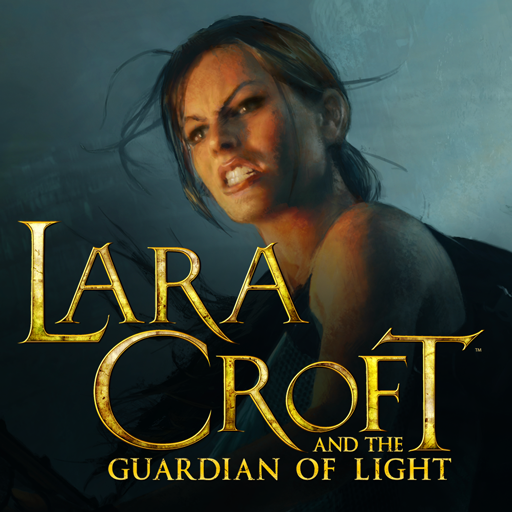
Download Lara Croft: Guardian of Light on PC with MEmu Android Emulator. Enjoy playing on big screen. Battle, platform and puzzle your way through the Mexican jungle in an action-packed tomb-raiding adventure.
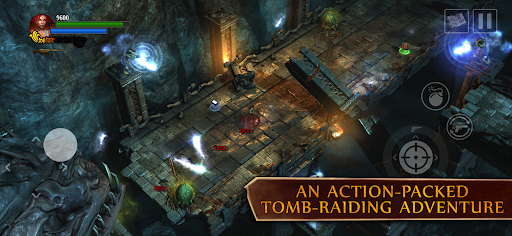
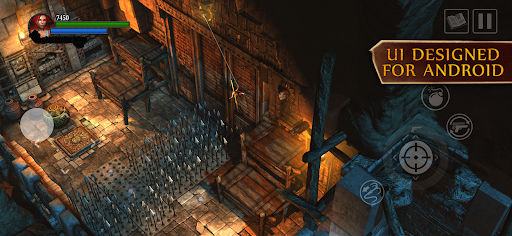
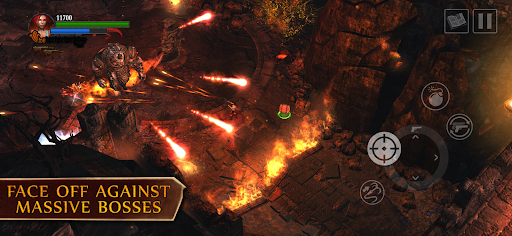
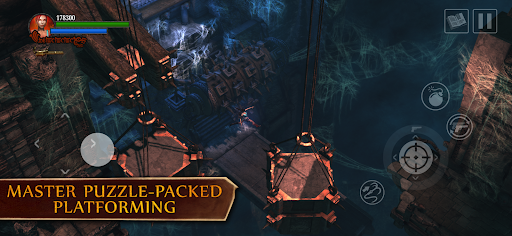
Battle, platform and puzzle your way through the Mexican jungle in an action-packed tomb-raiding adventure. Explore temples, traverse toxic swamps and navigate volcanic caverns to defeat Xolotl, the Keeper of Darkness, before he plunges the world into eternal night.
DUAL PISTOLS AND TWIN STICKS
Carve a path through undead hordes in fast-paced combat, and bolster your arsenal with unlockable weapons and superpowered relics.
BRAIN TEASING AND CHASM LEAPING
Leap, grapple and swing your way past cunning puzzles and trap-laden challenges.
SOLO ACTION OR CO-OP CAPERS
Save the world solo or bring a friend for seamless local or online multiplayer play.
PICK UP AND PLAY — AGAIN AND AGAIN!
Beat high scores, tackle side objectives and discover hidden collectables on every level.
TOUCHSCREEN OR GAMEPAD CONTROLS
Customise the touchscreen controls to taste, or connect your favourite gamepad.
===
Lara Croft and the Guardian of Light requires Android 12 or later. You need 4GB of free space on your device, though we recommend at least double this to avoid initial installation issues.
The list below includes all those devices that Feral have tested and verified as running the game without issue, as well as devices that use similar hardware and are expected to run to the same standard.
• Google Pixel 3 / 3 XL / 4 / 4 XL / 4a 5G / 5 / 6 / 6 Pro / 6a / 7 / 7 Pro / 7a / 8 / 8 Pro / 8a / 9 / 9 Pro / 9 Pro XL
• Google Pixel Tablet
• Honor 90
• Huawei Honor 200 Lite
• Lenovo Tab P11 Pro Gen 2
• Motorola Edge 40 / 40 Neo / 50 Pro
• Motorola Moto G100
• Nothing Phone (1)
• Nothing CMF Phone 1
• OnePlus 10 Pro 5G / 11 / 12 / 7 / 8 / 8T / 9
• OnePlus Nord 2 5G / Nord 4
• OnePlus Pad / Pad 2
• OPPO Find X8 Pro
• OPPO Reno4 Z 5G
• REDMAGIC 9 Pro
• Redmi 10 5G
• Redmi Note 9T / 11 Pro+ 5G
• Samsung Galaxy A32 5G / A33 5G / A34 5G / A54
• Samsung Galaxy M53
• Samsung Galaxy Note10 / Note10+ / Note20 5G
• Samsung Galaxy S10 / S10+ / S10e / S20 / S20+ / S21 5G / S21 Ultra 5G / S22 / S22 Ultra / S22+ / S23 / S23 Ultra / S23+ / S24 / S24 Ultra / S24+
• Samsung Galaxy Tab S6 / S7 / S8 / S8 Ultra / S8+ / S9
• Samsung Galaxy Z Fold3 / Fold4
• Sony Xperia 1 III / 1 IV
• Sony Xperia 5 II
• uleFone Armor 12S
• Xiaomi 12 / 12T / 13T Pro / 13T / 14T Pro
• Xiaomi Pad 5
• Xiaomi Poco F3 / F5 / F6 / M4 Pro / X3 Pro / X6 Pro
• ZTE nubia Z70 Ultra
If your device is not listed above but you are able to purchase the game, we expect it to run well on your device but cannot guarantee this for devices we have not tested and verified. To avoid disappointment, devices that are not capable of running the game are blocked from purchasing it.
===
Supported Languages: English, Deutsch, Español, Français, Italiano, 日本語, Português - Brasil, Pусский
===
Lara Croft and the Guardian of Light © 2010 Crystal Dynamics group of companies. All Rights Reserved. LARA CROFT, THE GUARDIAN OF LIGHT, the LARA CROFT AND THE GUARDIAN OF LIGHT logo, CRYSTAL DYNAMICS, and the CRYSTAL DYNAMICS logo are registered trademarks or trademarks of the Crystal Dynamics group of companies. Developed for and published on Android by Feral Interactive Ltd. Android is a trademark of Google LLC. Feral and the Feral logo are trademarks of Feral Interactive Ltd. All other trademarks, logos and copyrights are property of their respective owners. All rights reserved.
Show more

1. Download MEmu installer and finish the setup

2. Start MEmu then open Google Play on the desktop

3. Search Lara Croft: Guardian of Light in Google Play
Install
4. Download and Install Lara Croft: Guardian of Light
5. On install completion click the icon to start

6. Enjoy playing Lara Croft: Guardian of Light on PC with MEmu
MEmu Play is the best Android emulator and 100 million people already enjoy its superb Android gaming experience. The MEmu virtualization technology empowers you to play thousands of Android games smoothly on your PC, even the most graphic-intensive ones.
Bigger screen with better graphics; Long duration, without limitation of battery or mobile data.
Full Keymapping support for precise control of keyboard and mouse or gamepad.
Multiple game accounts or tasks on single PC at one time with Multi-Instance manager.
Play Lara Croft: Guardian of Light on PC by following steps: