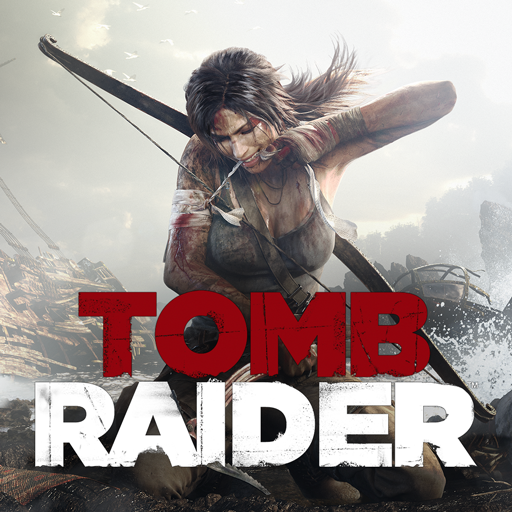
Tomb Raider™
Updated
Current Version
1.4RC6
Offered By

With your passion for Tomb Raider™, you shouldn’t have to limit yourself to the small screen of a phone. Play like a pro and take full control of the game using a keyboard and mouse. MEmu gives you everything you’re looking for. Download and play Tomb Raider™ on PC. Play as long as you want — no more worries about battery life, mobile data, or unexpected calls. The all-new MEmu 9 is the best way to play Tomb Raider™ on PC. With our expertly designed keymapping system, Tomb Raider™ feels just like a real PC game. The MEmu multi-instance manager lets you run two or more accounts on the same device at the same time. Most importantly, our exclusive emulation engine unlocks your PC’s full potential, delivering smooth and seamless performance.
Show more
Download Tomb Raider™ on PC with MEmu Android Emulator. Enjoy playing on big screen. Before there was the Tomb Raider, there was Lara Croft; twenty-one years old and shipwrecked on her first archaeological expedition.
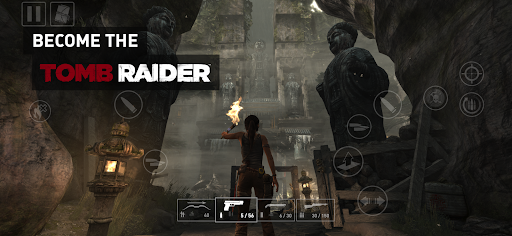
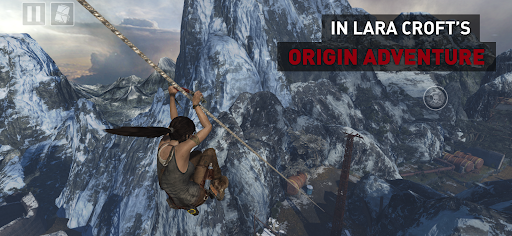
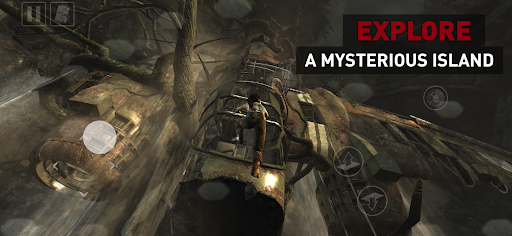
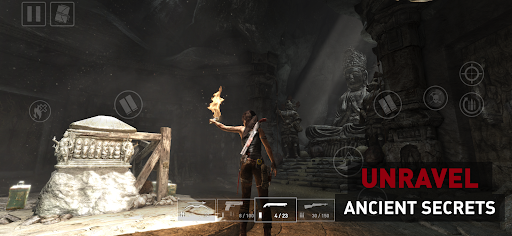
Before there was the Tomb Raider, there was Lara Croft; twenty-one years old and shipwrecked on her first archaeological expedition. To escape the mysterious isle of Yamatai, she must push far beyond her limits, leave innocence behind and be reborn a legend.
Explore Yamatai’s ancient ruins, unlock its riddles and fight for survival against its murderous inhabitants.
Tomb Raider for Android is the complete adventure, expertly adapted for mobile. Play it your way, whether using intuitive touchscreen controls, mouse & keyboard, or your favourite gamepad.
TOMB RAIDER COMPLETE AND UNCUT
Lara’s first AAA outing on Android arrives without compromise — packed with exploration, intense firefights, puzzles and Challenge Tombs.
OVERCOME THE ODDS
Unlock skills, hunt for materials, and craft equipment to take Lara from desperate survivor to master adventurer.
UNCOVER A LOST KINGDOM
Discover lost relics and ancient scrolls to unravel the mysteries of Yamatai and the cultists who prowl its depths.
INCLUDES BONUS CONTENT
Tomb Raider for Android comes with 12 DLC packs, including Skills, Weapon Upgrades and a variety of skins for Lara, plus a bonus Challenge Tomb.
TAILORED TO ANDROID
Includes gyroscopic motion-aim on supported devices, as well as optimisation presets for improved performance or visuals.
===
Tomb Raider requires Android 13 or later. You need 12.5GB of free space on your device, though we recommend at least double this to avoid initial installation issues.
To avoid disappointment, we aim to block users from purchasing a game if their device is not capable of running it. If you are able to purchase this game on your device then we expect it to run well in most cases.
However, we are aware of rare instances where users are able to purchase the game on unsupported devices. This can occur when a device is not correctly identified by the Google Play Store, and therefore cannot be blocked from purchasing. For full details on the supported chipsets for this game, plus a list of tested and verified devices, we recommend that you visit:
https://feral.in/tombraider-android-devices
===
© 2026 Crystal Dynamics group of companies. All rights reserved. TOMB RAIDER, LARA CROFT, CRYSTAL DYNAMICS, the CRYSTAL DYNAMICS logo, EIDOS, and the EIDOS logo are trademarks of the Crystal Dynamics and Eidos Interactive Corp. group of companies. Developed for and published on Android by Feral Interactive Ltd. Android is a trademark of Google LLC. Feral and the Feral logo are trademarks of Feral Interactive Ltd. All other trademarks are the properties of their respective owners. All rights reserved.
===
Rated 18+ by the Indonesia Game Rating System (IGRS)
Show more

1. Download MEmu installer and finish the setup

2. Start MEmu then open Google Play on the desktop

3. Search Tomb Raider™ in Google Play
Install
4. Download and Install Tomb Raider™
5. On install completion click the icon to start

6. Enjoy playing Tomb Raider™ on PC with MEmu
MEmu Play is the best Android emulator and 100 million people already enjoy its superb Android gaming experience. The MEmu virtualization technology empowers you to play thousands of Android games smoothly on your PC, even the most graphic-intensive ones.
Bigger screen with better graphics; Long duration, without limitation of battery or mobile data.
Full Keymapping support for precise control of keyboard and mouse or gamepad.
Multiple game accounts or tasks on single PC at one time with Multi-Instance manager.
Play Tomb Raider™ on PC by following steps: