
Last Valkyrie
Updated
Current Version
1.0.5
Offered By

With your passion for Last Valkyrie, you shouldn’t have to limit yourself to the small screen of a phone. Play like a pro and take full control of the game using a keyboard and mouse. MEmu gives you everything you’re looking for. Download and play Last Valkyrie on PC. Play as long as you want — no more worries about battery life, mobile data, or unexpected calls. The all-new MEmu 9 is the best way to play Last Valkyrie on PC. With our expertly designed keymapping system, Last Valkyrie feels just like a real PC game. The MEmu multi-instance manager lets you run two or more accounts on the same device at the same time. Most importantly, our exclusive emulation engine unlocks your PC’s full potential, delivering smooth and seamless performance.
Show more
Download Last Valkyrie on PC with MEmu Android Emulator. Enjoy playing on big screen. From the ashes, your story rises.
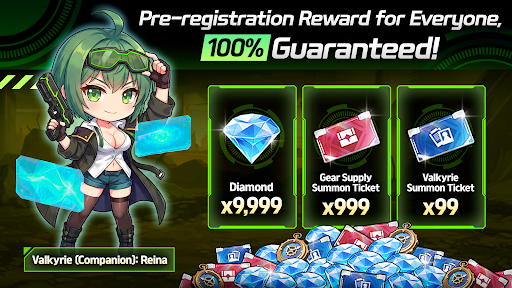
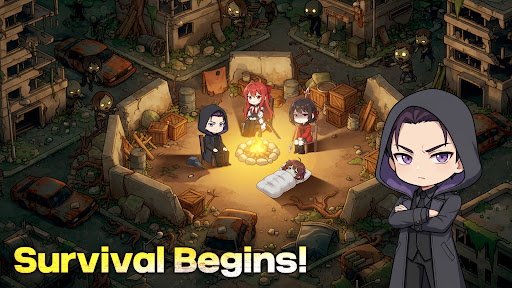
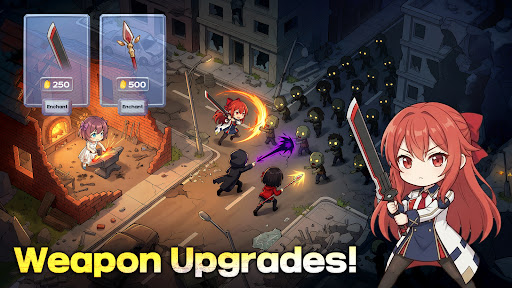
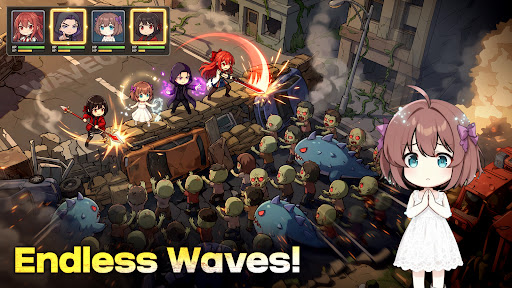
From the ashes, your story rises.
Civilization has collapsed, leaving the world in ruins.
What remains is a dystopian landscape where survival is no longer decided by luck, but by smart decisions, leadership, and careful management.
A mysterious virus has transformed cities into wastelands, with zombies and mutated creatures roaming the streets.
As the commander of the last shelter, you must recruit survivors, manage limited resources, and guide humanity through the aftermath in a strategy-driven survival RPG.
This isn’t just another idle game.
Idle systems support steady growth, but true survival in this RPG depends on how well you plan, manage, and adapt to constant threats.
■ Survival Is Strategy
There are no true safe zones left in this survival RPG.
Idle progression helps, but it’s your decisions that determine survival, including how you allocate resources, strengthen defenses, and prepare for ongoing danger.
Zombies never stop, and supplies grow scarce.
This survival RPG rewards players who think ahead, adjust their strategy, and respond to changing conditions.
■ Shelter Building & Survivor Management
Your shelter is more than a base.
It is humanity’s final stronghold in a world governed by harsh survival rules and strategic RPG systems.
Build and upgrade facilities to improve efficiency
Assign survivors to roles that fit their strengths
Manage production, defense, and daily operations
Survival isn’t only about combat.
In this RPG, it’s about keeping your people fed, equipped, and ready for whatever comes next.
■ Exploration & Combat
Beyond the shelter, danger is everywhere.
Explore devastated zones to secure vital resources for survival
Engage in automated battles where preparation and strategy shape the outcome
Each expedition uncovers new risks and fragments of how the world fell apart, deepening the survival RPG experience.
■ Idle Progression with Strategic Depth
Grow steadily through idle systems designed to support long-term survival.
Meaningful choices and strategic planning define how your RPG journey unfolds.
Build, manage, and survive as the world outside continues to crumble.
■ Recommended for Players Who Enjoy
Dark, dystopian survival themes
Strategic RPG gameplay with idle progression
Resource management under constant pressure
Battling through zombie-infested ruins where every RPG decision matters
------------------------------------------------------------------------------------
■ Support
If you encounter any issues or have questions, please contact our customer support.
Email: support_lastvalkyrie@nitrox.games
Privacy Policy: https://www.nitrox.games/privacy_EN.html
Terms of Service: https://www.nitrox.games/TermsofServiceEN.html
Show more

1. Download MEmu installer and finish the setup

2. Start MEmu then open Google Play on the desktop

3. Search Last Valkyrie in Google Play
Install
4. Download and Install Last Valkyrie
5. On install completion click the icon to start

6. Enjoy playing Last Valkyrie on PC with MEmu
MEmu Play is the best Android emulator and 100 million people already enjoy its superb Android gaming experience. The MEmu virtualization technology empowers you to play thousands of Android games smoothly on your PC, even the most graphic-intensive ones.
Bigger screen with better graphics; Long duration, without limitation of battery or mobile data.
Full Keymapping support for precise control of keyboard and mouse or gamepad.
Multiple game accounts or tasks on single PC at one time with Multi-Instance manager.
Play Last Valkyrie on PC by following steps:

















































