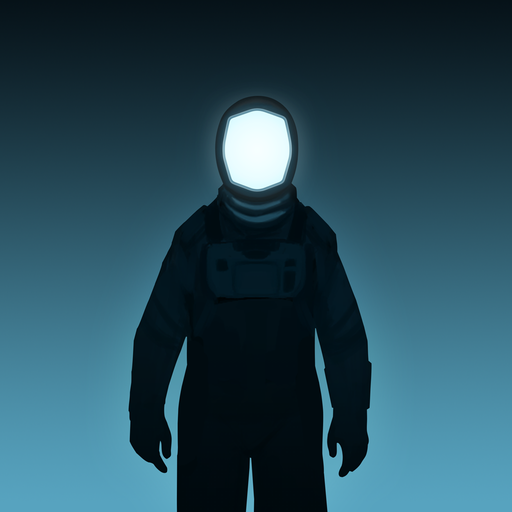
Lifeline
Updated
Current Version
2.3.4
Offered By

With your passion for Lifeline, you shouldn’t have to limit yourself to the small screen of a phone. Play like a pro and take full control of the game using a keyboard and mouse. MEmu gives you everything you’re looking for. Download and play Lifeline on PC. Play as long as you want — no more worries about battery life, mobile data, or unexpected calls. The all-new MEmu 9 is the best way to play Lifeline on PC. With our expertly designed keymapping system, Lifeline feels just like a real PC game. The MEmu multi-instance manager lets you run two or more accounts on the same device at the same time. Most importantly, our exclusive emulation engine unlocks your PC’s full potential, delivering smooth and seamless performance.
Show more
Download Lifeline on PC with MEmu Android Emulator. Enjoy playing on big screen. Lifeline is a playable, branching story of survival against all odds.

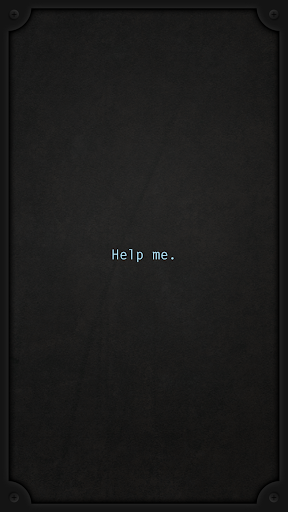
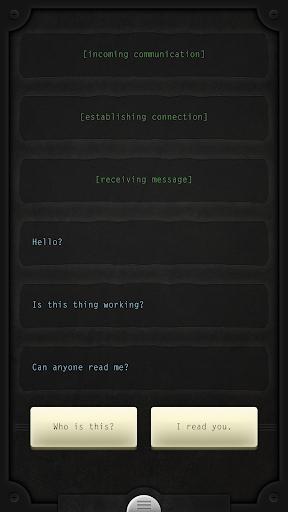
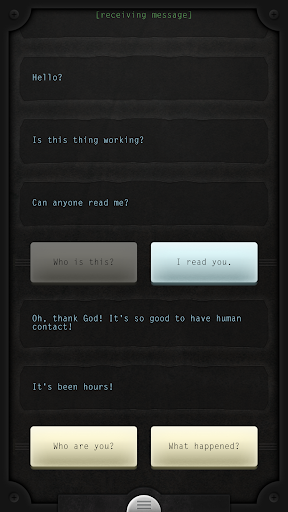
Lifeline is a playable, branching story of survival against all odds. You will help Taylor make life or death decisions, and face the consequences together.
Acclaimed writer Dave Justus (Fables: The Wolf Among Us) weaves a gripping interactive story through the aftermath of a crash landing on an alien moon. Taylor is stranded, the rest of the crew are dead or missing, and Taylor’s communicator can only reach you.
Lifeline pioneered a new narrative experience enabled by modern devices. This story plays out in real time as Taylor works to stay alive, notifications deliver new messages throughout your day. Keep up as they come in, or catch up later when you’re free.
Or, dive in and jump back to earlier points in the story, and see what happens when you make a different choice. Simple actions can have a profound effect. Complete any single path to restart the story and unlock this mode.
Lifeline is a deep, immersive story of survival and perseverance, with many possible outcomes. Taylor is relying on YOU.
Supports Wear OS!
You can play Lifeline in any of these languages:
English
French
German
Russian
Simplified Chinese
Japanese
Spanish
Korean
Internet connection not required. No in-app purchases and no ads.
Praise for Lifeline:
“I’ve played many games that I find engrossing, but Lifeline may be one of the first that changed the way I thought about my daily routine, which leapt off the screen and became a part of my lived experience.” - Eli Cymet, Gamezebo
“I felt an immediate attachment to a fictional character pinging me from a strange galaxy to my wearable.” - Luke Hopewell, Gizmodo Australia
“For a few brief hours I cared – really cared – about the fate of a completely fictional character. I don’t think any other game I’ve played has made me feel that way before.” - Matt Thrower, PocketGamer
Lifeline was created by:
Dave Justus
Mars Jokela
Dan Selleck
Colin Liotta
Jackie Steege
Wilson Bull
Jason Nowak
Ben “Books” Schwartz
Show more

1. Download MEmu installer and finish the setup

2. Start MEmu then open Google Play on the desktop

3. Search Lifeline in Google Play
Install
4. Download and Install Lifeline
5. On install completion click the icon to start

6. Enjoy playing Lifeline on PC with MEmu
MEmu Play is the best Android emulator and 100 million people already enjoy its superb Android gaming experience. The MEmu virtualization technology empowers you to play thousands of Android games smoothly on your PC, even the most graphic-intensive ones.
Bigger screen with better graphics; Long duration, without limitation of battery or mobile data.
Full Keymapping support for precise control of keyboard and mouse or gamepad.
Multiple game accounts or tasks on single PC at one time with Multi-Instance manager.
Play Lifeline on PC by following steps: