
Little Inferno
Updated
Current Version
2.0.3.7
Offered By

With your passion for Little Inferno, you shouldn’t have to limit yourself to the small screen of a phone. Play like a pro and take full control of the game using a keyboard and mouse. MEmu gives you everything you’re looking for. Download and play Little Inferno on PC. Play as long as you want — no more worries about battery life, mobile data, or unexpected calls. The all-new MEmu 9 is the best way to play Little Inferno on PC. With our expertly designed keymapping system, Little Inferno feels just like a real PC game. The MEmu multi-instance manager lets you run two or more accounts on the same device at the same time. Most importantly, our exclusive emulation engine unlocks your PC’s full potential, delivering smooth and seamless performance.
Show more
Download Little Inferno on PC with MEmu Android Emulator. Enjoy playing on big screen. * OVER 1 MILLION COPIES SOLD!

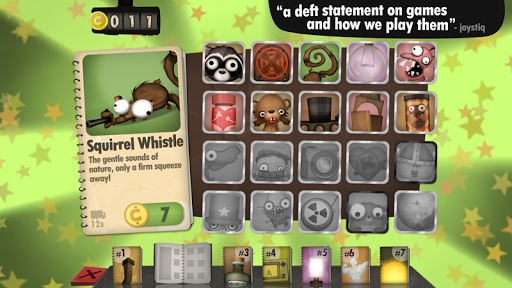
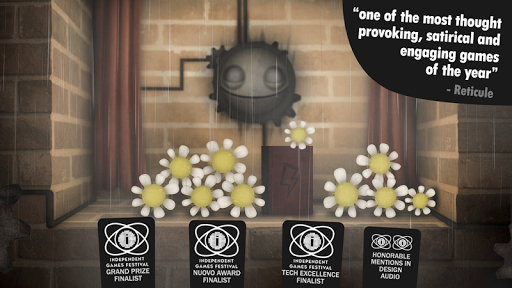
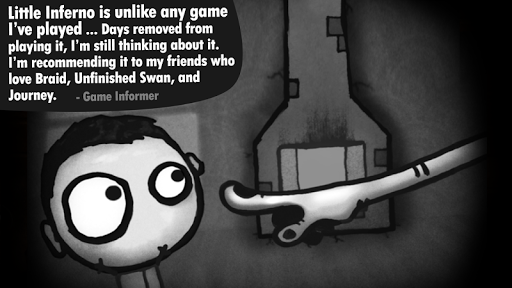
* OVER 1 MILLION COPIES SOLD! *
Congratulations on your new Little Inferno Entertainment Fireplace! Throw your toys into your fire, and play with them as they burn. Stay warm in there. It's getting cold outside!
AWARDS
- IGF Grand Price Finalist
- IGF Nuovo Award Finalist
- IGF Tech Excellence Finalist and Winner
- IGF Design Honorable Mention
- IGF Audio Honorable Mention
REVIEWS
"A beautiful masterpiece that everyone should try ... it might be the most compelling and beautiful indie game I’ve played all year." (Gamezone)
"A deft statement on games and how we play them." (Engadget)
"The test I want a good game to pass is simple: I want it to stick with me. I want it to seep into my thoughts days after I played it. Little Inferno is simple. It's somehow both quaint and bold. It lingers. It burns brightly. It burns well." (Kotaku)
"Entrancing, beautiful, and surprising...one of the most emotionally affecting gaming experiences I’ve had in a while." (Forbes)
DESCRIPTION
Burn flaming logs, screaming robots, credit cards, batteries, exploding fish, unstable nuclear devices, and tiny galaxies. An adventure that takes place almost entirely in front of a fireplace - about looking up up up out of the chimney, and the cold world just on the other side of the wall.
- From the creators of World of Goo, Human Resource Machine, and 7 Billion Humans.
- 100% indie - made by 3 guys, no office, no publishers, no funding.
- Play in English, Spanish, French, Dutch, German, Italian, Brazilian Portuguese, Russian, Traditional Chinese, Simplified Chinese, Japanese, Korean, or Ukrainian!
LITTLE INFERNO: HO HO HOLIDAY DLC
Return to the world of Little Inferno with an all new scary holiday story, a mysterious new character, a new catalog, new toys, new combos, and lots of new holiday content to keep you warm.
What's in the expansion?
- A scary new holiday story... something is coming!
- A new holiday catalog with 20 new toys... with curious new properties.
- A Mysterious new character.
- More than 50 new combos.
- Infinite Yule Log. Start a fire and leave it burning for a cozy ambiance.
- The original campaign of Little Inferno is also always available to play.
- Play in English, Spanish, French, Dutch, German, Italian, Brazilian Portuguese, Russian, Traditional Chinese, Simplified Chinese, Japanese, Korean, or Ukrainian!
Show more

1. Download MEmu installer and finish the setup

2. Start MEmu then open Google Play on the desktop

3. Search Little Inferno in Google Play
Install
4. Download and Install Little Inferno
5. On install completion click the icon to start

6. Enjoy playing Little Inferno on PC with MEmu
MEmu Play is the best Android emulator and 100 million people already enjoy its superb Android gaming experience. The MEmu virtualization technology empowers you to play thousands of Android games smoothly on your PC, even the most graphic-intensive ones.
Bigger screen with better graphics; Long duration, without limitation of battery or mobile data.
Full Keymapping support for precise control of keyboard and mouse or gamepad.
Multiple game accounts or tasks on single PC at one time with Multi-Instance manager.
Play Little Inferno on PC by following steps: