
Lootfiend:Idle Dungeons
Updated
Current Version
1.13.0
Offered By

With your passion for Lootfiend:Idle Dungeons, you shouldn’t have to limit yourself to the small screen of a phone. Play like a pro and take full control of the game using a keyboard and mouse. MEmu gives you everything you’re looking for. Download and play Lootfiend:Idle Dungeons on PC. Play as long as you want — no more worries about battery life, mobile data, or unexpected calls. The all-new MEmu 9 is the best way to play Lootfiend:Idle Dungeons on PC. With our expertly designed keymapping system, Lootfiend:Idle Dungeons feels just like a real PC game. The MEmu multi-instance manager lets you run two or more accounts on the same device at the same time. Most importantly, our exclusive emulation engine unlocks your PC’s full potential, delivering smooth and seamless performance.
Show more
Download Lootfiend:Idle Dungeons on PC with MEmu Android Emulator. Enjoy playing on big screen. Lootfiend is a dark fantasy idle RPG featuring deep strategy and exciting loot-grinding!
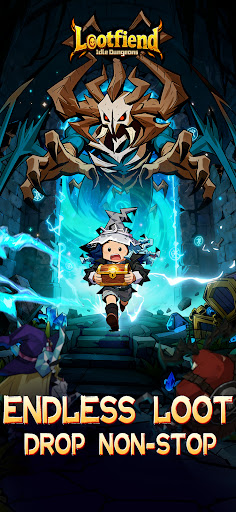



Lootfiend is a dark fantasy idle RPG featuring deep strategy and exciting loot-grinding! Explore immersive worlds and dungeons full of epic, action-packed PvP and PvE adventures. Engage in thrilling battles against monsters and demons for endless treasures.
Key Features
- Easy to Play: AFK-mode saves you time while your hero and sidekicks auto-dungeon crawl to gather resources and experience to ensure you never stop leveling up.
·Flexible Combinations: Choose and combine abilities, passives, magic, runes, and more to unlock character builds that are uniquely yours. Switch your build anytime to suit any challenge!
- Loot Rare Sets: Quest for Legendary, Ancient, and Fabled equipment sets to unleash their combined power. With gear upgrades and stats reroll, you can focus on making your key ability overpowered to turn the tides of any battle.
- Recruit Allies: Complete your vast collections of spells, pets, runes, and artifacts that grant tactical advantages in fights including healing, physical and magical damage, shields, crit damage, and more! Fight alongside your sidekicks to clear stages fast and progress smoothly.
- Character Customization: Collect and unlock classes and accessories to build a character appearance that expresses your unique personality -including armor, clothing, hats, shoes, fantasy weapons, and more!
- Diverse Gameplay: Explore dark-fantasy PvE dungeons and guild raids to experience tiered single-player endless challenges. Not into PvE? No worries! - join the online multi-player PvP arena to challenge similarly ranked opponents and climb the rankings -also join in on the weekly live events for even more free and powerful rewards!
Official Website: https://lootfiend.megoogames.com
Show more

1. Download MEmu installer and finish the setup

2. Start MEmu then open Google Play on the desktop

3. Search Lootfiend:Idle Dungeons in Google Play
Install
4. Download and Install Lootfiend:Idle Dungeons
5. On install completion click the icon to start

6. Enjoy playing Lootfiend:Idle Dungeons on PC with MEmu
MEmu Play is the best Android emulator and 100 million people already enjoy its superb Android gaming experience. The MEmu virtualization technology empowers you to play thousands of Android games smoothly on your PC, even the most graphic-intensive ones.
Bigger screen with better graphics; Long duration, without limitation of battery or mobile data.
Full Keymapping support for precise control of keyboard and mouse or gamepad.
Multiple game accounts or tasks on single PC at one time with Multi-Instance manager.
Play Lootfiend:Idle Dungeons on PC by following steps:












![Lootfiend: Idle Dungeons Codes [Weekly Update] October 2026 – All Working Redeem Codes PC](https://www.memuplay.com/blog/wp-content/uploads/2025/12/QQ图片20251223113258.jpg)































