Magic Sort!
Updated
Current Version
0.0.3241
Offered By

With your passion for Magic Sort!, you shouldn’t have to limit yourself to the small screen of a phone. Play like a pro and take full control of the game using a keyboard and mouse. MEmu gives you everything you’re looking for. Download and play Magic Sort! on PC. Play as long as you want — no more worries about battery life, mobile data, or unexpected calls. The all-new MEmu 9 is the best way to play Magic Sort! on PC. With our expertly designed keymapping system, Magic Sort! feels just like a real PC game. The MEmu multi-instance manager lets you run two or more accounts on the same device at the same time. Most importantly, our exclusive emulation engine unlocks your PC’s full potential, delivering smooth and seamless performance.
Show more
Download Magic Sort! on PC with MEmu Android Emulator. Enjoy playing on big screen. Dive into the Enchanted Realm of Magic Sort: A Mystical Water Sort Adventure!
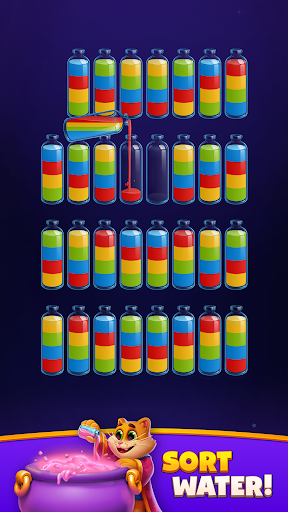
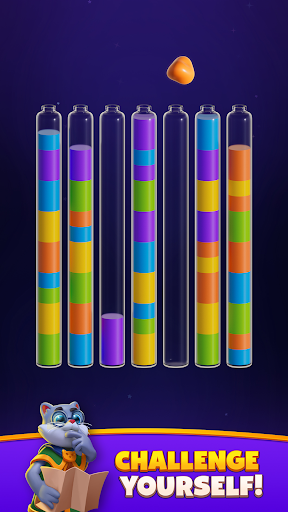


Dive into the Enchanted Realm of Magic Sort: A Mystical Water Sort Adventure!
Discover Magic Sort! Mix colors in a world where every splash of water is a step into mystery. This isn’t just a game; it’s a journey through puzzles that sparkle with charm, inviting you to sort, match, and puzzle your way through.
Quick Play Guide
Start Simple: Tap a bottle to pick it up, and another to pour the water. Organize the water so each bottle has only one color.
Think Ahead: Pour water only if it matches the top color of the destination bottle and there’s room. Plan to avoid dead ends and strategically sort the colors.
Embrace Complexity: With each level, sorting and matching require more thought. Every move is crucial.
Utilize Magic Tools: Stuck? Use 'Undo' to reverse moves, or 'Shuffle' to rearrange the bottles anew, making sorting a breeze.
Cool Features
Spellbinding Levels: Each stage brings a fresh challenge of color sorting and magical fun.
Wizard’s Gear: Magic tools make your quest of water sorting smoother and way more fun.
Vivid Splashes: A riot of colors makes every move a delight, turning sorting into a visual feast.
Unique Twists: Classic puzzles get a magical makeover for extra thrill, blending color, water, and puzzle elements seamlessly.
Boosts & Surprises: Stir up boosts in the cauldron to power through puzzles, adding a layer of strategy to your color sorting.
Mystical Ingredients: Gather ingredients to brew stronger magic, enhancing your water sort adventures.
Why Magic Sort?
Sharpen Your Brain: Each puzzle is a fun test of wits, blending elements of color, water, and sorting into each challenge.
Chill Vibes: Dive into a soothing, colorful escape, where water and color sorting provide a tranquil experience.
Magic at Every Turn: New potions and surprises make every level an adventure in water, color, and puzzle-solving.
Get Ready to Cast Some Color!
Download Magic Sort now and start your magical, colorful journey. The world of mystical puzzles, where water, sorting, and color converge, awaits!
Show more

1. Download MEmu installer and finish the setup

2. Start MEmu then open Google Play on the desktop

3. Search Magic Sort! in Google Play
Install
4. Download and Install Magic Sort!
5. On install completion click the icon to start

6. Enjoy playing Magic Sort! on PC with MEmu
MEmu Play is the best Android emulator and 100 million people already enjoy its superb Android gaming experience. The MEmu virtualization technology empowers you to play thousands of Android games smoothly on your PC, even the most graphic-intensive ones.
Bigger screen with better graphics; Long duration, without limitation of battery or mobile data.
Full Keymapping support for precise control of keyboard and mouse or gamepad.
Multiple game accounts or tasks on single PC at one time with Multi-Instance manager.
Play Magic Sort! on PC by following steps: