Match Mahjong: Tile Game
Updated
Current Version
0.0.25
Offered By

With your passion for Match Mahjong: Tile Game, you shouldn’t have to limit yourself to the small screen of a phone. Play like a pro and take full control of the game using a keyboard and mouse. MEmu gives you everything you’re looking for. Download and play Match Mahjong: Tile Game on PC. Play as long as you want — no more worries about battery life, mobile data, or unexpected calls. The all-new MEmu 9 is the best way to play Match Mahjong: Tile Game on PC. With our expertly designed keymapping system, Match Mahjong: Tile Game feels just like a real PC game. The MEmu multi-instance manager lets you run two or more accounts on the same device at the same time. Most importantly, our exclusive emulation engine unlocks your PC’s full potential, delivering smooth and seamless performance.
Show more
Download Match Mahjong: Tile Game on PC with MEmu Android Emulator. Enjoy playing on big screen. Discover the Ultimate Tile-Matching Experience.
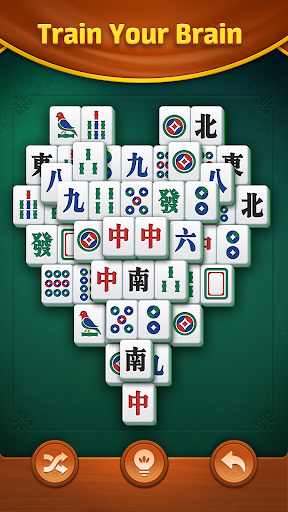
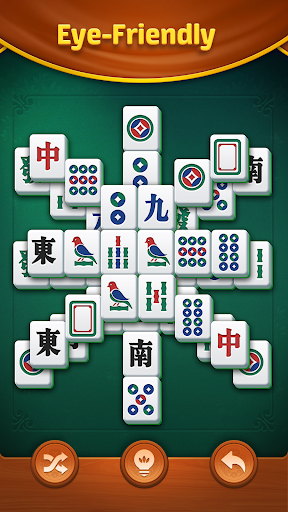
Discover the Ultimate Tile-Matching Experience
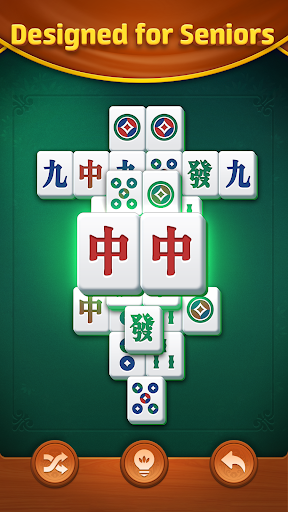
Dive into Match Tile: Relax Puzzle Game, the exclusive brain-training solitaire adventure designed for puzzle lovers of all ages! Perfectly blending classic tile-matching gameplay with modern innovations, this game offers a calming yet stimulating escape that sharpens your mind while soothing your spirit. Whether you're a seasoned puzzle pro or seeking a relaxing stress-relief game, our intuitive design, elderly-friendly interface, and adaptive features make it ideal for smartphones, tablets, and casual gamers.
Why Players Love Match Tile: Relax Puzzle Game
#1 Brain Training Game: Boost memory, focus, and cognitive skills with mind-enhancing levels and daily challenges.
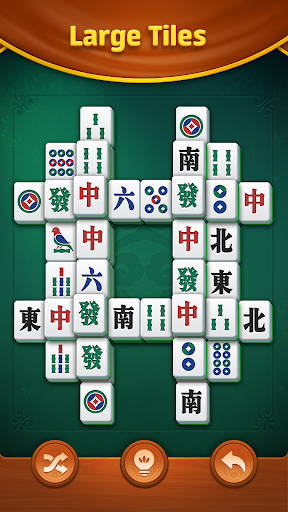
Endless Relaxation: Unwind with soothing visuals, large tiles, and smooth gameplay tailored for stress relief and mental wellness.
Social & Competitive Fun: Challenge friends in PK mode, climb leaderboards, or enjoy solo play—your choice!
Trending Features: Daily rewards, hidden object twists, and special power-ups keep every session fresh and addictive.
How to Play
Simple rules, endless satisfaction! Clear all tiles by matching identical pairs. Tap or slide to connect unblocked tiles and watch them vanish. As levels progress, unlock innovative mechanics like mystery tiles, timed challenges, and memory-boosting puzzles that test your strategy. Master the board to become a tile-matching champion!
Key Features
Classic Solitaire Reimagined: Rediscover nostalgic card tile sets with 500+ levels and evergreen gameplay.
Mind-Sharpening Modes: Tackle Active Mind Levels to enhance memory retention and quick thinking.
Daily Brain Workouts: Earn trophies in Daily Challenges—perfect for cognitive training and habit-building.
Life-Saving Tools: Stuck? Use hints, shuffle tiles, or undo moves to conquer tricky puzzles.
Play Anywhere: Fully offline-friendly—no Wi-Fi needed! Optimized for all devices, from compact phones to large tablets.
Senior-Friendly Design: High-contrast visuals, adjustable tile sizes, and easy-to-navigate UI cater to older adults.
Join the Viral Puzzle Craze!
Match Tile: Relax Puzzle Game isn’t just a game—it’s a daily self-care ritual for your brain. Loved by millions as a top-tier memory game, it’s your go-to for short mental breaks, family-friendly fun, or competitive matches.
Download Now and experience why it’s hailed as the best offline puzzle game of 2025! Train your brain, relax your mind, and become part of a global community obsessed with tile-matching solitaire!
Show more

1. Download MEmu installer and finish the setup

2. Start MEmu then open Google Play on the desktop

3. Search Match Mahjong: Tile Game in Google Play
Install
4. Download and Install Match Mahjong: Tile Game
5. On install completion click the icon to start

6. Enjoy playing Match Mahjong: Tile Game on PC with MEmu
MEmu Play is the best Android emulator and 100 million people already enjoy its superb Android gaming experience. The MEmu virtualization technology empowers you to play thousands of Android games smoothly on your PC, even the most graphic-intensive ones.
Bigger screen with better graphics; Long duration, without limitation of battery or mobile data.
Full Keymapping support for precise control of keyboard and mouse or gamepad.
Multiple game accounts or tasks on single PC at one time with Multi-Instance manager.
Play Match Mahjong: Tile Game on PC by following steps: