Mecharashi
Updated
Current Version
1.3.1
Offered By

With your passion for Mecharashi, you shouldn’t have to limit yourself to the small screen of a phone. Play like a pro and take full control of the game using a keyboard and mouse. MEmu gives you everything you’re looking for. Download and play Mecharashi on PC. Play as long as you want — no more worries about battery life, mobile data, or unexpected calls. The all-new MEmu 9 is the best way to play Mecharashi on PC. With our expertly designed keymapping system, Mecharashi feels just like a real PC game. The MEmu multi-instance manager lets you run two or more accounts on the same device at the same time. Most importantly, our exclusive emulation engine unlocks your PC’s full potential, delivering smooth and seamless performance.
Show more
Download Mecharashi on PC with MEmu Android Emulator. Enjoy playing on big screen. ※Mecharashi is a mecha-themed tactical turn-based game.
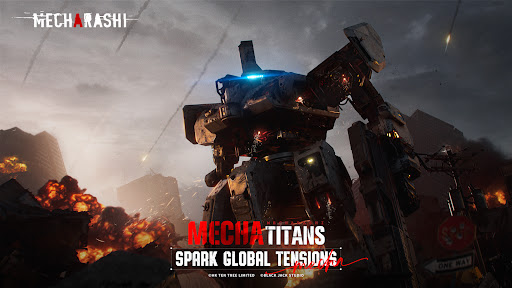
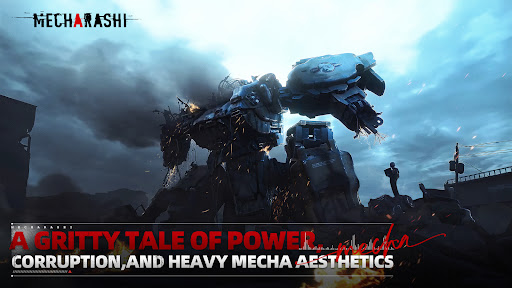
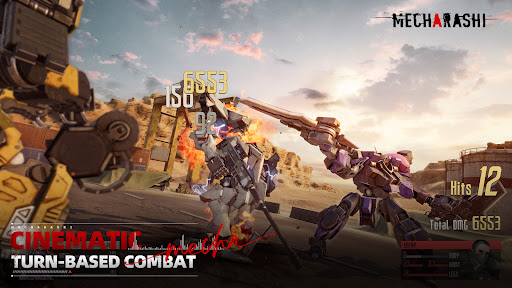
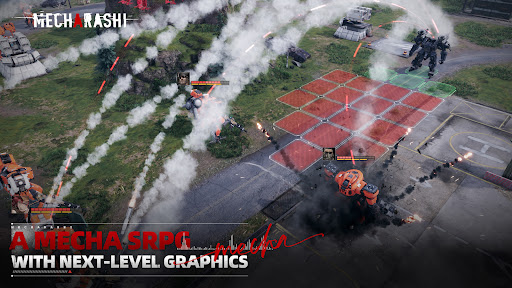
※Mecharashi is a mecha-themed tactical turn-based game.
The game adopts a unique part-destruction combat system, where you can assemble mechas however you want, equip a wide selection of weapons, and choose your favorite pilots to engage in battle. When any part of a mecha is destroyed, its battle efficiency will diminish significantly. By focusing attacks on the most critical enemy parts, you can gain a clear strategic advantage.
As a mecha commander, your task is to achieve victory through strategic insight and journey through a world shaped by war, where profound stories of dire conflict and unassailable hope are born!"
※The Most Visually Stunning Mobile Mecha Game to Date
The game is designed to meet the highest standards for mobile platforms. Every detail, from the design of each environment to the mecha models, is designed with a serious, realistic approach for maximum visual expression.
※Story Stages Combining Engaging Narratives and Tough Challenges
Surrounded by the immersive environments of Milkhama, players command a mercenary unit, exploring the world and shaking up the political machinations behind the scenes, becoming key players in a story that will shape history.
※Build and Customize Your Mecha Squad
On Milkhama Island, countless mecha factories vie for supremacy, leading to the creation of classic mechas with diverse designs and performance features, along with an array of corresponding weapons. You can customize the bodies, arms, legs, and weapons of your mechas to form a mecha squad tailored to each battle's needs, then outfit them with elite pilots, each boasting a unique personality and backstory. You can also customize the paintwork of your mechas and weapons down to the finest details, with over 120 free colors available by default.
※Revolutionary Turn-Based "Part Destruction" Gameplay
"The hit points of different mecha parts are calculated separately in battle, allowing for individual part destruction. This feature opens the doors to a world of infinite strategic possibilities. Destroying the torso, the part with the highest hit points, will directly neutralize the target, while breaking the arms or legs will impair weapons and mobility. Your every choice must be considered in advance, based on the current situation on the battlefield.
Thank you for your interest in Mecharashi. We look forward to meeting you in Milkhama!
※Please follow us for the latest updates:
X: https://x.com/mecharashi
YouTube: https://www.youtube.com/@mecharashi
Discord: https://discord.gg/mecharashi
Reddit: https://www.reddit.com/r/Mecharashi_Global/
FB: https://www.facebook.com/Mecharashi-100820506209710
TikTok: https://www.tiktok.com/@mecharashi_global
Instagram: https://www.instagram.com/mecharashi/
Show more

1. Download MEmu installer and finish the setup

2. Start MEmu then open Google Play on the desktop

3. Search Mecharashi in Google Play
Install
4. Download and Install Mecharashi
5. On install completion click the icon to start

6. Enjoy playing Mecharashi on PC with MEmu
MEmu Play is the best Android emulator and 100 million people already enjoy its superb Android gaming experience. The MEmu virtualization technology empowers you to play thousands of Android games smoothly on your PC, even the most graphic-intensive ones.
Bigger screen with better graphics; Long duration, without limitation of battery or mobile data.
Full Keymapping support for precise control of keyboard and mouse or gamepad.
Multiple game accounts or tasks on single PC at one time with Multi-Instance manager.
Play Mecharashi on PC by following steps: