Meridian 157: Chapter 3
Updated
Current Version
1.2.0
Offered By

With your passion for Meridian 157: Chapter 3, you shouldn’t have to limit yourself to the small screen of a phone. Play like a pro and take full control of the game using a keyboard and mouse. MEmu gives you everything you’re looking for. Download and play Meridian 157: Chapter 3 on PC. Play as long as you want — no more worries about battery life, mobile data, or unexpected calls. The all-new MEmu 9 is the best way to play Meridian 157: Chapter 3 on PC. With our expertly designed keymapping system, Meridian 157: Chapter 3 feels just like a real PC game. The MEmu multi-instance manager lets you run two or more accounts on the same device at the same time. Most importantly, our exclusive emulation engine unlocks your PC’s full potential, delivering smooth and seamless performance.
Show more
Download Meridian 157: Chapter 3 on PC with MEmu Android Emulator. Enjoy playing on big screen. You have ventured this far, now there is no turning back.
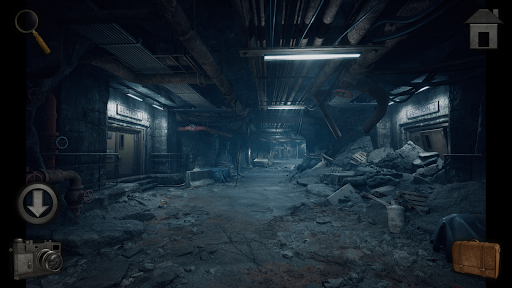
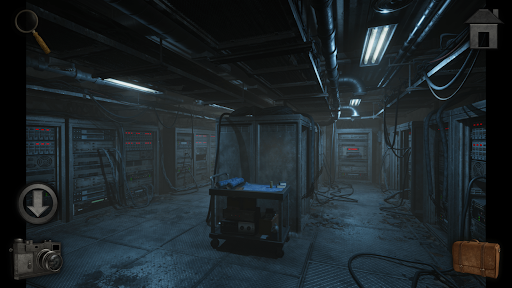
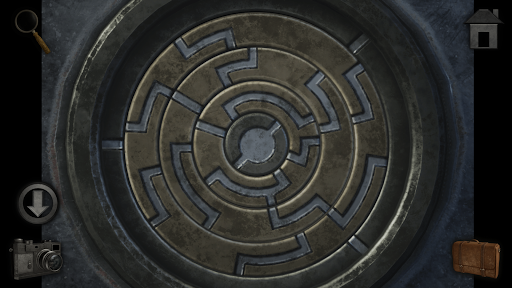
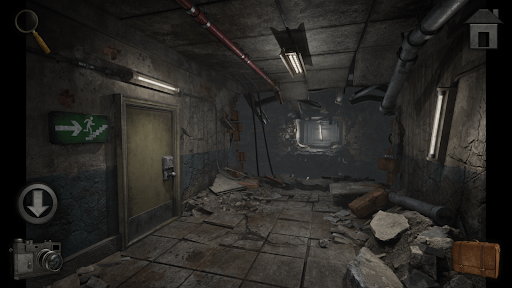
You have ventured this far, now there is no turning back. Uncover the island’s dark history by travelling through crumbling caverns and mysterious laboratories, but be warned, some may not be too welcoming of your presence…
The epic conclusion to the Meridian 157 series has arrived! Follow Dr. Zander into the heart of the facility to discover the sinister purpose behind the FLARE project, and to avert the impending disaster brought on by its conception.
With the most unique puzzles of the series, Meridian 157: Chapter 3 takes you to the source of the anomaly through a thrilling journey of mind-bending enigmas, perilous exploration and unsettling secrets of the island’s previous inhabitants. Follow Dr. Zander as he is pushed to his wits-end in this final adventure.
We develop point and click, puzzle, adventure games. Our main genres are mystery, horror, and escape room style games that focus on hidden object interactions, challenging enigmas, riddles, and logic-based brain teasers.
Across our various series, play as a detective exploring a strange anomaly with a dark past, stuck in limbo deep inside an abandoned laboratory, or as a national park ranger, the main investigator on an unsolved murder mystery style case deep within the wilderness… Search for clues, discover rooms, unlock doors, and uncover the hidden secrets while you work your way through our atmospheric, story-driven quests! All of our games are playable offline and in 9 languages!
Highlights:
• Escape Room Challenges: Test your logic in immersive settings and find the exit (escape) from enigmatic scenarios.
• Hidden Objects: A challenge for those who love to hunt down every clue, secret, and hidden item.
• Train Your Brain: A wide variety of puzzles, from simple riddles to complex logic brain-teasers to keep your mind sharp.
• Immersive Atmosphere: Experience polished aesthetics and deep storytelling for a total immersion in every graphic adventure.
• Classic Gameplay: A smooth and engaging point and click experience optimized for modern play.
Privacy policy: https://novasoftinteractive.com/privacy/
Show more

1. Download MEmu installer and finish the setup

2. Start MEmu then open Google Play on the desktop

3. Search Meridian 157: Chapter 3 in Google Play
Install
4. Download and Install Meridian 157: Chapter 3
5. On install completion click the icon to start

6. Enjoy playing Meridian 157: Chapter 3 on PC with MEmu
MEmu Play is the best Android emulator and 100 million people already enjoy its superb Android gaming experience. The MEmu virtualization technology empowers you to play thousands of Android games smoothly on your PC, even the most graphic-intensive ones.
Bigger screen with better graphics; Long duration, without limitation of battery or mobile data.
Full Keymapping support for precise control of keyboard and mouse or gamepad.
Multiple game accounts or tasks on single PC at one time with Multi-Instance manager.
Play Meridian 157: Chapter 3 on PC by following steps: