Mika: Dungeon Backpacker
Updated
Current Version
0.1.1
Offered By

With your passion for Mika: Dungeon Backpacker, you shouldn’t have to limit yourself to the small screen of a phone. Play like a pro and take full control of the game using a keyboard and mouse. MEmu gives you everything you’re looking for. Download and play Mika: Dungeon Backpacker on PC. Play as long as you want — no more worries about battery life, mobile data, or unexpected calls. The all-new MEmu 9 is the best way to play Mika: Dungeon Backpacker on PC. With our expertly designed keymapping system, Mika: Dungeon Backpacker feels just like a real PC game. The MEmu multi-instance manager lets you run two or more accounts on the same device at the same time. Most importantly, our exclusive emulation engine unlocks your PC’s full potential, delivering smooth and seamless performance.
Show more
Download Mika: Dungeon Backpacker on PC with MEmu Android Emulator. Enjoy playing on big screen. "It has waited for a century.
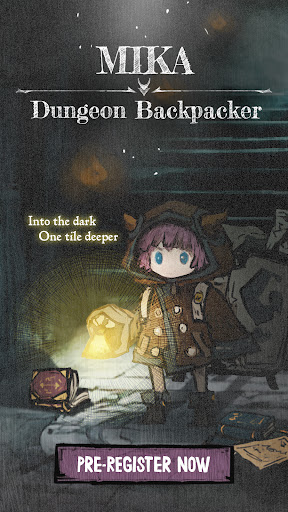
"It has waited for a century."
Stonia, a world where the continent is turning into dungeons.
Deep in the cathedral ruins, where an expedition fell 100 years ago,
Dungeon Supporter Mika comes face to face with the sleeping being inside.
------------------------------------------------------
[About the Game]
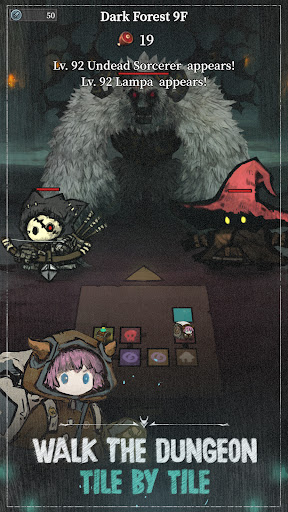
■ Walk uncharted grid dungeons, one tile at a time
No one knows what they hold until the door is opened.
A treasure chest? A Mimic? Or a deadly trap?
Each move costs a unit of food. Scour every corner for loot, or save your rations for the boss fight? On every floor, your choices determine your fate.
■ Build the perfect backpack to break through the dungeon
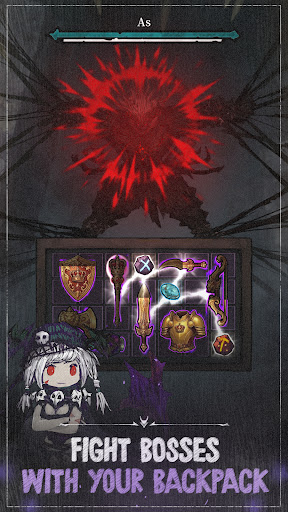
Dungeon Supporter Mika's real job is handing the heroes the mightiest backpack!
No more praying to the RNG gods! Pick only the gear you want from the shop on every floor.
Fit it all into limited bag space like a puzzle, merge identical weapons into legendary gear, and complete the ultimate backpack.
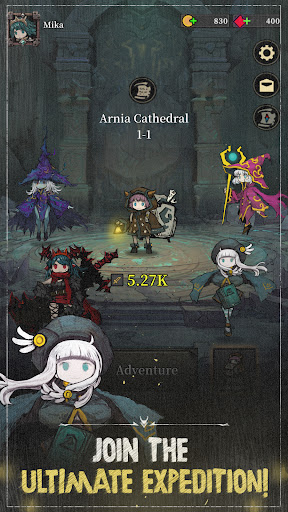
■ Mika and a 4-hero party against the final boss
Neutral, Order, Chaos: counter the enemy's gimmicks and shut them down!
Read the monsters and build your party, and the battle flows on its own.
Before the boss on 10F, watch the weapons packed in your bag unleash overwhelming firepower on every cooldown!
■ Endless dungeon modes of unfathomable depth
A breezy idle reward system with no grinding fatigue!
Blood Arena: PvP decided purely by party formation and backpack composition.
Nightmare Tower: challenge your limits with every hero you own.
Overcome dungeon penalties that change every run and become the master of the dungeon!
#DungeonCrawler #Roguelike #Roguelite #ExplorationRPG #BackpackBuilding #StrategyRPG #DungeonExploration #CollectionRPG
Show more

1. Download MEmu installer and finish the setup

2. Start MEmu then open Google Play on the desktop

3. Search Mika: Dungeon Backpacker in Google Play
Install
4. Download and Install Mika: Dungeon Backpacker
5. On install completion click the icon to start

6. Enjoy playing Mika: Dungeon Backpacker on PC with MEmu
MEmu Play is the best Android emulator and 100 million people already enjoy its superb Android gaming experience. The MEmu virtualization technology empowers you to play thousands of Android games smoothly on your PC, even the most graphic-intensive ones.
Bigger screen with better graphics; Long duration, without limitation of battery or mobile data.
Full Keymapping support for precise control of keyboard and mouse or gamepad.
Multiple game accounts or tasks on single PC at one time with Multi-Instance manager.
Play Mika: Dungeon Backpacker on PC by following steps:


















































