Mini Militia Classic : DA2 MMC
Updated
Current Version
1742940073
Offered By

With your passion for Mini Militia Classic : DA2 MMC, you shouldn’t have to limit yourself to the small screen of a phone. Play like a pro and take full control of the game using a keyboard and mouse. MEmu gives you everything you’re looking for. Download and play Mini Militia Classic : DA2 MMC on PC. Play as long as you want — no more worries about battery life, mobile data, or unexpected calls. The all-new MEmu 9 is the best way to play Mini Militia Classic : DA2 MMC on PC. With our expertly designed keymapping system, Mini Militia Classic : DA2 MMC feels just like a real PC game. The MEmu multi-instance manager lets you run two or more accounts on the same device at the same time. Most importantly, our exclusive emulation engine unlocks your PC’s full potential, delivering smooth and seamless performance.
Show more
Download Mini Militia Classic : DA2 MMC on PC with MEmu Android Emulator. Enjoy playing on big screen. Mini Militia (Classic) back by popular demand and under original management, Appsomniacs has re-launched the "Classic" version of Mini Militia Doodle Army 2 (DA2) featuring the return of wifi LAN play modes!
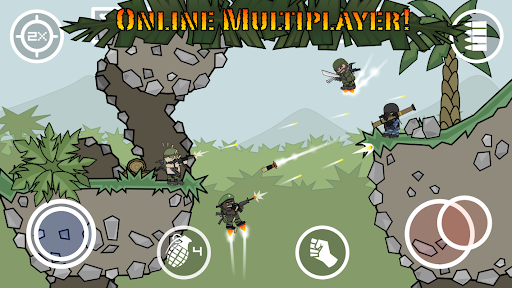
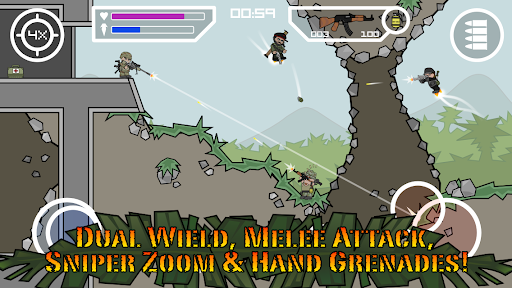
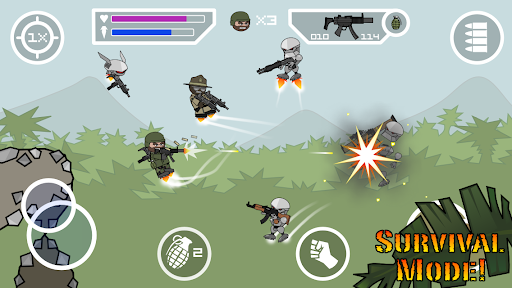
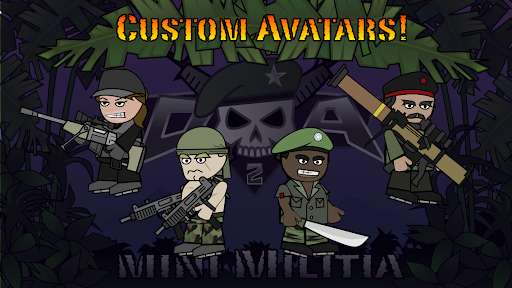
Mini Militia (Classic) back by popular demand and under original management, Appsomniacs has re-launched the "Classic" version of Mini Militia Doodle Army 2 (DA2) featuring the return of wifi LAN play modes!
*The Miniclip version will remain in the store for those who enjoy it. Appsomniacs retains no creative control over the aforementioned version, but we do benefit from its continued success. Thanks for your patience as we take a step back and regroup and rally around our classic offering, and as a base of operations to launch our new initiatives with the Doodle Army Franchise including advancing this classic version in a new, but very familiar, direction.
In the words of Sarge "We ain't got time to be dead."
Experience intense multiplayer combat with up to 6 players online or 12 using local wi-fi. Train with the Sarge and sharpen your skills in offline Training, Co-op and Survival modes. Shoot a multitude of weapon types including the sniper, shotgun and flamethrower.
Features explosive online and local multiplayer warfare! Intuitive dual stick shooting controls. Open world maps utilizing rocket boots for extended vertical flight. Zoom control, melee attacks and dual wield ability with modern and futuristic heavy duty weapons and grenades. Play team based battles in this fun cartoon themed cross between Soldat and Halo.
Mini Militia Classic : Doodle Army 2 aka MMC, is the spiritual rebirth to the original DA2 which was , sequel to the stickman shooter Doodle Army, was created based on player feedback and suggestions. We love to hear your ideas so thank you and keep them coming! Our alpha testers toiled for years to bring back elements that were removed (e.g., LAN, CTF, etc.) in the original DA2 as it evolved. MMC will evolve too, but not at a cost of those treasured features. This will be the launching point for future endeavors in the Mini Militia evolving multiverse.
Show more

1. Download MEmu installer and finish the setup

2. Start MEmu then open Google Play on the desktop

3. Search Mini Militia Classic : DA2 MMC in Google Play
Install
4. Download and Install Mini Militia Classic : DA2 MMC
5. On install completion click the icon to start

6. Enjoy playing Mini Militia Classic : DA2 MMC on PC with MEmu
MEmu Play is the best Android emulator and 100 million people already enjoy its superb Android gaming experience. The MEmu virtualization technology empowers you to play thousands of Android games smoothly on your PC, even the most graphic-intensive ones.
Bigger screen with better graphics; Long duration, without limitation of battery or mobile data.
Full Keymapping support for precise control of keyboard and mouse or gamepad.
Multiple game accounts or tasks on single PC at one time with Multi-Instance manager.
Play Mini Militia Classic : DA2 MMC on PC by following steps:












































