Mochi Burst
Updated
Current Version
1.0.7
Offered By

With your passion for Mochi Burst, you shouldn’t have to limit yourself to the small screen of a phone. Play like a pro and take full control of the game using a keyboard and mouse. MEmu gives you everything you’re looking for. Download and play Mochi Burst on PC. Play as long as you want — no more worries about battery life, mobile data, or unexpected calls. The all-new MEmu 9 is the best way to play Mochi Burst on PC. With our expertly designed keymapping system, Mochi Burst feels just like a real PC game. The MEmu multi-instance manager lets you run two or more accounts on the same device at the same time. Most importantly, our exclusive emulation engine unlocks your PC’s full potential, delivering smooth and seamless performance.
Show more
Download Mochi Burst on PC with MEmu Android Emulator. Enjoy playing on big screen. Unidentified extraterrestrial lifeforms known as the Devourers have descended upon Earth, driving humanity to the brink of extinction.
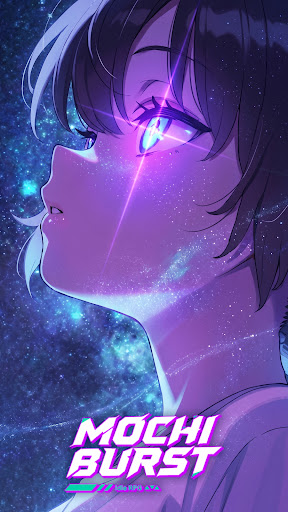
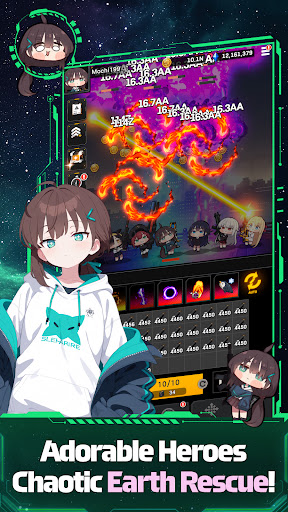
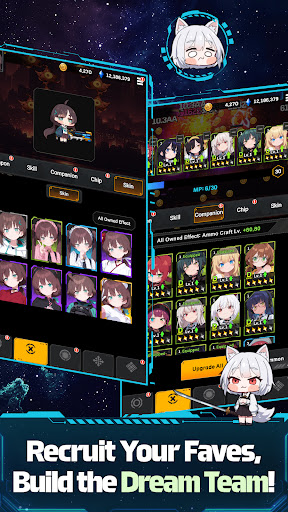
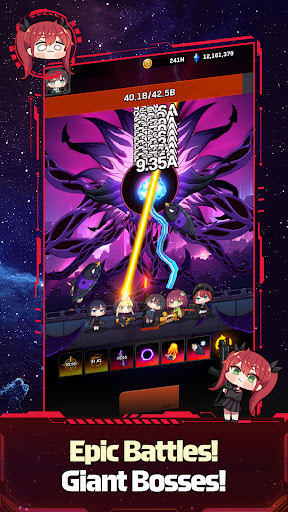
Unidentified extraterrestrial lifeforms known as the Devourers have descended upon Earth, driving humanity to the brink of extinction.
As conventional weapons prove powerless against the invasion, a glimmer of hope emerges at Lumina Academy in Astra City, humanity's final stronghold.
■ Meet the Cutest, Squishiest Superpowered Students!
Recruit an adorable cast of superpowered students, each with unique abilities, unforgettable personalities, and heartwarming stories.
From natural-born prodigies to heroes who awakened their powers through extraordinary circumstances, every student brings something special to your squad.
Meet Chloa, Ruby, Kaede, Ceres, and Karin, and enjoy their hilarious antics, charming interactions, and irresistibly squishy appeal.
The world may be on the verge of collapse, but with you as their Commander, hope is far from lost!
■ Grow Stronger Even While You're Away!
Too busy to play? Your students never stop fighting!
Even while you're offline, they'll battle the Devourers, collect valuable resources, and continue growing stronger.
Mix and match each student's unique abilities with powerful Eden Weapons to build your ultimate squad and dominate every battle.
Sit back, relax, and watch your team grow stronger every day!
■ Endless Challenges Await Beyond the City Walls!
The fight against the Devourers never ends!
Collect valuable resources in Daily Dungeons and Supply Depots, join forces with friends through the Guild system, recruit powerful Mercenaries, and prove your tactical skills in the Arena and Battlefield.
Think your squad has what it takes?
Take on the brutal Nightmare Trials and push your limits in the ultimate test of strategy!
Support Email
service.eh@gameduo.net
Privacy Policy
https://gameduo.net/en/privacy-policy
Terms of Service
https://gameduo.net/en/terms-of-service
Show more

1. Download MEmu installer and finish the setup

2. Start MEmu then open Google Play on the desktop

3. Search Mochi Burst in Google Play
Install
4. Download and Install Mochi Burst
5. On install completion click the icon to start

6. Enjoy playing Mochi Burst on PC with MEmu
MEmu Play is the best Android emulator and 100 million people already enjoy its superb Android gaming experience. The MEmu virtualization technology empowers you to play thousands of Android games smoothly on your PC, even the most graphic-intensive ones.
Bigger screen with better graphics; Long duration, without limitation of battery or mobile data.
Full Keymapping support for precise control of keyboard and mouse or gamepad.
Multiple game accounts or tasks on single PC at one time with Multi-Instance manager.
Play Mochi Burst on PC by following steps: