MU: Pocket Knights
Updated
Current Version
1.4.8
Offered By

With your passion for MU: Pocket Knights, you shouldn’t have to limit yourself to the small screen of a phone. Play like a pro and take full control of the game using a keyboard and mouse. MEmu gives you everything you’re looking for. Download and play MU: Pocket Knights on PC. Play as long as you want — no more worries about battery life, mobile data, or unexpected calls. The all-new MEmu 9 is the best way to play MU: Pocket Knights on PC. With our expertly designed keymapping system, MU: Pocket Knights feels just like a real PC game. The MEmu multi-instance manager lets you run two or more accounts on the same device at the same time. Most importantly, our exclusive emulation engine unlocks your PC’s full potential, delivering smooth and seamless performance.
Show more
Download MU: Pocket Knights on PC with MEmu Android Emulator. Enjoy playing on big screen. ◈ About Game ◈ .
◈ About Game ◈
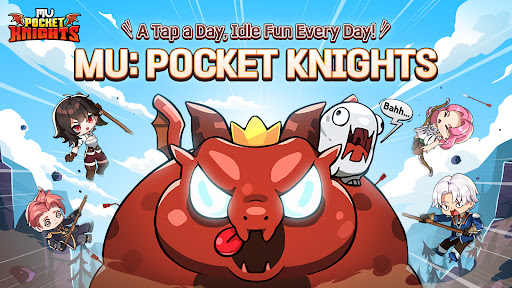
MU: Pocket Knights—A WORLD OF TWISTED MAGIC
Once a peaceful land, Lorencia was thrown into chaos when an otherworldly force descended from the sky, twisting the world's magic.
Forests, mountains, dragons, and monsters alike became tainted by strange powers, driving them into a frenzy.
The most dangerous of all is the Budge Dragon, a wild creature that dances and rampages, shaking the minds of all nearby.
The legendary Angel Fairy declares, "Only those blessed with the Heart of Magic—the Pocket—can restore balance to the world."
With these words, the Pocket Knights are summoned!
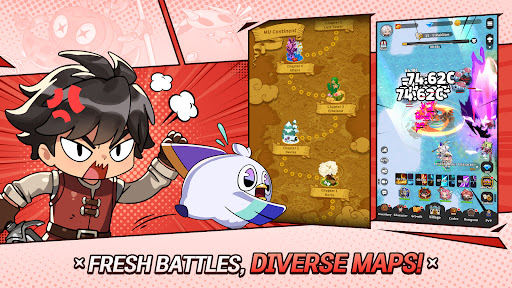
▶Is this map endless?
No more boring hunts on the same stage!
From the mysterious underwater world of Atlans to the desert wastelands of Tarkan,
20 uniquely themed regions await you!
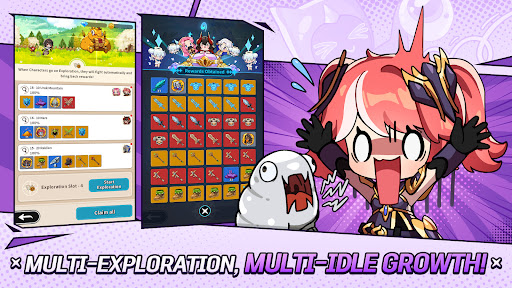
▶This is true idle gaming! Fast and easy growth guaranteed!
Forget the boring idle games that make you repeat the same stage all day long!
Enjoy equal rewards online and offline, plus unique multi-idle features for even faster progress!
A tap a day, Idle Fun Every Day—MU: Pocket Knights!
▶Hey, where’d you get that outfit?
Ever had rare costumes, gear, and pets with no one to show them off to?
Make new friends and meet other Captains of the Knights in town,
and show off your unique style and custom gear!
▶Got your hands on SSSSS-tier gear??!
Tired of endless draws only to get the same gear over and over?
Grind for top-tier gear and power it up your way!
Score epic loot and turn your MU-life around in MU: Pocket Knights!
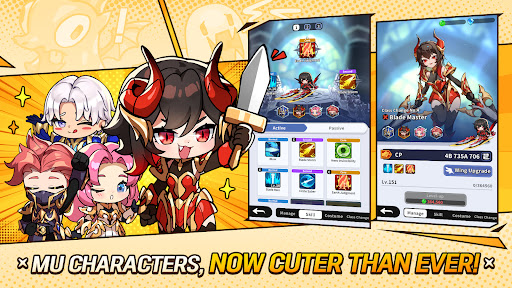
▶4 unique characters—recommendations please
No need to worry! Take all 4 characters on your journey!
Start with any character and unlock every one as you play.
Aim for the title of ultimate Captain of Knights with your 4 unique heroes!
▣ Notice Regarding the Collection of Access Permissions
To ensure smooth gameplay in MU: Pocket Knights, the following permissions are collected when installing the game.
[Optional Permissions]
- Storage (Photos/Media/Files) : Access to storage is required for capturing screen images and for registering or modifying posts and 1:1 inquiries in the in-game customer support center.
- Notifications : Allows the app to post notifications related to the service.
* You can use the app without granting optional permissions; however, certain features may not function properly.
By selecting the install or update button for MU: Pocket Knights, you are considered to have agreed to the installation of MU: Pocket Knights.
- Minimum Requirements: RAM 2GB or more, Android OS 7.0 or higher
[How to Withdraw Access Permissions]
[For Android OS 6.0 or higher] Go to Settings > Apps > MU: Pocket Knights > Permissions > Reset each access permission individually
[For Android OS below 6.0] Due to the characteristics of the OS version, it is not possible to withdraw permissions individually. Permissions can only be withdrawn by deleting the app.
Show more

1. Download MEmu installer and finish the setup

2. Start MEmu then open Google Play on the desktop

3. Search MU: Pocket Knights in Google Play
Install
4. Download and Install MU: Pocket Knights
5. On install completion click the icon to start

6. Enjoy playing MU: Pocket Knights on PC with MEmu
MEmu Play is the best Android emulator and 100 million people already enjoy its superb Android gaming experience. The MEmu virtualization technology empowers you to play thousands of Android games smoothly on your PC, even the most graphic-intensive ones.
Bigger screen with better graphics; Long duration, without limitation of battery or mobile data.
Full Keymapping support for precise control of keyboard and mouse or gamepad.
Multiple game accounts or tasks on single PC at one time with Multi-Instance manager.
Play MU: Pocket Knights on PC by following steps: