My Cozy Island
Updated
Current Version
1.2.3
Offered By

With your passion for My Cozy Island, you shouldn’t have to limit yourself to the small screen of a phone. Play like a pro and take full control of the game using a keyboard and mouse. MEmu gives you everything you’re looking for. Download and play My Cozy Island on PC. Play as long as you want — no more worries about battery life, mobile data, or unexpected calls. The all-new MEmu 9 is the best way to play My Cozy Island on PC. With our expertly designed keymapping system, My Cozy Island feels just like a real PC game. The MEmu multi-instance manager lets you run two or more accounts on the same device at the same time. Most importantly, our exclusive emulation engine unlocks your PC’s full potential, delivering smooth and seamless performance.
Show more
Download My Cozy Island on PC with MEmu Android Emulator. Enjoy playing on big screen. Welcome to My Cozy Island — a relaxing survival and building adventure where you shape your own paradise!
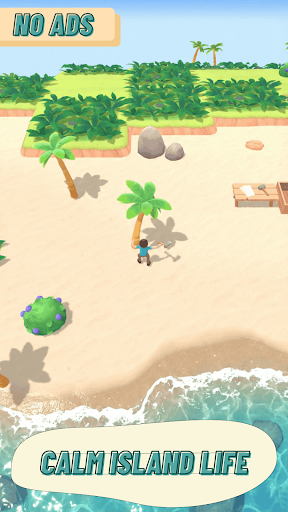
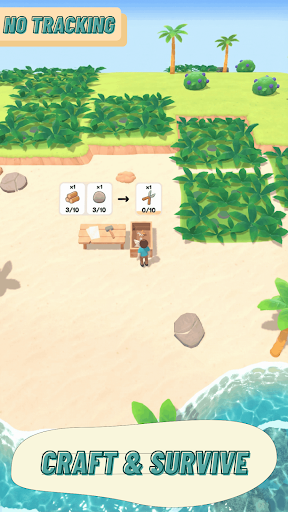
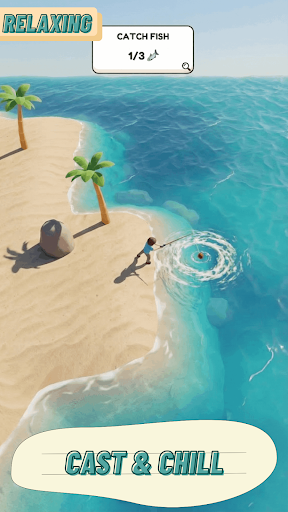
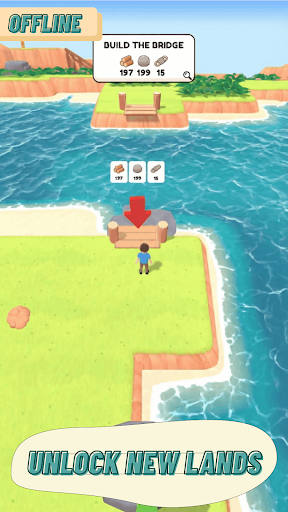
Welcome to My Cozy Island — a relaxing survival and building adventure where you shape your own paradise! Build your land tile by tile, gather resources, craft tools, complete missions, and unlock new areas — all with a cozy, feel-good atmosphere.
If you enjoy crafting, exploring, and creating your own island life, this game is made for you!
Build Your Dream Island
• Modular ground system — design terrain: sand, grass, cliffs & more
• Unlock Subworlds — secret mini-locations with special rewards
• Expand your land and transform the wilderness into your cozy home
Gather & Craft Resources
• Cut grass, chop wood, mine stones, fish & dig treasures
• Shake trees and bushes for fruits and surprises
• Create custom resources as you progress
Construct & Upgrade Buildings
• Build converters, generators & upgrade stations
• Bridges, ramps & rafts help you reach new places
• Stage-based building progression: Collect → Build → Upgrade
Missions & Adventure
• Complete goals: Collect • Build • Explore • Travel • Upgrade
• Flexible mission system keeps gameplay fresh and rewarding
Survive & Improve Your Character
• Walk, swim, jump & unlock new abilities
• Craft food to regain energy
• Upgrade gathering, capacity, movement & swimming speed
Tools & Progression
• Unlock useful tools: axe, pickaxe, sickle, fishing rod
• Craft better gear to explore faster and smarter
NPC Helpers & Enemies
• Friendly helpers automate tasks like harvesting & crafting
• Face enemies with different behavior and loot drops
Day/Night & Weather System
• Clear, cloudy, rainy, stormy, and foggy days
• Smooth lighting indoors and in caves for immersion
Survive, build, craft, explore — and create your perfect cozy island life!
Your adventure starts now. What will you make of your new home?
Show more

1. Download MEmu installer and finish the setup

2. Start MEmu then open Google Play on the desktop

3. Search My Cozy Island in Google Play
Install
4. Download and Install My Cozy Island
5. On install completion click the icon to start

6. Enjoy playing My Cozy Island on PC with MEmu
MEmu Play is the best Android emulator and 100 million people already enjoy its superb Android gaming experience. The MEmu virtualization technology empowers you to play thousands of Android games smoothly on your PC, even the most graphic-intensive ones.
Bigger screen with better graphics; Long duration, without limitation of battery or mobile data.
Full Keymapping support for precise control of keyboard and mouse or gamepad.
Multiple game accounts or tasks on single PC at one time with Multi-Instance manager.
Play My Cozy Island on PC by following steps: