Block Blast: Classic Jewel
Updated
Current Version
1.0.1
Offered By

With your passion for Block Blast: Classic Jewel, you shouldn’t have to limit yourself to the small screen of a phone. Play like a pro and take full control of the game using a keyboard and mouse. MEmu gives you everything you’re looking for. Download and play Block Blast: Classic Jewel on PC. Play as long as you want — no more worries about battery life, mobile data, or unexpected calls. The all-new MEmu 9 is the best way to play Block Blast: Classic Jewel on PC. With our expertly designed keymapping system, Block Blast: Classic Jewel feels just like a real PC game. The MEmu multi-instance manager lets you run two or more accounts on the same device at the same time. Most importantly, our exclusive emulation engine unlocks your PC’s full potential, delivering smooth and seamless performance.
Show more
Download Block Blast: Classic Jewel on PC with MEmu Android Emulator. Enjoy playing on big screen. Challenge your mind with Block Blast: Classic Jewel, an engaging and addictive block puzzle game designed for logic puzzle enthusiasts.


Challenge your mind with Block Blast: Classic Jewel, an engaging and addictive block puzzle game designed for logic puzzle enthusiasts. If you love the timeless mechanics of a traditional jewel block puzzle, this grid-based matching game provides a pure, mechanics-driven experience to test your spatial awareness and cognitive skills.
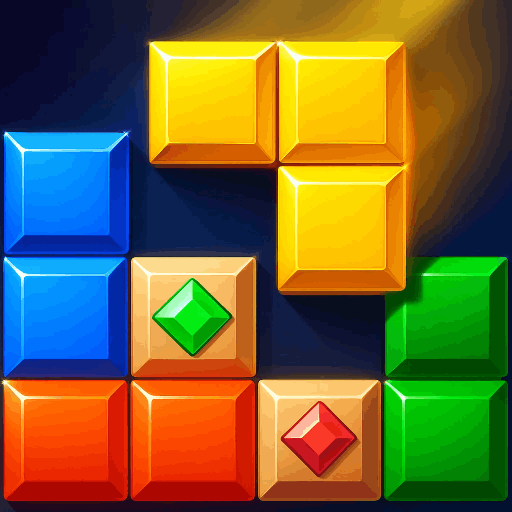
In Block Blast: Classic Jewel, your task is to strategically place geometric gemstone shapes onto the board to clear lines and keep your grid clean. It is a relaxing yet mentally stimulating cube puzzle game that acts as the perfect daily brain training exercise.
Core Gameplay Mechanics
Grid Placement: Drag and position various jewel blocks onto the classic 8x8 puzzle board.
Line Clear System: Complete full horizontal rows or vertical columns to blast the gemstone pieces away.
Grid Management: Think ahead and arrange incoming block shapes carefully. The game concludes when the board fills up and no moves remain.
Combo Multipliers: Clear multiple lines in a single strategic move to maximize your score and trigger satisfying blast effects.
Strategic Brain Training & Logic
Sharpen your intellect with thousands of potential layout configurations. This logic block game features no ticking countdown timers, giving you complete freedom to calculate every block placement, analyze your space, and refine your grid strategy at your own pace.
Key Game Features
Complete Offline Play: Enjoy a true offline puzzle game experience. Play your favorite block puzzle on your commute, during flights, or anywhere without needing an active Wi-Fi or data connection.
Stunning Jewel Aesthetics: Experience high-quality gemstone block designs, fluid animations, and crisp audio haptics with every successful line clear.
Intuitive Controls: Smooth touch-and-drag mechanics make this cube block game incredibly easy to pick up, yet deeply rewarding to master.
Progressive Difficulty: As your score rises, the incoming shape combinations require sharper logic and tighter board management.
Master the Block Grid
Whether you are a casual player looking for an offline block puzzle to pass the time or a hardcore puzzle gamer aiming to build massive combo streaks, Block Blast: Classic Jewel offers a balanced, high-performance experience.
Download Block Blast: Classic Jewel today, arrange the jewel blocks, clear the grid, and test your high score limits!
Show more

1. Download MEmu installer and finish the setup

2. Start MEmu then open Google Play on the desktop

3. Search Block Blast: Classic Jewel in Google Play
Install
4. Download and Install Block Blast: Classic Jewel
5. On install completion click the icon to start

6. Enjoy playing Block Blast: Classic Jewel on PC with MEmu
MEmu Play is the best Android emulator and 100 million people already enjoy its superb Android gaming experience. The MEmu virtualization technology empowers you to play thousands of Android games smoothly on your PC, even the most graphic-intensive ones.
Bigger screen with better graphics; Long duration, without limitation of battery or mobile data.
Full Keymapping support for precise control of keyboard and mouse or gamepad.
Multiple game accounts or tasks on single PC at one time with Multi-Instance manager.
Play Block Blast: Classic Jewel on PC by following steps: