My Garden Tale
Updated
Current Version
1788175754
Offered By

With your passion for My Garden Tale, you shouldn’t have to limit yourself to the small screen of a phone. Play like a pro and take full control of the game using a keyboard and mouse. MEmu gives you everything you’re looking for. Download and play My Garden Tale on PC. Play as long as you want — no more worries about battery life, mobile data, or unexpected calls. The all-new MEmu 9 is the best way to play My Garden Tale on PC. With our expertly designed keymapping system, My Garden Tale feels just like a real PC game. The MEmu multi-instance manager lets you run two or more accounts on the same device at the same time. Most importantly, our exclusive emulation engine unlocks your PC’s full potential, delivering smooth and seamless performance.
Show more
Download My Garden Tale on PC with MEmu Android Emulator. Enjoy playing on big screen. "My Garden Tale is a casual simulation and social game where you can grow hundreds of flowers, enjoy the joy of cultivation, create elegant floral arrangements, and decorate your very own garden haven with themed designs.

"My Garden Tale is a casual simulation and social game where you can grow hundreds of flowers, enjoy the joy of cultivation, create elegant floral arrangements, and decorate your very own garden haven with themed designs.
Game Features:
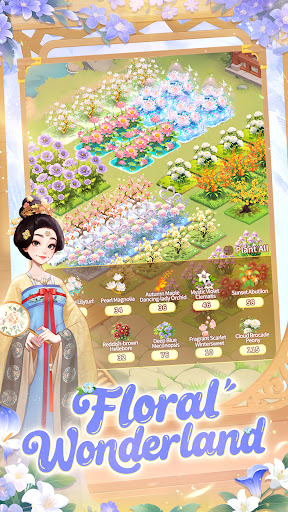
〓Floral Wonderland〓
Step into the role of a professional gardener with your own plot of land. Hundreds of uniquely styled flowers await your care—from fiery red roses to fresh daisies and elegant tulips, each with its own growth cycle and needs.
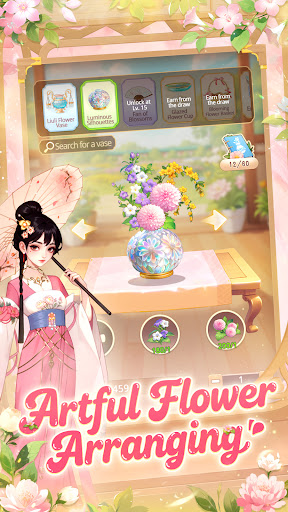
〓Artful Flower Arranging〓
Once you’ve harvested vibrant blooms, unleash your creativity through the art of flower arranging. Choose vases, freely combine flowers, and create stunning pieces to showcase or sell for a fulfilling sense of achievement.
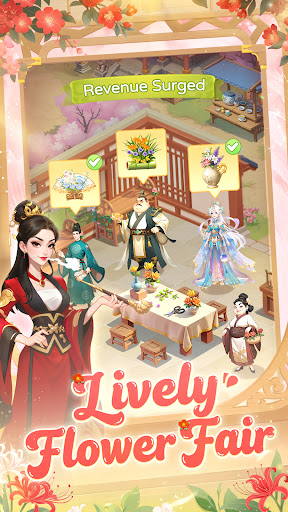
〓Lively Flower Fair〓
Want to profit from your garden? Take on daily custom floral orders, resident requests, silk deliveries, and team tasks. Complete them to earn gold and experience, and manage your operations well to avoid cancellations and boost sales!
〓A Blooming Encounter〓
Make friends and form guilds for fun social interactions. Visit friends’ gardens, “borrow” flowers in joyful flower-snatching battles, and compete in guild events to win rich rewards.
〓Cozy Pet Courtyard〓
In your private “Orange Meow Courtyard,” cuddle, feed, and play with your furry companion for a healing experience. Your pet can even explore and bring back resources. Customize their space with a wide variety of furniture—some of which grant attribute bonuses.
〓Glamorous Dress Up〓
Unlock a variety of exquisite outfits and accessories. Mix, match, and design personalized makeup to express your unique style."
Show more

1. Download MEmu installer and finish the setup

2. Start MEmu then open Google Play on the desktop

3. Search My Garden Tale in Google Play
Install
4. Download and Install My Garden Tale
5. On install completion click the icon to start

6. Enjoy playing My Garden Tale on PC with MEmu
MEmu Play is the best Android emulator and 100 million people already enjoy its superb Android gaming experience. The MEmu virtualization technology empowers you to play thousands of Android games smoothly on your PC, even the most graphic-intensive ones.
Bigger screen with better graphics; Long duration, without limitation of battery or mobile data.
Full Keymapping support for precise control of keyboard and mouse or gamepad.
Multiple game accounts or tasks on single PC at one time with Multi-Instance manager.
Play My Garden Tale on PC by following steps: