発進 ヒーロー基地
Updated
Current Version
2.3.1
Offered By

With your passion for 発進 ヒーロー基地, you shouldn’t have to limit yourself to the small screen of a phone. Play like a pro and take full control of the game using a keyboard and mouse. MEmu gives you everything you’re looking for. Download and play 発進 ヒーロー基地 on PC. Play as long as you want — no more worries about battery life, mobile data, or unexpected calls. The all-new MEmu 9 is the best way to play 発進 ヒーロー基地 on PC. With our expertly designed keymapping system, 発進 ヒーロー基地 feels just like a real PC game. The MEmu multi-instance manager lets you run two or more accounts on the same device at the same time. Most importantly, our exclusive emulation engine unlocks your PC’s full potential, delivering smooth and seamless performance.
Show more
Download 発進 ヒーロー基地 on PC with MEmu Android Emulator. Enjoy playing on big screen. Let's make the dream of the heroes live in town!
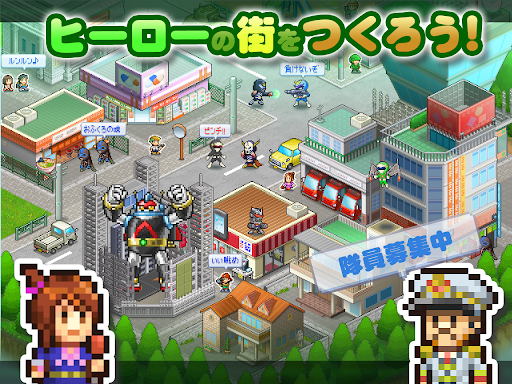
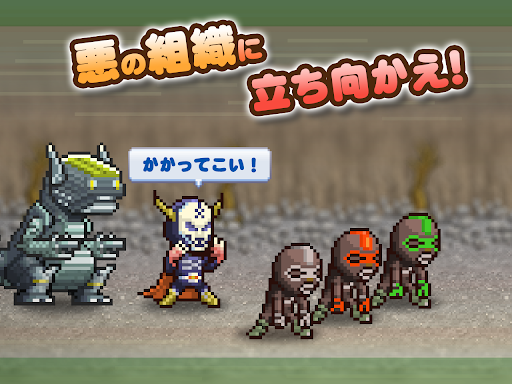
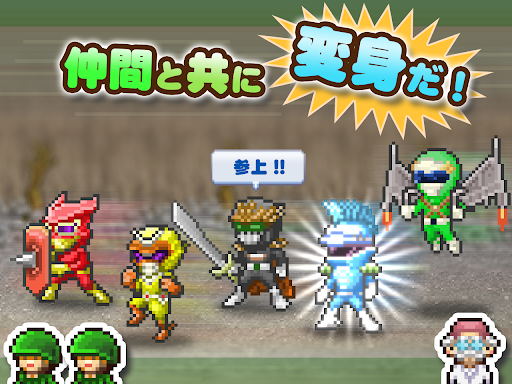
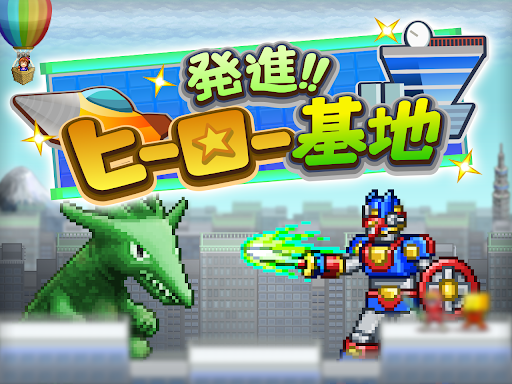
Let's make the dream of the heroes live in town!
Strategic simulation game to battle raising attracted fellow.
Story from one of the heroes that have been dispatched in order to rebuild their devastated the town by the organization of evil begins.
Rebuilding the secret base, regain a peaceful town built a heroes of residence!
Road and shops also be users would be free to architecture!
Further cooperation battle is held with the help of other users of the hero. Let Korashimeyo the evil organization!
Grow the only hero ... yourself by changing the rides and Avatar!
-
※ If the screen becomes black, please try to restart power off the terminal.
※ game data is stored in the terminal. App delete, during the re-installation, data migration model change is not supported.
※ To use all the features are available to some in-app billing.
The other game I search for "Cairo soft". http://kairopark.jp
Lots of playing thing is such as may be done free games and selling out app!
It Cairo soft game series of 2D dot picture.
We have to follow the Twitter the latest information.
https://twitter.com/kairokun2010
Show more

1. Download MEmu installer and finish the setup

2. Start MEmu then open Google Play on the desktop

3. Search 発進 ヒーロー基地 in Google Play
Install
4. Download and Install 発進 ヒーロー基地
5. On install completion click the icon to start

6. Enjoy playing 発進 ヒーロー基地 on PC with MEmu
MEmu Play is the best Android emulator and 100 million people already enjoy its superb Android gaming experience. The MEmu virtualization technology empowers you to play thousands of Android games smoothly on your PC, even the most graphic-intensive ones.
Bigger screen with better graphics; Long duration, without limitation of battery or mobile data.
Full Keymapping support for precise control of keyboard and mouse or gamepad.
Multiple game accounts or tasks on single PC at one time with Multi-Instance manager.
Play 発進 ヒーロー基地 on PC by following steps: