
Palworld Online
Updated
Current Version
Offered By

With your passion for Palworld Online, you shouldn’t have to limit yourself to the small screen of a phone. Play like a pro and take full control of the game using a keyboard and mouse. MEmu gives you everything you’re looking for. Download and play Palworld Online on PC. Play as long as you want — no more worries about battery life, mobile data, or unexpected calls. The all-new MEmu 9 is the best way to play Palworld Online on PC. With our expertly designed keymapping system, Palworld Online feels just like a real PC game. The MEmu multi-instance manager lets you run two or more accounts on the same device at the same time. Most importantly, our exclusive emulation engine unlocks your PC’s full potential, delivering smooth and seamless performance.
Show more
Download Palworld Online on PC with MEmu Android Emulator. Enjoy playing on big screen. Palworld, the open-world survival crafting game with over 40 million players worldwide, comes to mobile as Palworld Online, a new MMORPG adventure!
Palworld, the open-world survival crafting game with over 40 million players worldwide, comes to mobile as Palworld Online, a new MMORPG adventure!
In Palworld Online, the journey is yours to define. Collect Pals, expand your Paldeck, and unlock achievements along the way. Channel your inner architect to build your dream home, construct fortresses, or collaborate with friends to create breathtaking wonders. Together, you'll brave dangerous environments, conquer challenging raids and dungeons, uncover hidden quests, and earn legendary rewards reserved for the strongest survivors.
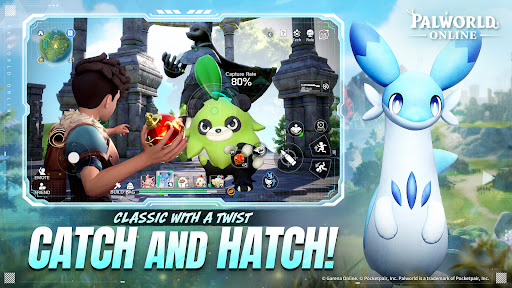
Catch and Hatch!
We’re bringing back the authentic Palworld experience—but with a twist. Dive into exclusive, all-new side stories that expand the lore of the islands. Capture, hatch, and train your ultimate squad to fight by your side and manage your base stress-free.
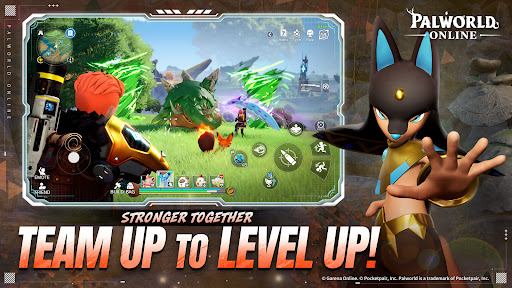
Team Up to Level Up!
Adventures are different with friends! Rally your squad and jump into massive social events. From high-tension PvE Dungeons, adrenaline-pumping PvP Duels, to lively Open World encounters, there’s always a seat for you at the table.
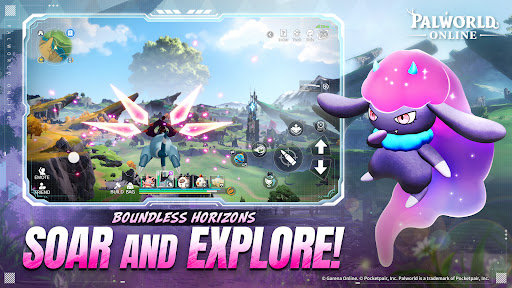
Soar and Explore!
Deploy your glider and catch the wind! Experience a vast, seamless landscape where every horizon hides a secret. Discover hidden treasures on jagged cliffs or solve ancient puzzles—in this world, curiosity is always rewarded with a new challenge.
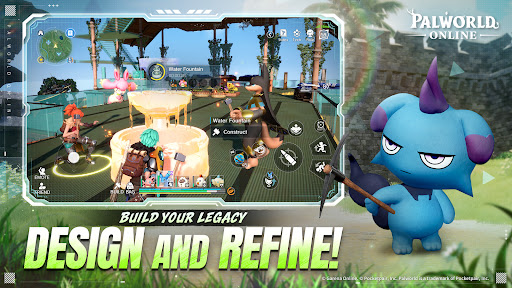
Design and Refine!
Collaborate with friends and Pals to build more than just a house—build a Living Community. Automate production lines, coordinate base defenses, and share resources to create a self-sustaining utopia. Your dream settlement is only a blueprint away.
Survive and Thrive!
Watch your step—don’t get stomped by a Mammorest! From conquering active volcanoes to trekking through frozen tundras, this is survival at its peak. Only the most prepared Pal Tamers will survive the falls, the rivers, and the heat to become true legends of the archipelago.
© Garena Online. © Pocketpair, Inc.
Palworld is a trademark of Pocketpair, Inc.
Show more

1. Download MEmu installer and finish the setup

2. Start MEmu then open Google Play on the desktop

3. Search Palworld Online in Google Play
Install
4. Download and Install Palworld Online
5. On install completion click the icon to start

6. Enjoy playing Palworld Online on PC with MEmu
MEmu Play is the best Android emulator and 100 million people already enjoy its superb Android gaming experience. The MEmu virtualization technology empowers you to play thousands of Android games smoothly on your PC, even the most graphic-intensive ones.
Bigger screen with better graphics; Long duration, without limitation of battery or mobile data.
Full Keymapping support for precise control of keyboard and mouse or gamepad.
Multiple game accounts or tasks on single PC at one time with Multi-Instance manager.
Play Palworld Online on PC by following steps: