Pepi Super Stores: Fun & Games
Updated
Current Version
1.13.0
Offered By

With your passion for Pepi Super Stores: Fun & Games, you shouldn’t have to limit yourself to the small screen of a phone. Play like a pro and take full control of the game using a keyboard and mouse. MEmu gives you everything you’re looking for. Download and play Pepi Super Stores: Fun & Games on PC. Play as long as you want — no more worries about battery life, mobile data, or unexpected calls. The all-new MEmu 9 is the best way to play Pepi Super Stores: Fun & Games on PC. With our expertly designed keymapping system, Pepi Super Stores: Fun & Games feels just like a real PC game. The MEmu multi-instance manager lets you run two or more accounts on the same device at the same time. Most importantly, our exclusive emulation engine unlocks your PC’s full potential, delivering smooth and seamless performance.
Show more
Download Pepi Super Stores: Fun & Games on PC with MEmu Android Emulator. Enjoy playing on big screen. Join Pepi characters and explore fabulous shops and awesome activities in the supermarket!
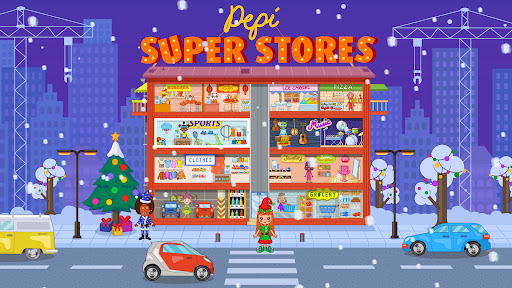
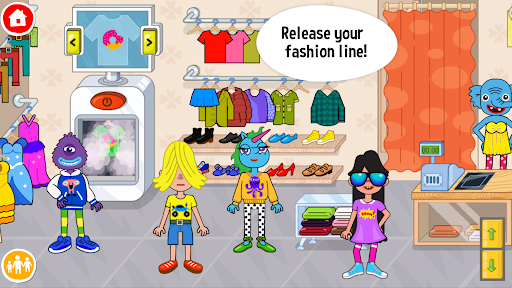
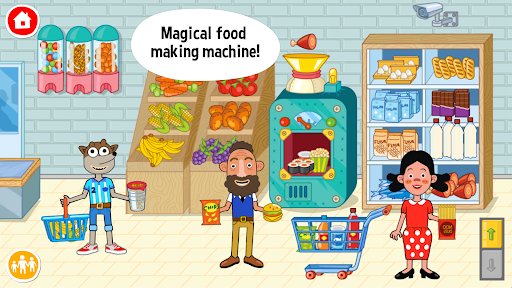
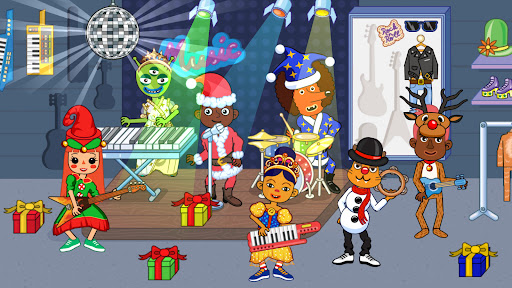
Join Pepi characters and explore fabulous shops and awesome activities in the supermarket! Become a fashion designer and create your own clothes, visit a popular hair salon or a cute restaurant, explore clothing stores or create your own musical hit - everything is possible in Pepi Super Stores!
✨LEARN THROUGH PLAY✨
Pepi Super Stores - a fun and safe supermarket for kids and their parents. If you ever spent a day in a huge shopping mall you know just how awesome this activity can be - from clothing stores to a hair salon, from a popular restaurant to a fabulous designer dress! Explore every corner of the supermarket and create your own brilliant shopping story!
✨ORCHESTRATE MINI SCENES✨
Different shops and services scattered in a supermarket, offers brilliant opportunity to create mini scenes and play your own awesome shopping story. Be a customer, a fabulous clothing shop manager, a cook at the popular restaurant or a fashion designer.
Think that you’re done exploring the mall? Take your favourite items to the elevator and transport it to new areas.
✨EXPLORATION IS THE KEY✨
This game encourages curiosity and exploration, therefore kids will be able to create and play their own scenarios with dozens of characters, shops and items in the supermarket. Join kids in story making and transform gameplay into learning: think of funny shopping tasks and routines, while variety of different items will expand child’s vocabulary.
✨ENHANCED CHARACTERS✨
Pepi Super Stores packs largest variety of playable characters we’ve ever created, but you just wait, because there is more! Each character has been enhanced with a variety of new emotions and animations to make your story even better! Cute Pepi shopping mall dwellers can dance, skate, interact with multiple objects and express more feelings in any given situation.
✨FEATURES✨
• 34 brilliant characters including weird, but friendly aliens from space!
• Ability to change character clothes and hairstyles!
• Become a fashion designer to create clothes with your favourite graphics.
• Dozens of accessories from hats and glasses to hundreds of items your characters can hold.
• Use, mix and match any item and equipment to get surprising results!
• Different shopping mall scenes, from a hair salon to a restaurant, clothing stores and beauty parlours!
• Gender-neutral artistic approach.
• Can be played in many ways. It's all about experiments and adventure.
• Use the elevator to move items between floors to find even more different combinations.
• Dedicated for 3-8-year-old kids, but will bring joy for the whole family.
Visit pepiplay.com for more.
Show more

1. Download MEmu installer and finish the setup

2. Start MEmu then open Google Play on the desktop

3. Search Pepi Super Stores: Fun & Games in Google Play
Install
4. Download and Install Pepi Super Stores: Fun & Games
5. On install completion click the icon to start

6. Enjoy playing Pepi Super Stores: Fun & Games on PC with MEmu
MEmu Play is the best Android emulator and 100 million people already enjoy its superb Android gaming experience. The MEmu virtualization technology empowers you to play thousands of Android games smoothly on your PC, even the most graphic-intensive ones.
Bigger screen with better graphics; Long duration, without limitation of battery or mobile data.
Full Keymapping support for precise control of keyboard and mouse or gamepad.
Multiple game accounts or tasks on single PC at one time with Multi-Instance manager.
Play Pepi Super Stores: Fun & Games on PC by following steps: