
Picoboom: Imposter game online
Updated
Current Version
1.0.57
Offered By

With your passion for Picoboom: Imposter game online, you shouldn’t have to limit yourself to the small screen of a phone. Play like a pro and take full control of the game using a keyboard and mouse. MEmu gives you everything you’re looking for. Download and play Picoboom: Imposter game online on PC. Play as long as you want — no more worries about battery life, mobile data, or unexpected calls. The all-new MEmu 9 is the best way to play Picoboom: Imposter game online on PC. With our expertly designed keymapping system, Picoboom: Imposter game online feels just like a real PC game. The MEmu multi-instance manager lets you run two or more accounts on the same device at the same time. Most importantly, our exclusive emulation engine unlocks your PC’s full potential, delivering smooth and seamless performance.
Show more
Download Picoboom: Imposter game online on PC with MEmu Android Emulator. Enjoy playing on big screen. Who's the Imposter?

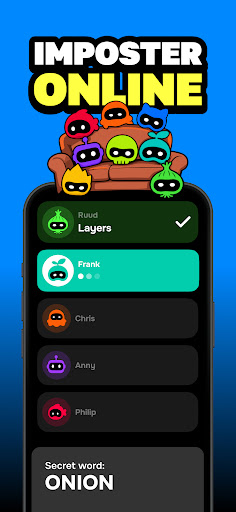


Who's the Imposter? One secret word. One faker. Total chaos.
Forget boring party games. Picoboom is the vibe check your group needs: chaotic, hilarious, and completely unhinged. And now it's home to the game everyone's obsessed with: hunt down the Imposter before they fool the whole room.
Imposter, two ways to play
- Imposter Online: create a room, share the code, and play with friends from anywhere, each on their own phone (3 to 20 players)
- Pass and play: one phone, passed around the room (3+ players)
Everyone gets the same secret word, except the Imposter. Drop one-word clues, spot the faker, and vote them out, or bluff your way to victory.
Love social deduction and hidden-role games like Undercover, Spy, or Mr White? You'll feel right at home.
Plus the OG Picoboom modes
The chaos that started it all is still here:
- Pass the Bomb: beat the timer, and whoever's holding the phone when it explodes takes the penalty (customize them for maximum chaos)
- Name 3 Things, Act It Out, and more
2 people work, but a whole crowd works better.
Get ready to
- Bluff, accuse, and roast your friends like never before
- Act it out, sing, or make up raps
- Yell the first curse word that pops into your head
- Make fast rhymes and wild guesses
- Jump, laugh, and maybe even cartwheel across the room
Perfect for
- Parties, sleepovers, road trips, dorms, and family gatherings
- Friends who love to compete, lie, and call each other out
Loved by over 1 million players. From the creators of Truth or Dare and Never Have I Ever.
Questions or feedback? We'd love to hear from you: https://www.vanilla.nl/contact/
---
This app contains a subscription.
You can subscribe to Premium for unlimited access to all games, regular new content, and no ads. The subscription period is 1 week and includes a 3-day free trial. The subscription renews automatically unless cancelled.
Link to our Terms of Use:
https://www.vanilla.nl/terms-of-use/
Link to our Privacy Policy:
https://www.vanilla.nl/privacy-policy/
Show more

1. Download MEmu installer and finish the setup

2. Start MEmu then open Google Play on the desktop

3. Search Picoboom: Imposter game online in Google Play
Install
4. Download and Install Picoboom: Imposter game online
5. On install completion click the icon to start

6. Enjoy playing Picoboom: Imposter game online on PC with MEmu
MEmu Play is the best Android emulator and 100 million people already enjoy its superb Android gaming experience. The MEmu virtualization technology empowers you to play thousands of Android games smoothly on your PC, even the most graphic-intensive ones.
Bigger screen with better graphics; Long duration, without limitation of battery or mobile data.
Full Keymapping support for precise control of keyboard and mouse or gamepad.
Multiple game accounts or tasks on single PC at one time with Multi-Instance manager.
Play Picoboom: Imposter game online on PC by following steps: