Plants vs. Zombies Hybrid Edition
Updated
Current Version
1.0.0
Offered By

With your passion for Plants vs. Zombies Hybrid Edition, you shouldn’t have to limit yourself to the small screen of a phone. Play like a pro and take full control of the game using a keyboard and mouse. MEmu gives you everything you’re looking for. Download and play Plants vs. Zombies Hybrid Edition on PC. Play as long as you want — no more worries about battery life, mobile data, or unexpected calls. The all-new MEmu 9 is the best way to play Plants vs. Zombies Hybrid Edition on PC. With our expertly designed keymapping system, Plants vs. Zombies Hybrid Edition feels just like a real PC game. The MEmu multi-instance manager lets you run two or more accounts on the same device at the same time. Most importantly, our exclusive emulation engine unlocks your PC’s full potential, delivering smooth and seamless performance.
Show more
Download Plants vs. Zombies Hybrid Edition on PC with MEmu Android Emulator. Enjoy playing on big screen. Plants vs Zombies: Shooting is a beautiful fanmade of the popular Plants vs Zombies franchise, combining adventure and action in an innovative way.
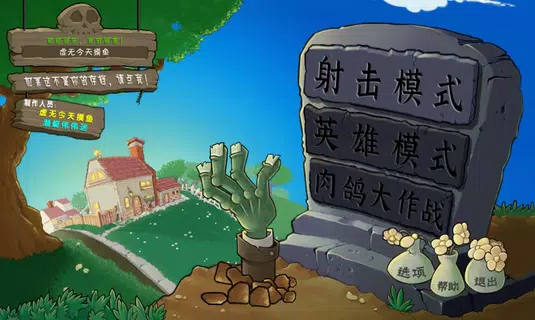
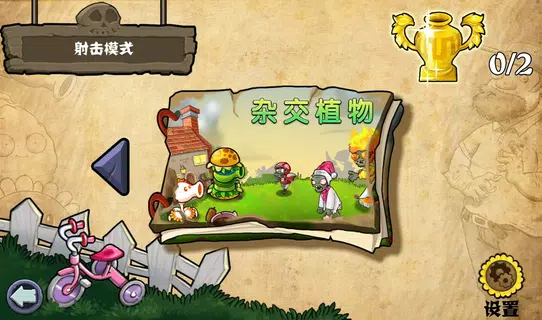
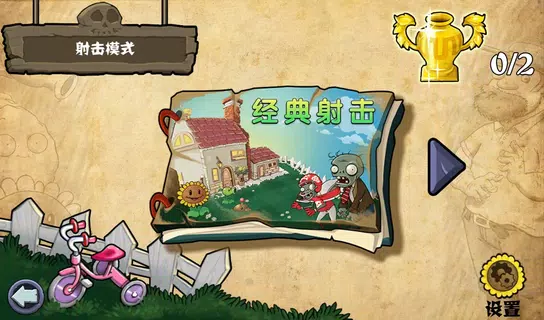
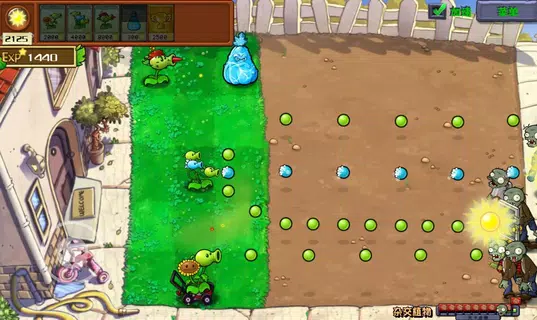
Plants vs Zombies: Shooting is a beautiful fanmade of the popular Plants vs Zombies franchise, combining adventure and action in an innovative way. This game reimagines the classic dynamic of the series by allowing you to move your plants throughout the level, combining adventure and action in an innovative way and adding a whole new layer of strategy and fun.If you are already a fan of the previous titles, this new approach will surprise you. The ability to reposition your plants during the game transforms the traditional static defense into a more dynamic and tactically rich experience. Although the game is still in development, it has captured the attention of players thanks to its addictive gameplay and the unique challenges it presents. How does Plants vs Zombies Shooting work?In this version, although the essence of defending your territory with plants remains, you can now move them during the course of the level, which adds additional tactical complexity.To move your plants, simply select the one you want to reposition and swipe in the direction you prefer—up, down, left or right. This ability to change the position of your plants in real time gives you greater control over the battlefield and forces you to constantly adapt your strategy according to changing situations.Also, the levels include the addition of hybrid plants, that is, fused plants that possess enhanced abilities, making them a powerful tool, but also confronting the player with higher levels of difficulty.For example, you could plant a Sunflower Peashooter, with which you could generate suns and attack at the same time.Each level features up to 11 flags that you must complete to win and change scenarios, ensuring hours of fun and progressive challenges as you progress. Features of PVZ: Shooting APK- Moving PlantsThe biggest novelty in Plants vs Zombies Shooting is the ability to move your plants around the battlefield.Unlike the original games where plants were kept fixed in place, you can now slide your plants to where you need them most at any given time, opening up a range of new strategies and ways to play. - Hybrid PlantsA unique and striking feature of this title is the appearance of hybrid plants. These plants are the result of the fusion of different types of plants, which gives them combined abilities and a greater capacity for defense or attack.However, facing levels with these hybrid plants involves greater difficulty and strategy. - Levels with multiple flagsThe levels in Plants vs Zombies: Shooting are intense and long-lasting. Each level has up to approximately 11 flags that you must complete to finish the level, which requires stamina and skill to maintain defense during several critical moments. - Intuitive controlsAlthough the game is not available in Spanish, the controls are simple and easy to learn. Swiping to move the plants and selecting the desired plant before moving it are natural and accessible actions for any player. - Progressive challengesAs you progress through the game, the levels become increasingly difficult, offering a constant challenge for those players looking to test their strategic skills.
Show more

1. Download MEmu installer and finish the setup

2. Start MEmu then open Google Play on the desktop

3. Search Plants vs. Zombies Hybrid Edition in Google Play
Install
4. Download and Install Plants vs. Zombies Hybrid Edition
5. On install completion click the icon to start

6. Enjoy playing Plants vs. Zombies Hybrid Edition on PC with MEmu
MEmu Play is the best Android emulator and 100 million people already enjoy its superb Android gaming experience. The MEmu virtualization technology empowers you to play thousands of Android games smoothly on your PC, even the most graphic-intensive ones.
Bigger screen with better graphics; Long duration, without limitation of battery or mobile data.
Full Keymapping support for precise control of keyboard and mouse or gamepad.
Multiple game accounts or tasks on single PC at one time with Multi-Instance manager.
Play Plants vs. Zombies Hybrid Edition on PC by following steps: