Popular Words: Family Game
Updated
Current Version
1.1.7
Offered By

With your passion for Popular Words: Family Game, you shouldn’t have to limit yourself to the small screen of a phone. Play like a pro and take full control of the game using a keyboard and mouse. MEmu gives you everything you’re looking for. Download and play Popular Words: Family Game on PC. Play as long as you want — no more worries about battery life, mobile data, or unexpected calls. The all-new MEmu 9 is the best way to play Popular Words: Family Game on PC. With our expertly designed keymapping system, Popular Words: Family Game feels just like a real PC game. The MEmu multi-instance manager lets you run two or more accounts on the same device at the same time. Most importantly, our exclusive emulation engine unlocks your PC’s full potential, delivering smooth and seamless performance.
Show more
Download Popular Words: Family Game on PC with MEmu Android Emulator. Enjoy playing on big screen. A new simple and fun word game emerges as a word trivia family game!
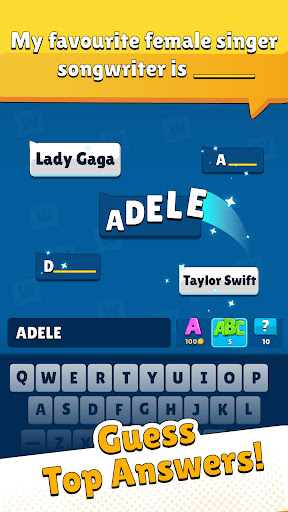
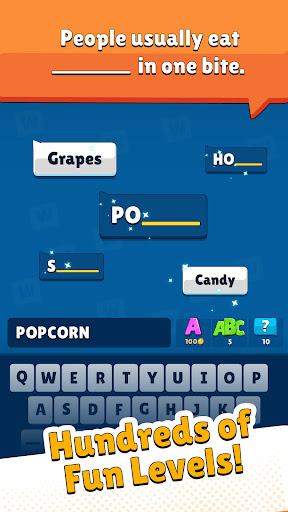
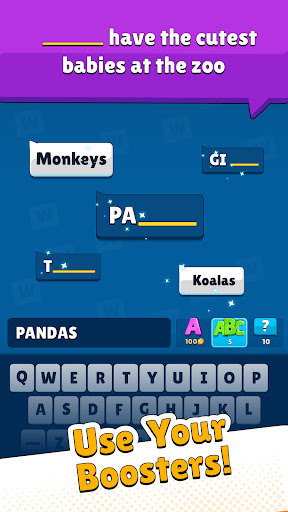

A new simple and fun word game emerges as a word trivia family game! Test your general knowledge, vocabulary, intelligence, and ingenuity with a relaxing design and gameplay.
If you are a word game fan, try this challenge, take the quizzes, and discover Popular Words. Find out the most popular answers to short everyday questions in life. Hours and hours of fun are guaranteed with this simple and addictive word trivia game! Get everyone's heads up in your family and ready to play this engaging family game of guessing words to fill in the blanks.
Your awareness of your daily routine will also increase with games for family. Additionally, researchers have found that adults who regularly solved word puzzles and trivia games requiring familiarity with a more extensive vocabulary might have better brain function later in life.
Popular Words is inspired by the TV shows such as America Says, Family Feud, and Jeopardy. You have to guess what most people say to certain questions. Each level presents a fill-in-the-blank question and five possible answers. There would be several correct answers, but you have to find the most common 5 of them whose first letters are shown to give players a hint. Blank length indicates the length of the correct word. If you like headbands games, people games and guess the word games you will enjoy this fun word trivia game too.
FEATURES
• Hundreds of unique questions, thousands of word challenges.
• Free Daily challenges and bonus rewards.
• Simple & easy to play. Autocorrect system to help players in typing the answers.
• Level list to allow players to gain rewards for the completed chapters.
• Leaderboards to compete with others.
• Completely free to play word trivia. Guess up now!
• Boost brain functions and improve memory.
• Train your brain with addicting trivia games free to play.
• Enjoy fun family games and show games with family and friends.
• Test your knowledge and enjoy hours of entertainment with this trivia quiz game for the whole family.
Gather your family and friends to play this word party game and recreate the popular TV shows in your house. Make the social gatherings exciting again! If you enjoy trivia quiz games and show games, bring your friends together and guess their answers in this fun trivia game for free.
Popular Words is developed by the creators of fan-favorite word games such as Word Pearls and Brain Test. Enjoy the next iteration of our rapidly expanding word game library.
Download for free now and start playing to have limitless fun, improve your knowledge, enhance your brain functions and discover yourself.
Show more

1. Download MEmu installer and finish the setup

2. Start MEmu then open Google Play on the desktop

3. Search Popular Words: Family Game in Google Play
Install
4. Download and Install Popular Words: Family Game
5. On install completion click the icon to start

6. Enjoy playing Popular Words: Family Game on PC with MEmu
MEmu Play is the best Android emulator and 100 million people already enjoy its superb Android gaming experience. The MEmu virtualization technology empowers you to play thousands of Android games smoothly on your PC, even the most graphic-intensive ones.
Bigger screen with better graphics; Long duration, without limitation of battery or mobile data.
Full Keymapping support for precise control of keyboard and mouse or gamepad.
Multiple game accounts or tasks on single PC at one time with Multi-Instance manager.
Play Popular Words: Family Game on PC by following steps: