Potion Craft
Updated
Current Version
v 2.0.2.0
Offered By

With your passion for Potion Craft, you shouldn’t have to limit yourself to the small screen of a phone. Play like a pro and take full control of the game using a keyboard and mouse. MEmu gives you everything you’re looking for. Download and play Potion Craft on PC. Play as long as you want — no more worries about battery life, mobile data, or unexpected calls. The all-new MEmu 9 is the best way to play Potion Craft on PC. With our expertly designed keymapping system, Potion Craft feels just like a real PC game. The MEmu multi-instance manager lets you run two or more accounts on the same device at the same time. Most importantly, our exclusive emulation engine unlocks your PC’s full potential, delivering smooth and seamless performance.
Show more
Download Potion Craft on PC with MEmu Android Emulator. Enjoy playing on big screen. Potion Craft is an alchemist simulator where you physically interact with your tools and ingredients to brew potions.
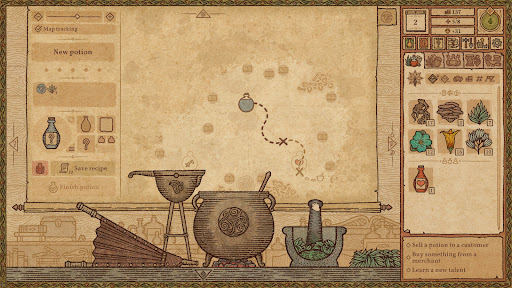
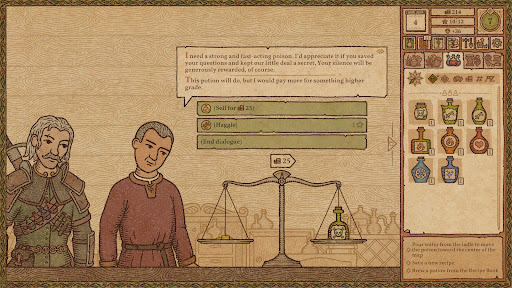
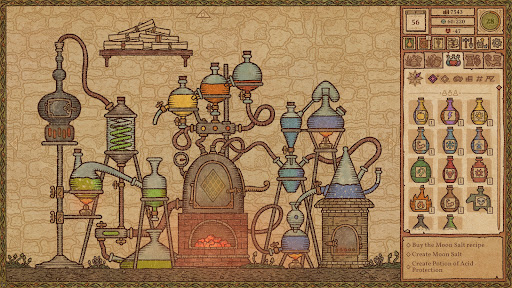
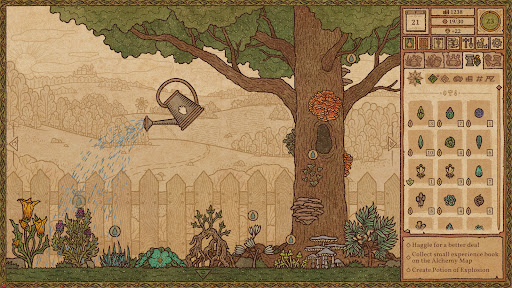
Potion Craft is an alchemist simulator where you physically interact with your tools and ingredients to brew potions. You're in full control of the whole shop: invent new recipes, attract customers, and experiment to your heart's content. Just remember: the whole town is counting on you.
Play the first two chapters for free as much as you like, and unlock the full game with a one-time purchase.
LEARN THE ART OF POTION MAKING
Concoct your potion plan. Grind ingredients and carefully mix them in your cauldron. Heat the coals. Boil and stir. Add the base: water, oil, or… something else. Congrats on your first potion! Was it easy to learn? Now try mastering it!
EXPERIMENT AND INVENT NEW RECEPIES
Carefully plan your route via the Alchemy Map to combine different effects. Be mindful of common sense: you won’t find a market for a poisonous healing potion… right? Or would you?
SELL POTIONS
Every day customers will come to your store looking for solutions to their problems. You will face consequences depending on what you decide to sell them. Attract guilds, befriend notable figures (or feud with them), gain riches and influence - and one day, you may even decide the fate of the whole town.
BUY INGREDIENTS OR GROW YOUR OWN
Every alchemist needs ingredients. You can buy them from traveling merchants: it can be pricey, but successful haggling may save you some coin. Or you can just grow your own!
GET CREATIVE WITH CUSTOMIZING
Want to give a special appearance to your best potions? Go ahead! Change bottle shape, label type, icon, and colors. You can even give it a custom name and label description. Carefully arrange your unique potions to showcase them on your shop’s shelves and tables… or carelessly throw them around - we’re not gonna tell you what to do, just have fun!
Show more

1. Download MEmu installer and finish the setup

2. Start MEmu then open Google Play on the desktop

3. Search Potion Craft in Google Play
Install
4. Download and Install Potion Craft
5. On install completion click the icon to start

6. Enjoy playing Potion Craft on PC with MEmu
MEmu Play is the best Android emulator and 100 million people already enjoy its superb Android gaming experience. The MEmu virtualization technology empowers you to play thousands of Android games smoothly on your PC, even the most graphic-intensive ones.
Bigger screen with better graphics; Long duration, without limitation of battery or mobile data.
Full Keymapping support for precise control of keyboard and mouse or gamepad.
Multiple game accounts or tasks on single PC at one time with Multi-Instance manager.
Play Potion Craft on PC by following steps: