Ragdoll Break: Destroy Game
Updated
Current Version
1.0.3
Offered By

With your passion for Ragdoll Break: Destroy Game, you shouldn’t have to limit yourself to the small screen of a phone. Play like a pro and take full control of the game using a keyboard and mouse. MEmu gives you everything you’re looking for. Download and play Ragdoll Break: Destroy Game on PC. Play as long as you want — no more worries about battery life, mobile data, or unexpected calls. The all-new MEmu 9 is the best way to play Ragdoll Break: Destroy Game on PC. With our expertly designed keymapping system, Ragdoll Break: Destroy Game feels just like a real PC game. The MEmu multi-instance manager lets you run two or more accounts on the same device at the same time. Most importantly, our exclusive emulation engine unlocks your PC’s full potential, delivering smooth and seamless performance.
Show more
Download Ragdoll Break: Destroy Game on PC with MEmu Android Emulator. Enjoy playing on big screen. Welcome to Ragdoll Break, where the fun lies in the chaos you create.
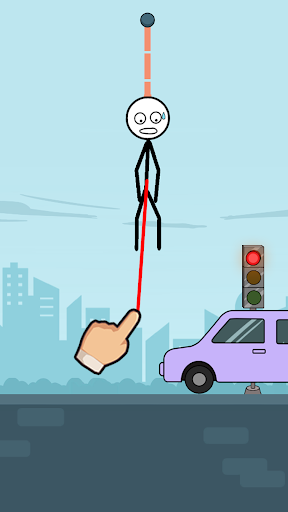
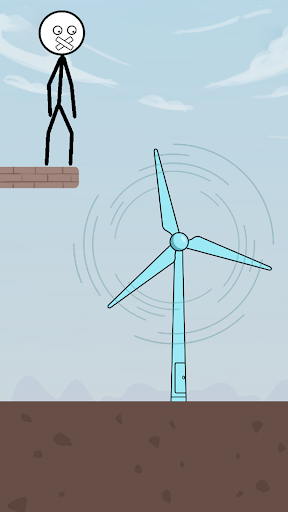
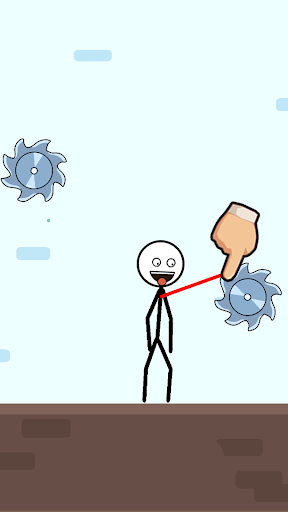
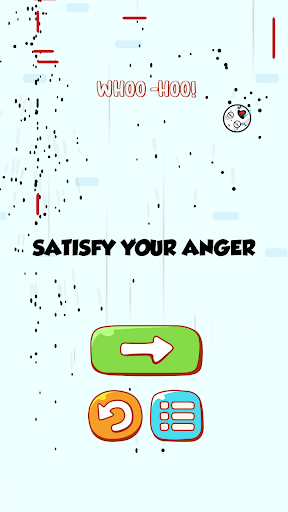
Welcome to Ragdoll Break, where the fun lies in the chaos you create. This puzzle game is a playground of destruction, offering quirky puzzles, creative problem-solving, and a good dose of humor. Select from a variety of objects to inflict maximum damage on the stickman and enjoy the hilarious and unpredictable reactions.
The game's physics-based mechanics make each impact satisfying and amusing. Watch as the stickman tumbles, flips, and bounces in absurd ways. The more creative and destructive your methods, the higher your score.
How to Play:
- Select Objects: Choose from a variety of objects to break, bash, and drag the stickman. Each object has unique properties for maximum impact.
- Drag and Break: Drag the stickman into the selected objects and watch the chaos unfold. Experiment with different objects and angles to maximize the damage.
- Ragdoll Chaos: Enjoy the hilarious and unpredictable reactions of the stickman as they succumb to your onslaught. Watch them tumble, flip, and bounce in absurd and amusing ways.
- Damage Points: Earn points based on the damage inflicted on the stickman. The more creative and destructive your methods, the higher your score.
- Level Progression: Unlock new levels and challenges as you progress. Each level introduces new obstacles and opportunities for inventive destruction.
- Combo Breaker: Discover combinations of objects that create devastating combos. Rack up bonus points for stylish and efficient takedowns.
- Upgrade Objects: Enhance your arsenal by unlocking and upgrading new objects. From everyday items to unconventional tools, the possibilities for destruction are endless.
Game Features:
- Destructive Fun: Unleash chaos by dragging the stickman into a variety of objects.
- Ragdoll Physics: Experience hilarious and dynamic ragdoll physics as the stickman reacts to each impact.
- Creative Destruction: Experiment with different objects and drags for creative and satisfying destruction.
- Score Challenge: Earn points for causing damage and compete for high scores on the global leaderboard.
- Level Variety: Explore diverse levels with unique challenges and opportunities for destruction.
- Combo System: Discover combos for bonus points by strategically combining objects and drags.
- Object Upgrades: Unlock and upgrade new objects to diversify your destructive capabilities.
Ragdoll Break is a game where creativity meets chaos. Whether you're a puzzle enthusiast or just looking for a fun and quirky game, this is the perfect choice for you. The stickman characters, combined with the ragdoll physics, offer a unique and engaging gameplay experience. Join the chaos, unleash your creativity, and become the ultimate stickman breaker!
Show more

1. Download MEmu installer and finish the setup

2. Start MEmu then open Google Play on the desktop

3. Search Ragdoll Break: Destroy Game in Google Play
Install
4. Download and Install Ragdoll Break: Destroy Game
5. On install completion click the icon to start

6. Enjoy playing Ragdoll Break: Destroy Game on PC with MEmu
MEmu Play is the best Android emulator and 100 million people already enjoy its superb Android gaming experience. The MEmu virtualization technology empowers you to play thousands of Android games smoothly on your PC, even the most graphic-intensive ones.
Bigger screen with better graphics; Long duration, without limitation of battery or mobile data.
Full Keymapping support for precise control of keyboard and mouse or gamepad.
Multiple game accounts or tasks on single PC at one time with Multi-Instance manager.
Play Ragdoll Break: Destroy Game on PC by following steps: