Ragnarok Crush
Updated
Current Version
3.5
Offered By

With your passion for Ragnarok Crush, you shouldn’t have to limit yourself to the small screen of a phone. Play like a pro and take full control of the game using a keyboard and mouse. MEmu gives you everything you’re looking for. Download and play Ragnarok Crush on PC. Play as long as you want — no more worries about battery life, mobile data, or unexpected calls. The all-new MEmu 9 is the best way to play Ragnarok Crush on PC. With our expertly designed keymapping system, Ragnarok Crush feels just like a real PC game. The MEmu multi-instance manager lets you run two or more accounts on the same device at the same time. Most importantly, our exclusive emulation engine unlocks your PC’s full potential, delivering smooth and seamless performance.
Show more
Download Ragnarok Crush on PC with MEmu Android Emulator. Enjoy playing on big screen. Ragnarok Crush — Your epic quest begins now!
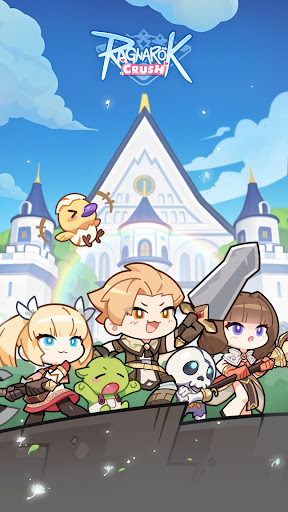
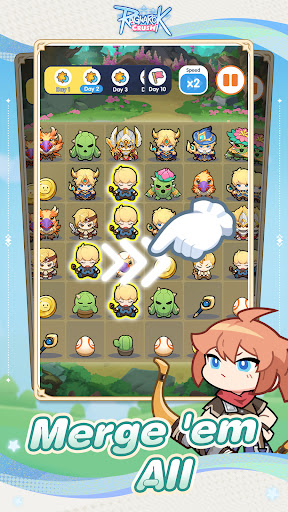
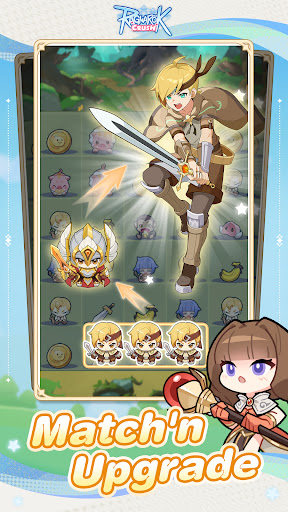
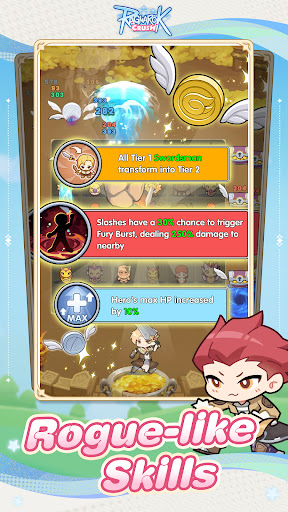
Ragnarok Crush — Your epic quest begins now! Adventurers, assemble! Step into a world where your favorite Ragnarok Online characters and classes unite in a new match-merge strategy game. Solve ingenious puzzles, power up your heroes, and face MVP Bosses in the ultimate showdown across the Midgard continent!
▼ Game Highlights ▼
Legendary RO Classes Unite – Fight alongside Swordsmen, Mages, Thieves, and more. Unlock Awakening skills to build the ultimate party.
Innovative Match-Merge Combat – Strategically combine allies on the board—every move tests both wits and tactics.
Hundreds of Dynamic Stages – Diverse mechanics and puzzle twists push your problem-solving limits.
Hero Progression System – Gather gear and resources, strengthen your roster, and unleash rare Arcane abilities.
Explore the RO Universe – Journey through Prontera, Payon, and other iconic maps; hunt MVP monsters to uncover hidden lore.
Epic MVP Boss Battles – Outsmart colossal foes through puzzle combat and claim exclusive skins & legendary materials.
Seasonal Events – Regular RO themed modes and dungeons that deliver fresh challenges and unique rewards.
▼ Top 3 Reasons to Play ▼
Endless Strategy – Merge evolution × tower-defense placements × match combos—mix and match playstyles to conquer every map.
Authentic RO Art Style – Fully licensed assets ensure faithful visuals—no clones, no reskins, Just real RO vibes.
Party Up with Friends – Join guilds, team up in co-op raids, and tackle dual-player dungeons together.
Facebook: https://www.facebook.com/RagnarokCrush
Discord: https://discord.gg/ZjMAseG7Wp
Youtube: https://www.youtube.com/@GravityGameHub/videos
Show more

1. Download MEmu installer and finish the setup

2. Start MEmu then open Google Play on the desktop

3. Search Ragnarok Crush in Google Play
Install
4. Download and Install Ragnarok Crush
5. On install completion click the icon to start

6. Enjoy playing Ragnarok Crush on PC with MEmu
MEmu Play is the best Android emulator and 100 million people already enjoy its superb Android gaming experience. The MEmu virtualization technology empowers you to play thousands of Android games smoothly on your PC, even the most graphic-intensive ones.
Bigger screen with better graphics; Long duration, without limitation of battery or mobile data.
Full Keymapping support for precise control of keyboard and mouse or gamepad.
Multiple game accounts or tasks on single PC at one time with Multi-Instance manager.
Play Ragnarok Crush on PC by following steps: