Ragnarok X: Next Generation
Updated
Current Version
250414.1350
Offered By

With your passion for Ragnarok X: Next Generation, you shouldn’t have to limit yourself to the small screen of a phone. Play like a pro and take full control of the game using a keyboard and mouse. MEmu gives you everything you’re looking for. Download and play Ragnarok X: Next Generation on PC. Play as long as you want — no more worries about battery life, mobile data, or unexpected calls. The all-new MEmu 9 is the best way to play Ragnarok X: Next Generation on PC. With our expertly designed keymapping system, Ragnarok X: Next Generation feels just like a real PC game. The MEmu multi-instance manager lets you run two or more accounts on the same device at the same time. Most importantly, our exclusive emulation engine unlocks your PC’s full potential, delivering smooth and seamless performance.
Show more
Download Ragnarok X: Next Generation on PC with MEmu Android Emulator. Enjoy playing on big screen. Ragnarok X: New Generation, officially licensed by Gravity, is a remarkable 3D MMORPG mobile game that continues the classic RO legacy.
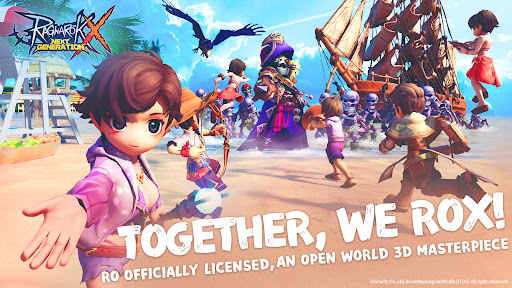
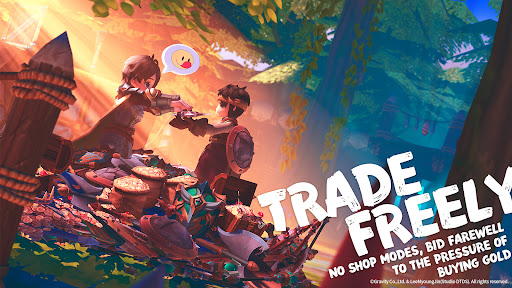
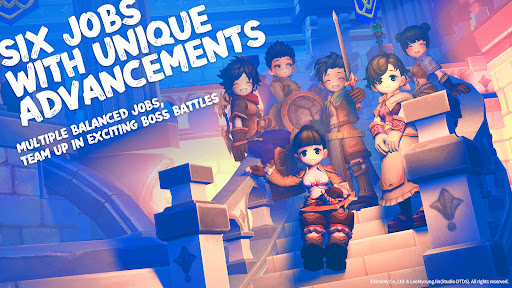
Ragnarok X: New Generation, officially licensed by Gravity, is a remarkable 3D MMORPG mobile game that continues the classic RO legacy.
**Game Features**
- **Immersive World Exploration**: Dive into a vast, recreated 3D world filled with mysteries. From the bustling capital city of Prontera to the remote offshore islands of the Midgard continent, there are countless locations to discover, including hidden secrets within detailed landscapes, legendary kingdoms, and menacing dungeons.
- **Dynamic Class and Character Progression**: Enjoy unrestricted class changes according to your will. Customize your character deeply by upgrading and enchanting weapons, armor, and cards. Tailor your skill bar for different encounters and freely switch among various jobs. Moreover, with the base level cap raised, reach Lv. 100 to unlock Aldebaran’s Shockwave and access all - new 3rd Class jobs, opening up a whole new realm of magical adventures.
- **Action - Packed Combat**: Engage in fast - paced battles boasting hundreds of items and skills, each with amazing animations and visual effects. The optimized controls enable you to respond swiftly to ever - changing battlefield conditions. Compete for glory in arenas, engage in thrilling PvP and large - scale GvG battles, and work together with your guild in intense guild wars, where teamwork and strategy are key.
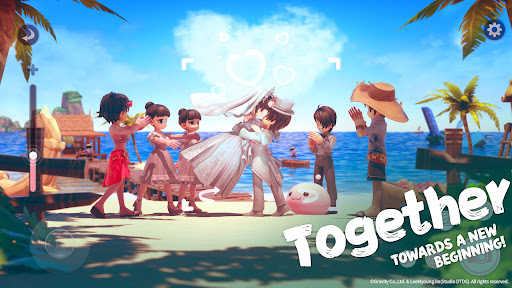
- **Rich Social Experience**: Embark on adventures with friends from real life or new companions you meet in - game. Participate in unique guild activities such as guild feasts, matches, and exciting guild - vs - guild tournaments. The marriage system is now live, allowing you to start a romantic journey with a special someone and enjoy exclusive couples quests for a taste of a new world of love.
- **Stunning Visual and Auditory Delights**: Feast your eyes on the open world presented in vibrant, high - definition 3D graphics. Each area is complemented by enchanting background music that perfectly sets the mood. Every detail, from the play of light to the environmental sound effects, is carefully crafted to bring the world to life.
- **Cross - platform Convenience**: Link your mobile and PC accounts, enabling you to enjoy the game at any time, from any location, and on any device.
Show more

1. Download MEmu installer and finish the setup

2. Start MEmu then open Google Play on the desktop

3. Search Ragnarok X: Next Generation in Google Play
Install
4. Download and Install Ragnarok X: Next Generation
5. On install completion click the icon to start

6. Enjoy playing Ragnarok X: Next Generation on PC with MEmu
MEmu Play is the best Android emulator and 100 million people already enjoy its superb Android gaming experience. The MEmu virtualization technology empowers you to play thousands of Android games smoothly on your PC, even the most graphic-intensive ones.
Bigger screen with better graphics; Long duration, without limitation of battery or mobile data.
Full Keymapping support for precise control of keyboard and mouse or gamepad.
Multiple game accounts or tasks on single PC at one time with Multi-Instance manager.
Play Ragnarok X: Next Generation on PC by following steps: