Random Adventure Roguelike II
Updated
Current Version
1.4.2
Offered By

With your passion for Random Adventure Roguelike II, you shouldn’t have to limit yourself to the small screen of a phone. Play like a pro and take full control of the game using a keyboard and mouse. MEmu gives you everything you’re looking for. Download and play Random Adventure Roguelike II on PC. Play as long as you want — no more worries about battery life, mobile data, or unexpected calls. The all-new MEmu 9 is the best way to play Random Adventure Roguelike II on PC. With our expertly designed keymapping system, Random Adventure Roguelike II feels just like a real PC game. The MEmu multi-instance manager lets you run two or more accounts on the same device at the same time. Most importantly, our exclusive emulation engine unlocks your PC’s full potential, delivering smooth and seamless performance.
Show more
Download Random Adventure Roguelike II on PC with MEmu Android Emulator. Enjoy playing on big screen. Explore an infinite world through a text-adventure role playing game with roguelike elements!
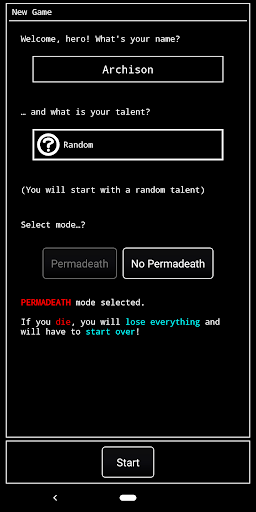
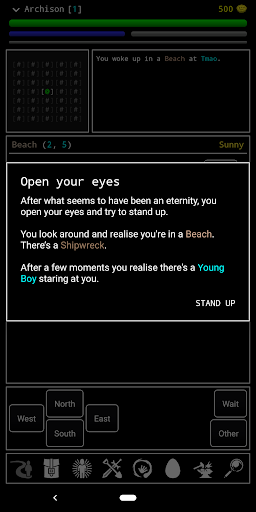
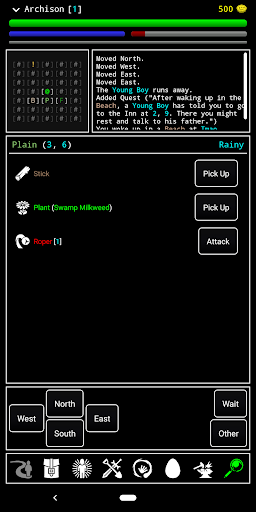
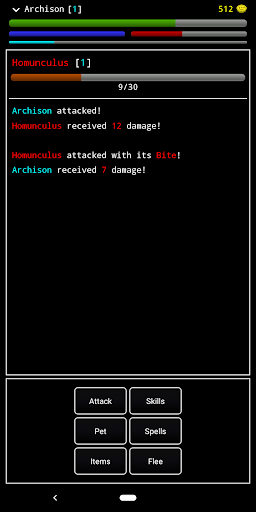
Explore an infinite world through a text-adventure role playing game with roguelike elements!
A solo indie-dev aims to bring an old-school style to modern day Android devices. This is accomplished with an easy to understand interface, a few iconic buttons, and several information screens. Players are empowered to navigate a proceedurally generated world full of danger and treasure.
Embark upon a quest to defeat The Tyrant, a infamous villain who has spread evil far and wide. But, is The Tyrant the greatest evil in existence? Will killing him really save the world?
Explore endless islands, craft your equipment, potions, materials, tools, bombs, and more! Learn a plethora of magic spells, improve your skills, and capture monsters to train them as your pets! Collect all the plants, fish, ore, and insects! Obtain the favor of the merchants, helpless townsfolk, or even the King! Slay bosses! Obtain the best gear you can… and much, much more!
Made by one developer (who is aided by an active community in Discord), the game continues to update and improve, regularly adding more content.
The text-based design allows visually impaired and blind people to play by using the Talkback tool.
PLEASE HELP ME IMPROVE
If you have any suggestions, doubts, ideas, bugs, etc... please join the Discord channel: https://discord.gg/8YMrfgw or the subreddit: https://www.reddit.com/r/RandomAdventureRogue
CREDITS
· https://game-icons.net/ I’ve been using icons from this site, thanks!
· KolyaKorruptis is the Reddit user who made the brand new logo for the game and also gave some quotes for the Villagers.
· If you like the music, you can check for more from Archison (me :p) here: https://soundcloud.com/archison/
· Reddit and Discord community and all users who have been emailing me for the last few years… without your support I wouldn’t have had the courage to make RAR II… thanks :)
Show more

1. Download MEmu installer and finish the setup

2. Start MEmu then open Google Play on the desktop

3. Search Random Adventure Roguelike II in Google Play
Install
4. Download and Install Random Adventure Roguelike II
5. On install completion click the icon to start

6. Enjoy playing Random Adventure Roguelike II on PC with MEmu
MEmu Play is the best Android emulator and 100 million people already enjoy its superb Android gaming experience. The MEmu virtualization technology empowers you to play thousands of Android games smoothly on your PC, even the most graphic-intensive ones.
Bigger screen with better graphics; Long duration, without limitation of battery or mobile data.
Full Keymapping support for precise control of keyboard and mouse or gamepad.
Multiple game accounts or tasks on single PC at one time with Multi-Instance manager.
Play Random Adventure Roguelike II on PC by following steps: