
Reactor 2: Nuclear Tycoon
Updated
Current Version
1.0.0
Offered By

With your passion for Reactor 2: Nuclear Tycoon, you shouldn’t have to limit yourself to the small screen of a phone. Play like a pro and take full control of the game using a keyboard and mouse. MEmu gives you everything you’re looking for. Download and play Reactor 2: Nuclear Tycoon on PC. Play as long as you want — no more worries about battery life, mobile data, or unexpected calls. The all-new MEmu 9 is the best way to play Reactor 2: Nuclear Tycoon on PC. With our expertly designed keymapping system, Reactor 2: Nuclear Tycoon feels just like a real PC game. The MEmu multi-instance manager lets you run two or more accounts on the same device at the same time. Most importantly, our exclusive emulation engine unlocks your PC’s full potential, delivering smooth and seamless performance.
Show more
Download Reactor 2: Nuclear Tycoon on PC with MEmu Android Emulator. Enjoy playing on big screen. The nuclear idle tycoon simulator is back — and it's free.
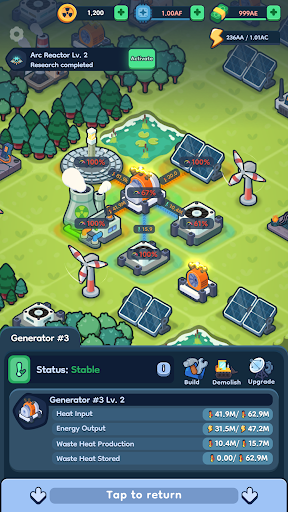
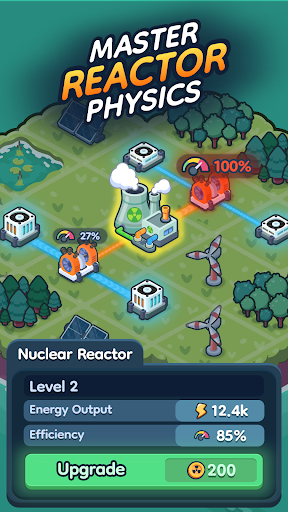
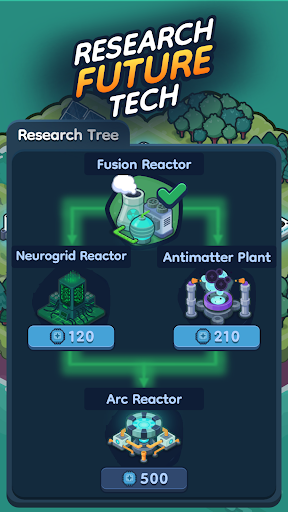
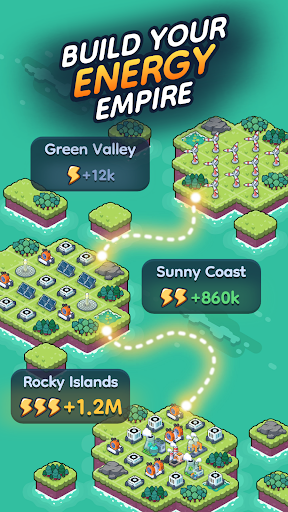
The nuclear idle tycoon simulator is back — and it's free.
Build your own power company from the ground up. Manage heat, optimize production, and grow a massive energy empire. In Reactor 2, you don't just construct power plants — you power an entire evolving city.
Master the system, discover your best strategy, and scale your profits to become a true industrial billionaire.
BUILD, POWER, AND EXPAND
Start small with basic wind turbines and grow into a high-efficiency nuclear power network.
Your mission is simple — supply energy to the city. Your challenge? Control the heat.
• Produce heat with diverse power sources
• Convert heat into electricity for the city
• Cool your systems to avoid production shutdowns
Balance everything perfectly to achieve maximum efficiency.
RELAXED STRATEGY, NO PUNISHMENT
Reactor 2 is an idle clicker game built for thinkers, not masochists.
Your reactors never explode or reset your progress — they simply pause and cool down. This creates a no-loss, strategy-first experience where you experiment, optimize, and build at your own pace.
RESEARCH THE FUTURE
Unlock dozens of technologies and push your power empire forward.
• Renewables: Solar, Wind, Hydro, Tidal
• Advanced Tech: Nuclear, Fusion, Arc Reactors
• Sci-Fi Tier: Antimatter, Black Hole Reactors, HyperSpace Core
Every upgrade deepens your strategy and multiplies your profits.
WHY YOU'LL LOVE REACTOR 2
• Idle gameplay — earn offline, even when the app is closed
• Deep resource management, no internet required
• Expand your power grid across unique islands
• Complete quests, chapters, and story-driven challenges
• Free to play — download and start building today
NEW IN THE SEQUEL
• A living city that grows with your energy output
• Advanced quest system with chapters and rewards
• Crafted by an indie team — refined pixel art and smoother performance
Reactor 2 is the ultimate offline idle simulation game — nuclear strategy, construction management, and tycoon gameplay in one free pixelated package.
Build smarter. Optimize harder. Watch your empire grow.
Download Reactor 2 free — your nuclear tycoon journey starts today.
https://rsgapps.com/
rsg@rsgapps.com
Show more

1. Download MEmu installer and finish the setup

2. Start MEmu then open Google Play on the desktop

3. Search Reactor 2: Nuclear Tycoon in Google Play
Install
4. Download and Install Reactor 2: Nuclear Tycoon
5. On install completion click the icon to start

6. Enjoy playing Reactor 2: Nuclear Tycoon on PC with MEmu
MEmu Play is the best Android emulator and 100 million people already enjoy its superb Android gaming experience. The MEmu virtualization technology empowers you to play thousands of Android games smoothly on your PC, even the most graphic-intensive ones.
Bigger screen with better graphics; Long duration, without limitation of battery or mobile data.
Full Keymapping support for precise control of keyboard and mouse or gamepad.
Multiple game accounts or tasks on single PC at one time with Multi-Instance manager.
Play Reactor 2: Nuclear Tycoon on PC by following steps: