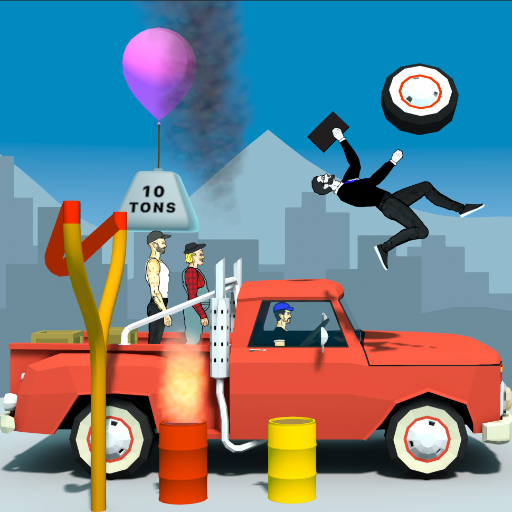
Redneck Mayhem
Updated
Current Version
0.11.1
Offered By

With your passion for Redneck Mayhem, you shouldn’t have to limit yourself to the small screen of a phone. Play like a pro and take full control of the game using a keyboard and mouse. MEmu gives you everything you’re looking for. Download and play Redneck Mayhem on PC. Play as long as you want — no more worries about battery life, mobile data, or unexpected calls. The all-new MEmu 9 is the best way to play Redneck Mayhem on PC. With our expertly designed keymapping system, Redneck Mayhem feels just like a real PC game. The MEmu multi-instance manager lets you run two or more accounts on the same device at the same time. Most importantly, our exclusive emulation engine unlocks your PC’s full potential, delivering smooth and seamless performance.
Show more
Download Redneck Mayhem on PC with MEmu Android Emulator. Enjoy playing on big screen. Get ready for some pure, unadulterated country vengeance - powered by wildly funny ragdoll physics!
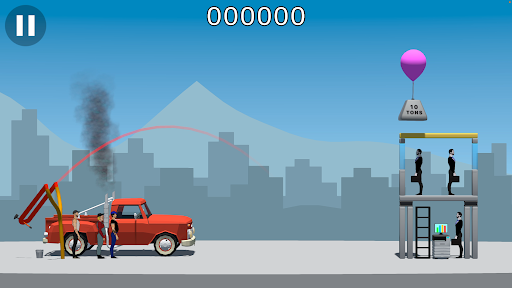
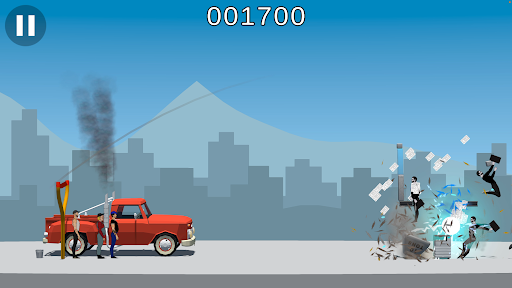
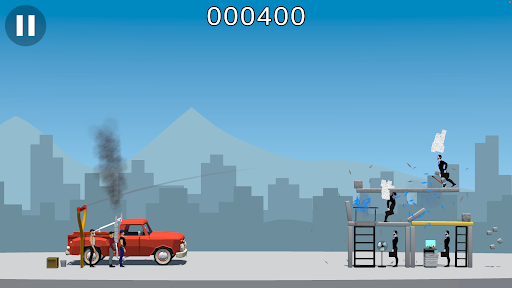
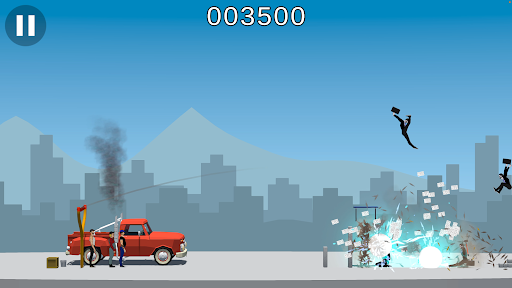
Get ready for some pure, unadulterated country vengeance - powered by wildly funny ragdoll physics!
Redneck Mayhem is a hilarious, physics-based slingshot game where small-town grit takes on the modern world. Follow three fed-up local heroes as they lock, load, and launch random junk, and eventually themselves at the professions that drive them crazy. The Mission: Unleash the Mayhem!
Meet the crew:
Hank: The grease-monkey mechanic who knows exactly how to dismantle a structure.
Earl: The hard-working farmer who has zero patience for city nonsense.
Tucker: The proudly unemployed wildcard who is just here for the chaos.
They've had enough of the modern world and are taking aim at a rogues' gallery of modern irritants: corrupt banksters, crooked politicians, pretentious baristas, overly trendy barbers, and package-dropping couriers.
Load up your oversized slingshot with whatever scrap is lying around the yard - hammers, explosive barrels, heavy wheels, and wooden boxes. When you run out of ammo and things get desperate, it's time for the ultimate weapon: launching the rednecks themselves directly into enemy lines!
Settle the Score in Two-Player Versus Mode!
Think you're the best shot in the county? Take the destruction head-to-head! Challenge a friend locally or test your skills against a CPU opponent across adjustable difficulties and maps to see who can wreak the most havoc and claim ultimate bragging rights. Unpredictable ragdoll physics guarantee you'll laugh out loud at every crash!
Pull back the slingshot, unleash the mayhem, and show those city slickers how real country folks solve problems!
Show more

1. Download MEmu installer and finish the setup

2. Start MEmu then open Google Play on the desktop

3. Search Redneck Mayhem in Google Play
Install
4. Download and Install Redneck Mayhem
5. On install completion click the icon to start

6. Enjoy playing Redneck Mayhem on PC with MEmu
MEmu Play is the best Android emulator and 100 million people already enjoy its superb Android gaming experience. The MEmu virtualization technology empowers you to play thousands of Android games smoothly on your PC, even the most graphic-intensive ones.
Bigger screen with better graphics; Long duration, without limitation of battery or mobile data.
Full Keymapping support for precise control of keyboard and mouse or gamepad.
Multiple game accounts or tasks on single PC at one time with Multi-Instance manager.
Play Redneck Mayhem on PC by following steps: