River City Survivors: Downtown of the Dead
Updated
Current Version
Offered By

With your passion for River City Survivors: Downtown of the Dead, you shouldn’t have to limit yourself to the small screen of a phone. Play like a pro and take full control of the game using a keyboard and mouse. MEmu gives you everything you’re looking for. Download and play River City Survivors: Downtown of the Dead on PC. Play as long as you want — no more worries about battery life, mobile data, or unexpected calls. The all-new MEmu 9 is the best way to play River City Survivors: Downtown of the Dead on PC. With our expertly designed keymapping system, River City Survivors: Downtown of the Dead feels just like a real PC game. The MEmu multi-instance manager lets you run two or more accounts on the same device at the same time. Most importantly, our exclusive emulation engine unlocks your PC’s full potential, delivering smooth and seamless performance.
Show more
Download River City Survivors: Downtown of the Dead on PC with MEmu Android Emulator. Enjoy playing on big screen. The classic River City series takes on a new survival-action style in this zombie-filled adventure.
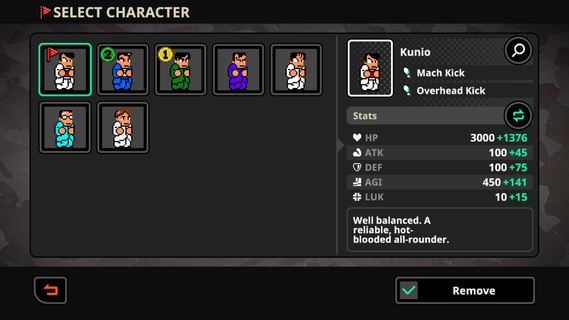
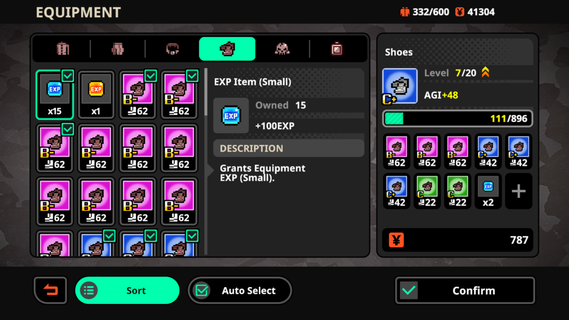
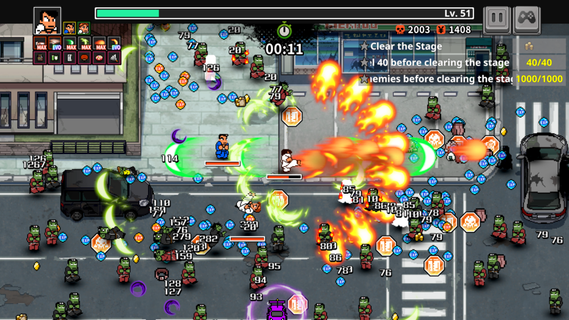
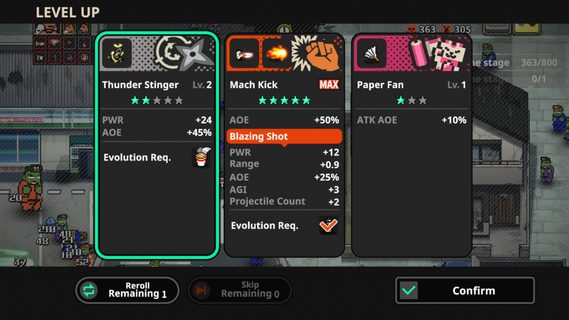
The classic River City series takes on a new survival-action style in this zombie-filled adventure. Fight through waves of undead enemies, move freely across the battlefield, and use powerful skills to survive increasingly intense encounters. Story After watching a zombie movie on their way home, Hiroshi suddenly tells Kunio that real zombies have appeared. As Kunio and his friends fight their way through the city, they soon discover that the outbreak may be hiding a much bigger mystery. Key Features - Evolve Powerful Special Moves Defeat zombies to earn EXP and level up during each run. As your character grows stronger, classic Special Moves can evolve into more powerful versions with improved effects and devastating attacks. - Build a Different Setup Every Run Level-up upgrades are randomly generated, giving each session a different progression path. Combine melee attacks, projectiles, and stat boosts to create builds that match your preferred fighting style. - Collect Gear and Improve Your Stats Equip items across six gear slots, including School Jacket, Baggy Trousers, Belt, Button, Lining Button, and Accessory. Equipment can permanently improve your stats, while random bonus effects add more variety to the gear-collecting system. - Play as 20+ Characters More than 20 playable characters can be unlocked as you progress, including familiar faces such as Kunio and Riki. Each character comes with different stats and abilities, allowing you to experiment with various playstyles. - Fight Alongside AI Allies Bring up to two AI-controlled companions into battle and build a team that suits your strategy. Equip your allies with useful gear and work together to survive the growing zombie outbreak.
Show more

1. Download MEmu installer and finish the setup

2. Start MEmu then open Google Play on the desktop

3. Search River City Survivors: Downtown of the Dead in Google Play
Install
4. Download and Install River City Survivors: Downtown of the Dead
5. On install completion click the icon to start

6. Enjoy playing River City Survivors: Downtown of the Dead on PC with MEmu
MEmu Play is the best Android emulator and 100 million people already enjoy its superb Android gaming experience. The MEmu virtualization technology empowers you to play thousands of Android games smoothly on your PC, even the most graphic-intensive ones.
Bigger screen with better graphics; Long duration, without limitation of battery or mobile data.
Full Keymapping support for precise control of keyboard and mouse or gamepad.
Multiple game accounts or tasks on single PC at one time with Multi-Instance manager.
Play River City Survivors: Downtown of the Dead on PC by following steps: