Roll Player - The Board Game
Updated
Current Version
1.9
Offered By

With your passion for Roll Player - The Board Game, you shouldn’t have to limit yourself to the small screen of a phone. Play like a pro and take full control of the game using a keyboard and mouse. MEmu gives you everything you’re looking for. Download and play Roll Player - The Board Game on PC. Play as long as you want — no more worries about battery life, mobile data, or unexpected calls. The all-new MEmu 9 is the best way to play Roll Player - The Board Game on PC. With our expertly designed keymapping system, Roll Player - The Board Game feels just like a real PC game. The MEmu multi-instance manager lets you run two or more accounts on the same device at the same time. Most importantly, our exclusive emulation engine unlocks your PC’s full potential, delivering smooth and seamless performance.
Show more
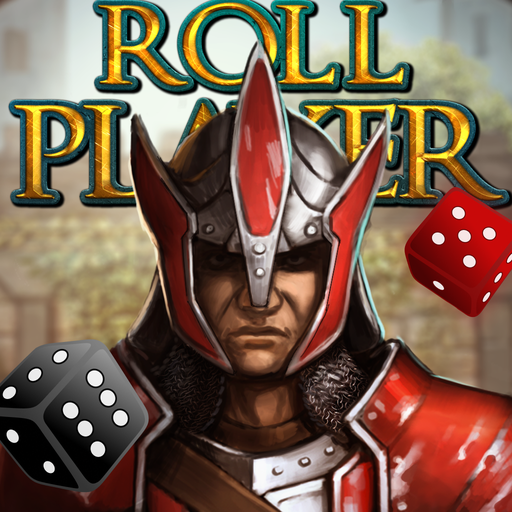
Download Roll Player - The Board Game on PC with MEmu Android Emulator. Enjoy playing on big screen. Roll Player is a digital adaptation of a dice manipulation, strategy board game where you will compete to create the greatest fantasy character in the role-playing world!
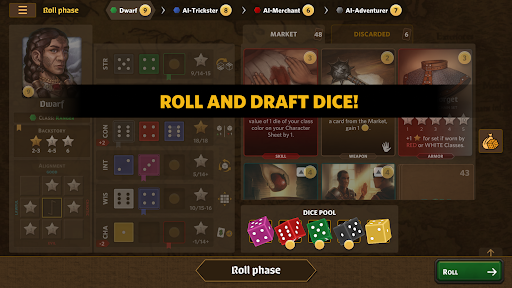
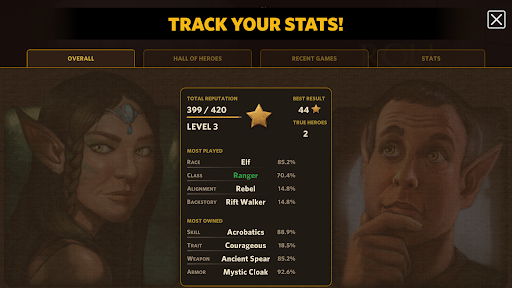
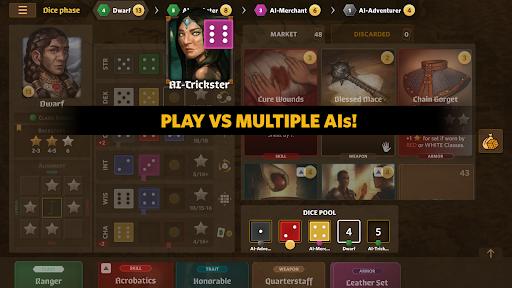

Roll Player is a digital adaptation of a dice manipulation, strategy board game where you will compete to create the greatest fantasy character in the role-playing world!
Roll and draft dice to build up your character’s attributes!
Purchase weapons and armor to outfit your hero!
Gain skills and discover your hero’s traits to prepare them for their journey.
Earn Reputation Stars by constructing the perfect character. The player with the greatest Reputation wins the game and will surely triumph over whatever nefarious plot lies ahead!
At the beginning of the game, each player is assigned a random RPG class, alignment and a backstory. Through a series of puzzle-like dice manipulations, a player optimizes their character's attributes and attempts to maximize their alignment and backstory points. Earned gold is used to purchase various skills, traits, weapons and armor in the market phase of each turn. The game ends with a fully created character sheet of an RPG character and the player whose character has the most reputation points wins the game. The best character sheets are stored in the Hall of Heroes.
FEATURES:
- Cross-platform online multiplayer!
- Private online games with friends
- Synced progress across all your devices. Play online game on one device, continue on another!
- Play against 5 levels of AI (or multiple AIs!)
- Local multiplayer with friends on the same device
- Challenge yourself in Solo mode
- Keep a record of your best heroes, recent games and various stats
- Interactive tutorial - Play and learn!
LANGUAGE:
English
QUOTES:
Zee Garcia (The Dice Tower): “The whole thing just comes together nicely! I think that’s a good, good app. It really works well.”
Retromation (YouTube): “I think this game is fantastic! It’s such a good interpretation of a board game into a digital format. Just really, really, really enjoyable! Very nice!”
AWARDS & HONORS:
2022 Golden Geek Best Board Game App Runner Up
2016 Golden Geek Most Innovative Board Game Nominee
© 2023 Mipmap, under license from Thunderworks Games, LLC.
Roll Player © 2016 Thunderworks Games, LLC.
Show more

1. Download MEmu installer and finish the setup

2. Start MEmu then open Google Play on the desktop

3. Search Roll Player - The Board Game in Google Play
Install
4. Download and Install Roll Player - The Board Game
5. On install completion click the icon to start

6. Enjoy playing Roll Player - The Board Game on PC with MEmu
MEmu Play is the best Android emulator and 100 million people already enjoy its superb Android gaming experience. The MEmu virtualization technology empowers you to play thousands of Android games smoothly on your PC, even the most graphic-intensive ones.
Bigger screen with better graphics; Long duration, without limitation of battery or mobile data.
Full Keymapping support for precise control of keyboard and mouse or gamepad.
Multiple game accounts or tasks on single PC at one time with Multi-Instance manager.
Play Roll Player - The Board Game on PC by following steps: