Romancing SaGa 3: Destinies United
Updated
Current Version
Offered By

With your passion for Romancing SaGa 3: Destinies United, you shouldn’t have to limit yourself to the small screen of a phone. Play like a pro and take full control of the game using a keyboard and mouse. MEmu gives you everything you’re looking for. Download and play Romancing SaGa 3: Destinies United on PC. Play as long as you want — no more worries about battery life, mobile data, or unexpected calls. The all-new MEmu 9 is the best way to play Romancing SaGa 3: Destinies United on PC. With our expertly designed keymapping system, Romancing SaGa 3: Destinies United feels just like a real PC game. The MEmu multi-instance manager lets you run two or more accounts on the same device at the same time. Most importantly, our exclusive emulation engine unlocks your PC’s full potential, delivering smooth and seamless performance.
Show more
Download Romancing SaGa 3: Destinies United on PC with MEmu Android Emulator. Enjoy playing on big screen. Romancing SaGa 3, the acclaimed JRPG first released in Japan in 1995, returns in a full 3D remake.
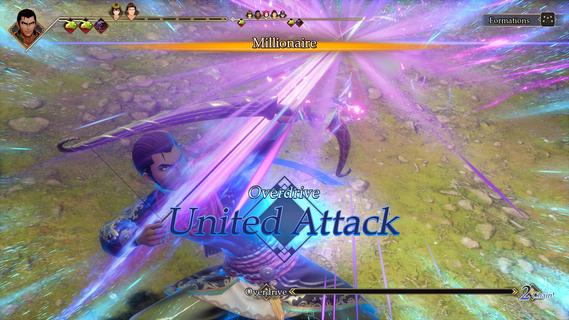
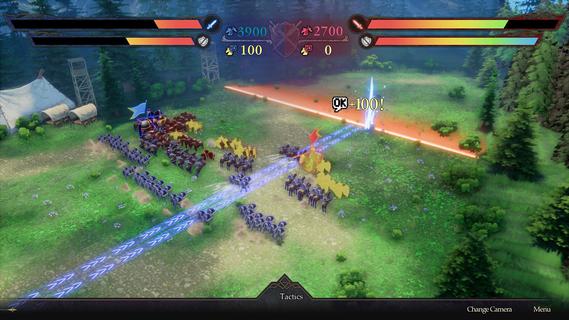
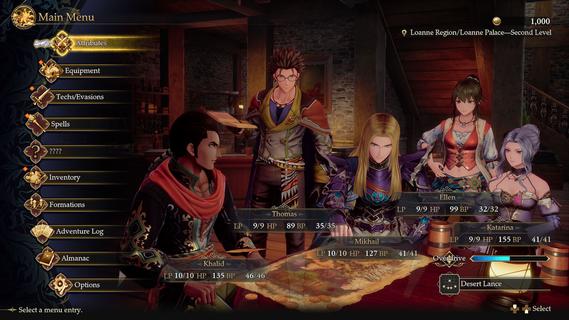
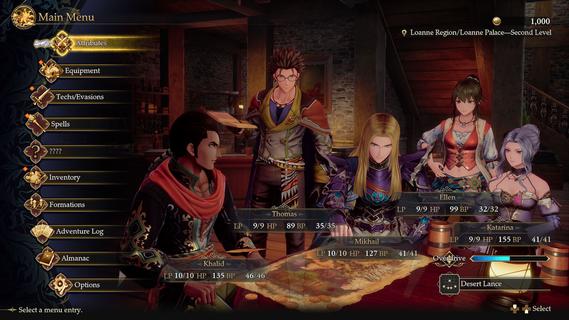
Romancing SaGa 3, the acclaimed JRPG first released in Japan in 1995, returns in a full 3D remake. Whether you're a longtime SaGa fan or a newcomer, this reimagining offers a fresh take on a classic adventure. Story Every 300 years, Morastrum, the Star of Death, rises, dooming all born beneath it except the mysterious Child of Destiny. Nearly twenty years after its last appearance, an insurrection in Loanne uncovers a far greater threat: the Four Sinistrals seek to reopen the gates to the Abyss. Eight heroes bound by fate must unite to save the world. Characters Choose from eight protagonists, each with a unique story, and recruit over twenty allies to your party. Graphics Inspired by the original pixel art and Tomomi Kobayashi's illustrations, the remake features character designs by Yoshiro Ambe and fully realized 3D environments. Freeform Scenario System Your choices shape the adventure, from the stories you pursue to the order in which you challenge the Sinistrals, creating a unique experience every playthrough. Battle and Character Power Systems Classic SaGa features such as Glimmer and Formation return alongside a new timeline-based battle system and United Attacks for deeper tactical combat. Difficulty Choose from Casual, Normal, or Classic difficulty to tailor the challenge to your playstyle. Music and Voices Original composer Kenji Ito supervised newly arranged music, with players able to switch between original and arranged tracks.
Show more

1. Download MEmu installer and finish the setup

2. Start MEmu then open Google Play on the desktop

3. Search Romancing SaGa 3: Destinies United in Google Play
Install
4. Download and Install Romancing SaGa 3: Destinies United
5. On install completion click the icon to start

6. Enjoy playing Romancing SaGa 3: Destinies United on PC with MEmu
MEmu Play is the best Android emulator and 100 million people already enjoy its superb Android gaming experience. The MEmu virtualization technology empowers you to play thousands of Android games smoothly on your PC, even the most graphic-intensive ones.
Bigger screen with better graphics; Long duration, without limitation of battery or mobile data.
Full Keymapping support for precise control of keyboard and mouse or gamepad.
Multiple game accounts or tasks on single PC at one time with Multi-Instance manager.
Play Romancing SaGa 3: Destinies United on PC by following steps: