Rugby Nations 24
Updated
Current Version
1.3.0.171
Offered By

With your passion for Rugby Nations 24, you shouldn’t have to limit yourself to the small screen of a phone. Play like a pro and take full control of the game using a keyboard and mouse. MEmu gives you everything you’re looking for. Download and play Rugby Nations 24 on PC. Play as long as you want — no more worries about battery life, mobile data, or unexpected calls. The all-new MEmu 9 is the best way to play Rugby Nations 24 on PC. With our expertly designed keymapping system, Rugby Nations 24 feels just like a real PC game. The MEmu multi-instance manager lets you run two or more accounts on the same device at the same time. Most importantly, our exclusive emulation engine unlocks your PC’s full potential, delivering smooth and seamless performance.
Show more
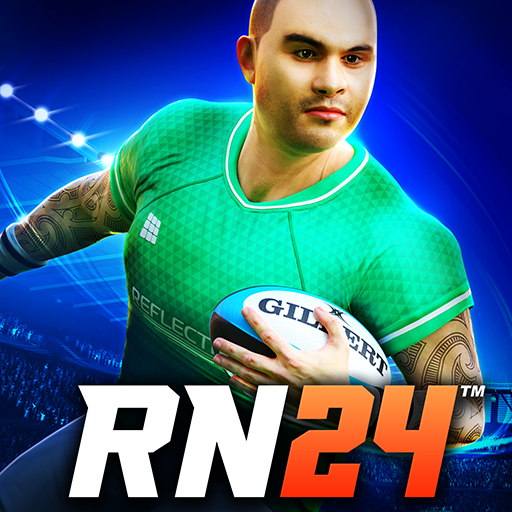
Download Rugby Nations 24 on PC with MEmu Android Emulator. Enjoy playing on big screen. Dive into the heart-pounding action of Rugby Union with Rugby Nations 24!
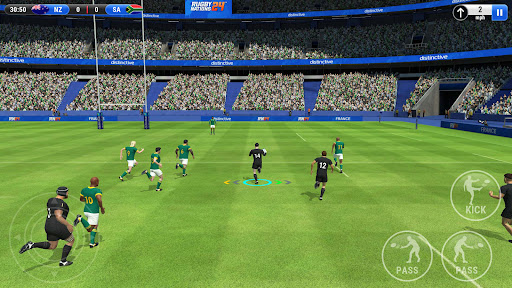
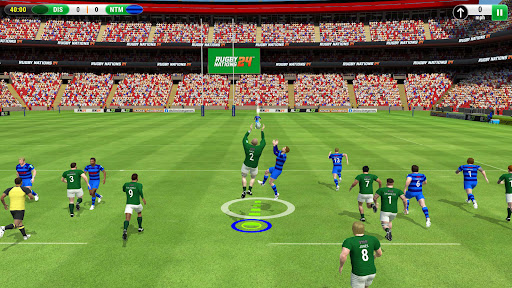
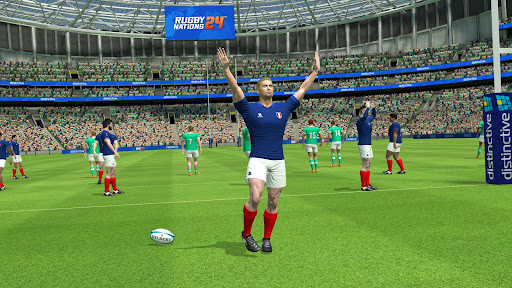
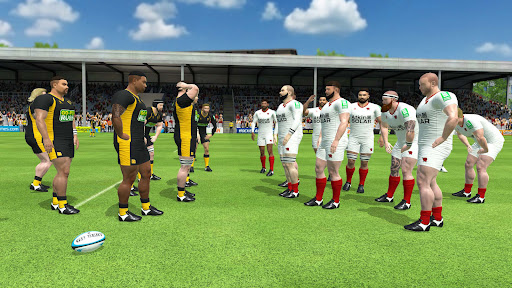
Dive into the heart-pounding action of Rugby Union with Rugby Nations 24! Fight every ruck, contest every catch, push with all your might at the maul, run for the line and score that cup winning try.
Now with new stadiums, game modes and enhanced game-play. Passes are quicker, kicks can be chained together and loose balls are enthusiastically chased down allowing you to score even more spectacular tries. Combined with contested ball catches, new unique AI opponent play styles and a raft of other improvements Rugby has never felt so good.
Download Rugby Nations 24 for FREE now and experience Rugby like never before!
NEW STADIUMS
Experience the thrill of playing in Argentina, South Africa, and Italy with our brand new Rugby Stadiums! Join the incredible line-up of meticulously designed environments and feel right at home wherever you compete.
NEW WAYS TO PLAY
Ignite your competitive spirit by mastering adrenaline-pumping Rugby moves like diving for the ball and intercepting airborne passes to seize the advantage!
NEW GAME MODE
Get ready for the ultimate clash between the powerhouse teams of the Southern Hemisphere in the highly requested Four Nations Rugby game mode!
GET CREATIVE
Create a unique team logo with a wide range of awesome shields and eye-catching emblems. The new kit design tool lets you fully customise your team's kit like never before. Get ready to stand out from the crowd!
TEAM SPONSORS
Partner up with all-new team sponsors and watch your team soar to new heights! With long-term goals spanning across multiple seasons, you'll never run out of things to strive for.
KEY FEATURES
- Choose from several game modes including the World Cup and Four Nations
- Play both Men's and Women's Rugby and explore all aspects of the game
- Enjoy brand new player visuals for both male and female players
- Immerse yourself in 15 beautifully designed Rugby Stadiums
- Set new long-term goals and secure team sponsors
- Be cheered on by the enhanced stadium crowd
- Personalise your team with exciting customisation options
- Master new mechanics and finesse your play like never before
And, much much more!
IMPORTANT
This game is free-to-play but does include optional in-app purchases, which can be purchased with real money.
FIND US
WEB: www.distinctivegames.com
FACEBOOK: facebook.com/distinctivegames
TWITTER: twitter.com/distinctivegame
YOUTUBE: youtube.com/distinctivegame
INSTAGRAM: instagram.com/distinctivegame
Show more

1. Download MEmu installer and finish the setup

2. Start MEmu then open Google Play on the desktop

3. Search Rugby Nations 24 in Google Play
Install
4. Download and Install Rugby Nations 24
5. On install completion click the icon to start

6. Enjoy playing Rugby Nations 24 on PC with MEmu
MEmu Play is the best Android emulator and 100 million people already enjoy its superb Android gaming experience. The MEmu virtualization technology empowers you to play thousands of Android games smoothly on your PC, even the most graphic-intensive ones.
Bigger screen with better graphics; Long duration, without limitation of battery or mobile data.
Full Keymapping support for precise control of keyboard and mouse or gamepad.
Multiple game accounts or tasks on single PC at one time with Multi-Instance manager.
Play Rugby Nations 24 on PC by following steps: