Set a Watch: Digital Edition
Updated
Current Version
1.0.2
Offered By

With your passion for Set a Watch: Digital Edition, you shouldn’t have to limit yourself to the small screen of a phone. Play like a pro and take full control of the game using a keyboard and mouse. MEmu gives you everything you’re looking for. Download and play Set a Watch: Digital Edition on PC. Play as long as you want — no more worries about battery life, mobile data, or unexpected calls. The all-new MEmu 9 is the best way to play Set a Watch: Digital Edition on PC. With our expertly designed keymapping system, Set a Watch: Digital Edition feels just like a real PC game. The MEmu multi-instance manager lets you run two or more accounts on the same device at the same time. Most importantly, our exclusive emulation engine unlocks your PC’s full potential, delivering smooth and seamless performance.
Show more
Download Set a Watch: Digital Edition on PC with MEmu Android Emulator. Enjoy playing on big screen. Set a Watch is an adaptation of modern board game.
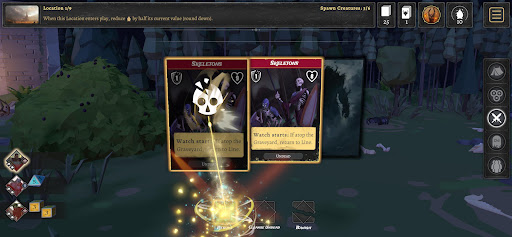
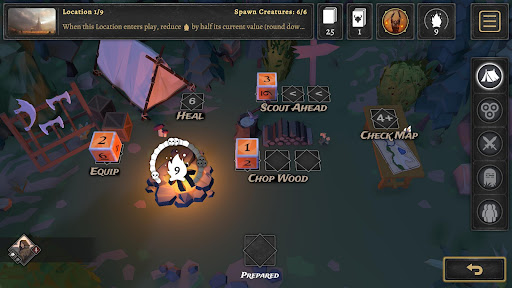
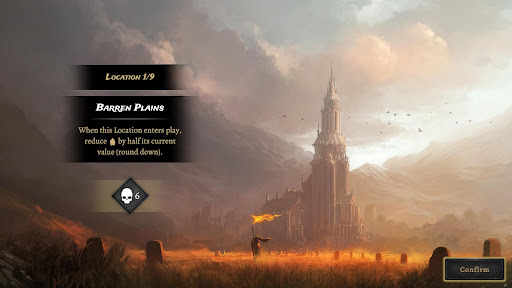
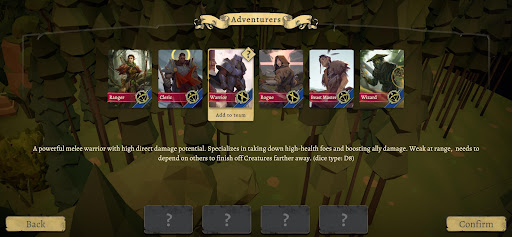
Set a Watch is an adaptation of modern board game. Tactical dice management gameplay offers unique decisions for the players trying to fight back creatures. Control a party of unique adventurers, each with distinct skills to vanquish evil before the Unhallowed consume the world in darkness. Secure nine locations to prevent the acolytes from breaking the seals ... and try to survive. Every dice roll determines your actions—attack, rest, or prepare for the next wave. Plan wisely, fight strategically, and survive the darkness.
Will you rise to the challenge?
Victory is earned, not given.
Fight monsters using your special skills. Attack directly with dice or activate the right abilities. The right timing for each spell is key to surviving so use your options carefully - mistakes can cost you a run.
Dice Management.
Roll first, strategize next - every result is useful if you play it right. Finding the best way out of multiple options is the key to victory.
Choose special abilities to prepare before each battle
Choose your actions wisely - Heal, Scout, Equip, or Light the Fire. Will you unleash powerful magic runes now or save your best dice for the battle ahead?
Six unique heroes
Pick members of your team before your journey. Build the best squad or experiment with different combinations from six adventurers with unique skills. Will you overpower foes with a brute-force warrior, outwit them with a wizard’s magic, tame forest creatures to your advantage, or stand resilient in the light as a cleric?
Master the Chaos
Regular and Unhallowed monster abilities combine with each other, 20 different locations, 6 heroes, 30 abilities, and countless outcomes.
Will you claim victory?
Set a watch!
Show more

1. Download MEmu installer and finish the setup

2. Start MEmu then open Google Play on the desktop

3. Search Set a Watch: Digital Edition in Google Play
Install
4. Download and Install Set a Watch: Digital Edition
5. On install completion click the icon to start

6. Enjoy playing Set a Watch: Digital Edition on PC with MEmu
MEmu Play is the best Android emulator and 100 million people already enjoy its superb Android gaming experience. The MEmu virtualization technology empowers you to play thousands of Android games smoothly on your PC, even the most graphic-intensive ones.
Bigger screen with better graphics; Long duration, without limitation of battery or mobile data.
Full Keymapping support for precise control of keyboard and mouse or gamepad.
Multiple game accounts or tasks on single PC at one time with Multi-Instance manager.
Play Set a Watch: Digital Edition on PC by following steps: