Shave & Stuff
Updated
Current Version
1758037397
Offered By

With your passion for Shave & Stuff, you shouldn’t have to limit yourself to the small screen of a phone. Play like a pro and take full control of the game using a keyboard and mouse. MEmu gives you everything you’re looking for. Download and play Shave & Stuff on PC. Play as long as you want — no more worries about battery life, mobile data, or unexpected calls. The all-new MEmu 9 is the best way to play Shave & Stuff on PC. With our expertly designed keymapping system, Shave & Stuff feels just like a real PC game. The MEmu multi-instance manager lets you run two or more accounts on the same device at the same time. Most importantly, our exclusive emulation engine unlocks your PC’s full potential, delivering smooth and seamless performance.
Show more
Download Shave & Stuff on PC with MEmu Android Emulator. Enjoy playing on big screen. Shave & Stuff is a unique barber shop simulator where you become a true barber, hair stylist, and grooming master.
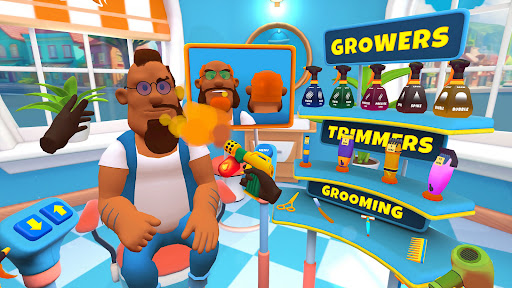
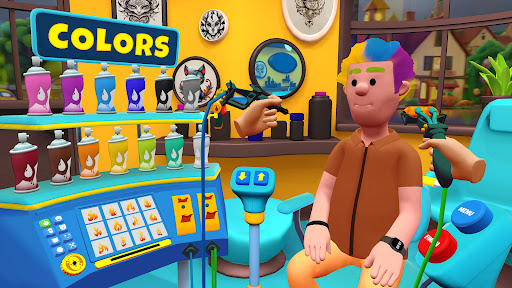
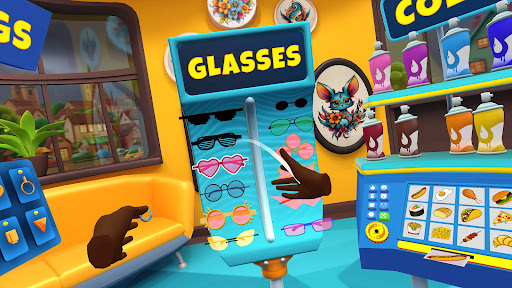
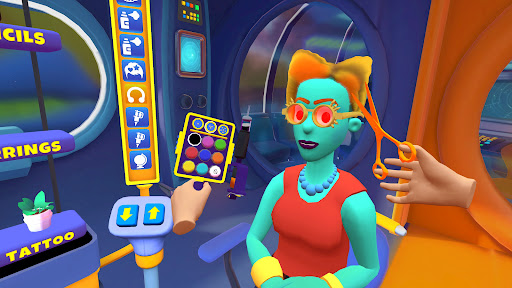
Shave & Stuff is a unique barber shop simulator where you become a true barber, hair stylist, and grooming master. This immersive haircut game lets you shave, cut, grow, and color hair, create stylish fade haircuts, and trim beards and mustaches. Every client is a chance to show your skills and build your own barbershop empire.
(Originally created as a VR barber simulator, Shave & Stuff now brings the same immersive experience to everyone.)
Features of Shave & Stuff: Barber Simulator
Haircut & Shave
Use clippers, trimmers, and razors to cut hair your way. Create smooth fades, sharp styles, or give clients a relaxing ASMR shave game.
Grow Hair Mechanic
Unique to Shave & Stuff, you can instantly grow hair to fix bald spots or add volume. No other barber simulator lets you design styles this way!
Beard & Mustache Grooming
Shape, trim, or shave facial hair with precision. From stylish beards to neat mustaches, every detail counts.
Fade Haircuts
Master trending fade styles: mid fade, box fade, high fade, curly fade, and more. Turn your salon into the ultimate barbershop experience.
Hair Coloring & Styling
Experiment with sprays and dyes to add color and depth, or try out crazy hairstyles that will surprise your clients.
Small Tattoo Touches (optional)
Add a couple of fun tattoo details for extra creativity. Tattoos aren’t the focus, but they’re a cool bonus for those who want something different.
Barber Shop Management
Grow beyond cutting hair — manage your own barber shop business simulation. Keep clients happy, earn reputation, and become an idle barber shop tycoon.
Immersive 3D Experience
Enjoy a barbershop simulator that feels real. From shaving and coloring to fades and styling, Shave & Stuff delivers a complete barber simulator.
Why play Shave & Stuff?
Combines barber simulator gameplay with hair salon simulator features.
Lets you practice everything from haircut simulator fun to barber shop management.
Huge variety of looks: fades, beard trims, colorful hairstyles, and some tattoo details.
Relaxing yet creative gameplay — whether you want a quick shave game or a full barber shop empire.
In Shave & Stuff, you decide: shave heads, grow hair, color styles, trim beards, or master the perfect fade. Become the best barber and salon manager in this immersive barber shop simulator.
Download Shave & Stuff: Barber Simulator for free today and start your own barbershop empire!
Show more

1. Download MEmu installer and finish the setup

2. Start MEmu then open Google Play on the desktop

3. Search Shave & Stuff in Google Play
Install
4. Download and Install Shave & Stuff
5. On install completion click the icon to start

6. Enjoy playing Shave & Stuff on PC with MEmu
MEmu Play is the best Android emulator and 100 million people already enjoy its superb Android gaming experience. The MEmu virtualization technology empowers you to play thousands of Android games smoothly on your PC, even the most graphic-intensive ones.
Bigger screen with better graphics; Long duration, without limitation of battery or mobile data.
Full Keymapping support for precise control of keyboard and mouse or gamepad.
Multiple game accounts or tasks on single PC at one time with Multi-Instance manager.
Play Shave & Stuff on PC by following steps: