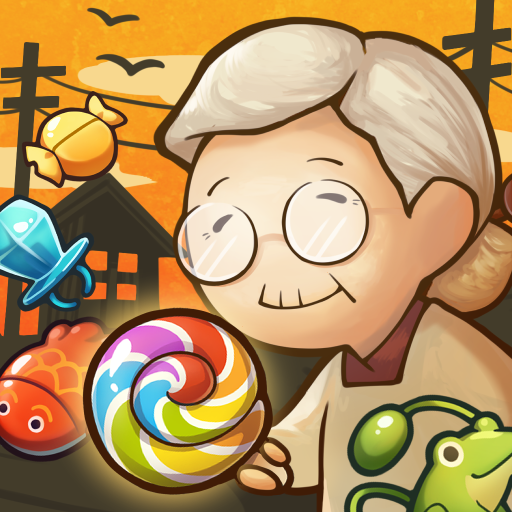
Showa Candy Shop Neo
Updated
Current Version
1.1.0
Offered By

With your passion for Showa Candy Shop Neo, you shouldn’t have to limit yourself to the small screen of a phone. Play like a pro and take full control of the game using a keyboard and mouse. MEmu gives you everything you’re looking for. Download and play Showa Candy Shop Neo on PC. Play as long as you want — no more worries about battery life, mobile data, or unexpected calls. The all-new MEmu 9 is the best way to play Showa Candy Shop Neo on PC. With our expertly designed keymapping system, Showa Candy Shop Neo feels just like a real PC game. The MEmu multi-instance manager lets you run two or more accounts on the same device at the same time. Most importantly, our exclusive emulation engine unlocks your PC’s full potential, delivering smooth and seamless performance.
Show more
Download Showa Candy Shop Neo on PC with MEmu Android Emulator. Enjoy playing on big screen. Puzzles That Will Stay With You.
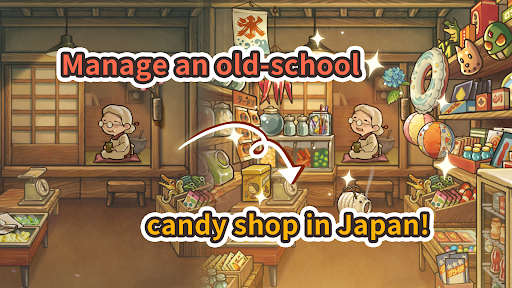
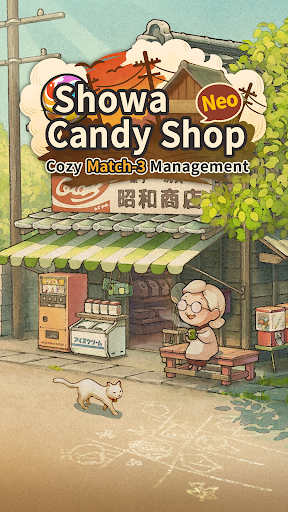
Puzzles That Will Stay With You
We’ve all got something we’re nostalgic for. A time. A place. A face.
Gagex is back once again, and this time we’re switching up genres for a light-hearted puzzle take on the candy stores of the Showa Era. That's right, the Showa Candy Shop series returns, and this time with a brain-teasing twist!
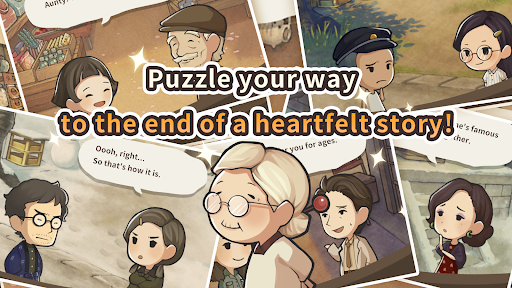
Solve delightfully challenging match-3 puzzles to expand Grandma’s candy shop—it’s a new wrinkle that’s sure to excite longtime fans while keeping things approachable for new players. You won’t be able to put these puzzles down, and that's all for the best, because a shocking story conclusion awaits you once you complete all 1,000 puzzles!
But puzzles aren't all there is to this tasty little candy shop—there's also a bevy of goodies you can collect that'll be sure to give you glimpses of what Japan was like back in the day, or create knee-slapping, “I remember that!” moments for anyone who lived it.
Oh, and of course there’s still a big cast of quirky characters you'll meet along the way, and their stories will unravel a brand-new heartwarming tale!
Get ready to lose yourself in this candy shop!
Story
Remember those summer days long gone by, when the world was your oyster? When every day held the possibility of a trip to the hallowed halls of the candy store?
Way down a little side street off the main drag, in a tiny piece of Tokyo no one’s ever heard of, sits a small candy shop bursting with candies of yore.
Grandma watches over this modest shop, a veritable paradise for the local kids, all by herself.
Come on in! Oh, and while you’re here, would you mind picking up a shift or two for Grandma? She looks half-asleep already!
Besides, there's a funny feeling in the air... Almost like some strange, heartfelt tale is about to unfold here amongst the penny candies and tasty treats...
Designed for Relaxed Play
-See the story through!
Clear all 1,000 stages to see how the story ends.
...You read that right: this game has an ending!
No endless mobile live-service game treadmills here!
You can only play a little bit each day? No problem! Play at your own pace. You’re in no danger of this game shutting down before you can finish it!
-Puzzles and a good story. What more do you need?
There aren’t any social elements in here, either. That means no limited-time events and no sweaty leaderboards. Just a bunch of thoughtfully-designed puzzles and a heartfelt story for you to dive into.
-It’s free to play!
You can play to the end without spending a thing!
(Though there are items you can buy if you so choose!)
Packed with Puzzles!
-Retro-styled match-3 puzzles
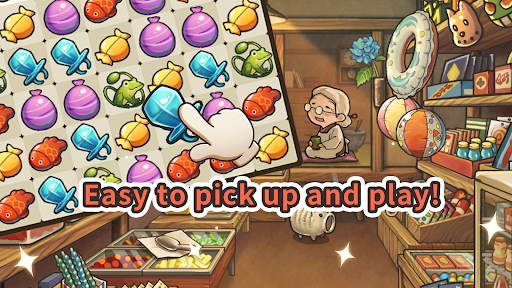
We’ve built our puzzles around items based on popular snacks from the Showa Era in Japan. All you’ve got to do is move them around and match them up! It sounds simple, but we’ve put enough depth into these puzzles to keep you on your toes.
-Pick-up-and-play puzzles you won't want to put down!
Matching the pieces nets you powerful items like bombs that keep things feeling fresh. Got an irritating piece you can’t match up? Blast it off the screen! You can also combine items to produce even wilder effects. You’re gonna love discovering them all!
Candy Shop Memories
-Recall the candy shops of your youth
Everyone has that one shop they loved as a kid. What if you could help a kindly old lady run a shop like that in Japan? The kind of shop you always wanted to go back to, no matter the season or when you’d last been. This one starts sleepy, but with your help we can make it a happening place!
-Collect trinkets based on retro Japanese toys!
Head over to the capsule toy machine whenever you get tired of puzzling! Give it a whirl and see what pops out. You’ll feel like a kid again, filling out a collection of little treasures! Open this up any time the modern world’s got you feeling stressed, and you’ll end your play session wondering what you were so worked up about.
Show more

1. Download MEmu installer and finish the setup

2. Start MEmu then open Google Play on the desktop

3. Search Showa Candy Shop Neo in Google Play
Install
4. Download and Install Showa Candy Shop Neo
5. On install completion click the icon to start

6. Enjoy playing Showa Candy Shop Neo on PC with MEmu
MEmu Play is the best Android emulator and 100 million people already enjoy its superb Android gaming experience. The MEmu virtualization technology empowers you to play thousands of Android games smoothly on your PC, even the most graphic-intensive ones.
Bigger screen with better graphics; Long duration, without limitation of battery or mobile data.
Full Keymapping support for precise control of keyboard and mouse or gamepad.
Multiple game accounts or tasks on single PC at one time with Multi-Instance manager.
Play Showa Candy Shop Neo on PC by following steps: