
SimplePlanes
Updated
Current Version
1.12.211
Offered By

With your passion for SimplePlanes, you shouldn’t have to limit yourself to the small screen of a phone. Play like a pro and take full control of the game using a keyboard and mouse. MEmu gives you everything you’re looking for. Download and play SimplePlanes on PC. Play as long as you want — no more worries about battery life, mobile data, or unexpected calls. The all-new MEmu 9 is the best way to play SimplePlanes on PC. With our expertly designed keymapping system, SimplePlanes feels just like a real PC game. The MEmu multi-instance manager lets you run two or more accounts on the same device at the same time. Most importantly, our exclusive emulation engine unlocks your PC’s full potential, delivering smooth and seamless performance.
Show more
Download SimplePlanes on PC with MEmu Android Emulator. Enjoy playing on big screen. Note: This game requires at least 512MB of RAM and a 1GHz CPU.
Note: This game requires at least 512MB of RAM and a 1GHz CPU.
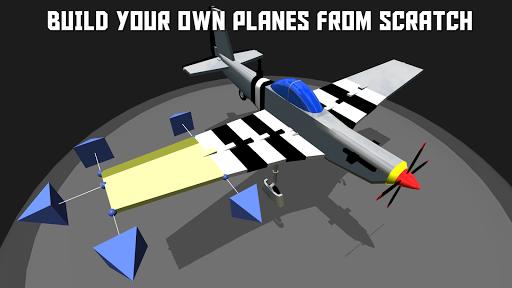
Bring all of the imaginative aircraft you've had in your head to life.
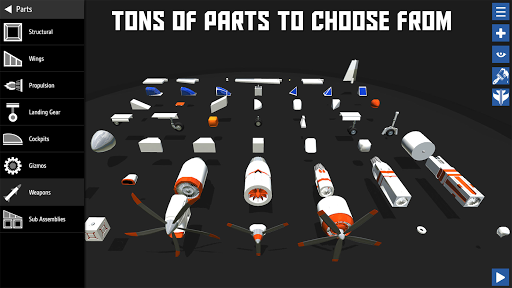
Snap parts together to build your airplane's body. Place engines to add thrust. Design the wings and then strap yourself into the pilot's seat and see how it flies.
AIRPLANE DESIGNER
You have the tools you'll need to bring almost any airplane to life. Use the flexible wing tool to change the shape of the wings and build almost anything.
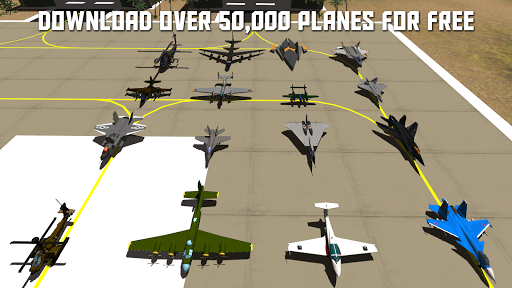
Next-generation fighters, WW2 warbirds, civilian aircraft, and everything in between, some people have even made dragons, trains, and space stations.
DYNAMIC FLIGHT MODEL
Flight simulation at its finest. Every little change you make in the designer impacts how the airplane flies. Weight distribution, thrust, lift, and drag are all calculated before creating the final flight model.
REALTIME DAMAGE
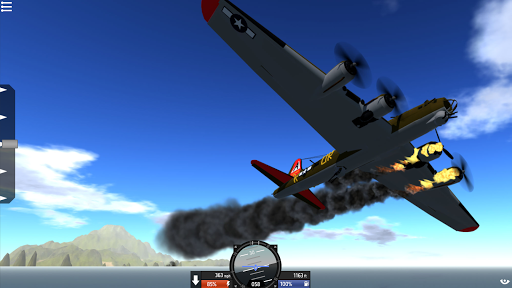
Parts can break off in spectacular fashion while flying due to over-stress or by hitting something. The fun won't stop there though. You can keep on flying even with a missing wing if you've got the skills.
SANDBOX MODE
Test your airplane with no restrictions. So, you've had a rough landing and the left engine was knocked off? After watching the engine fly off into the sunset you may decide to go ahead and slap the throttle to full...give it another go with only one engine.
CHALLENGES
Climb into the cockpit of one of your custom aircraft and see how it does in the challenges. The challenges will keep you entertained for hours. Land on aircraft carriers, dodge surface-to-air missiles, race through courses, and so much more.
AIRPLANE PAINTER
Use pre-built themes, or paint every part of your bird to make it just the way you want. Share your favorite stylings with all of your friends.
CROSS-PLATFORM AIRPLANE SHARING
There are no in-app purchases to get access to the airplanes people have shared; they are all available to download for free from http://www.SimplePlanes.com. You can use them even if they were made on another platform.
CONTROLLER SUPPORT
SimplePlanes supports USB gamepads/joysticks, and provides in-game input mapping for each control surface, as well as throttle, brakes, landing gear, pausing, cameras, etc.
EDUCATIONAL
Tutorials will help players learn the basics of real airplane design and the considerations that need to be taken when airplanes are made.
Show more

1. Download MEmu installer and finish the setup

2. Start MEmu then open Google Play on the desktop

3. Search SimplePlanes in Google Play
Install
4. Download and Install SimplePlanes
5. On install completion click the icon to start

6. Enjoy playing SimplePlanes on PC with MEmu
MEmu Play is the best Android emulator and 100 million people already enjoy its superb Android gaming experience. The MEmu virtualization technology empowers you to play thousands of Android games smoothly on your PC, even the most graphic-intensive ones.
Bigger screen with better graphics; Long duration, without limitation of battery or mobile data.
Full Keymapping support for precise control of keyboard and mouse or gamepad.
Multiple game accounts or tasks on single PC at one time with Multi-Instance manager.
Play SimplePlanes on PC by following steps: