Soccer Referee Simulator 3D
Updated
Current Version
1.1.154
Offered By

With your passion for Soccer Referee Simulator 3D, you shouldn’t have to limit yourself to the small screen of a phone. Play like a pro and take full control of the game using a keyboard and mouse. MEmu gives you everything you’re looking for. Download and play Soccer Referee Simulator 3D on PC. Play as long as you want — no more worries about battery life, mobile data, or unexpected calls. The all-new MEmu 9 is the best way to play Soccer Referee Simulator 3D on PC. With our expertly designed keymapping system, Soccer Referee Simulator 3D feels just like a real PC game. The MEmu multi-instance manager lets you run two or more accounts on the same device at the same time. Most importantly, our exclusive emulation engine unlocks your PC’s full potential, delivering smooth and seamless performance.
Show more
Download Soccer Referee Simulator 3D on PC with MEmu Android Emulator. Enjoy playing on big screen. Soccer Referee Simulator 2026 puts you in control of the world’s biggest football matches as the referee responsible for every major decision on the pitch.
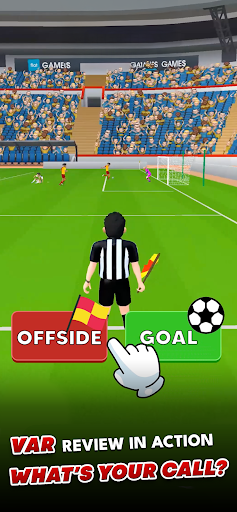
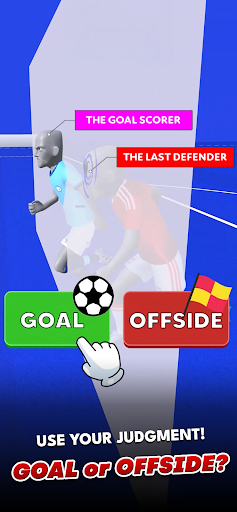
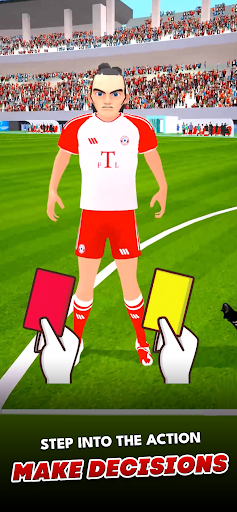
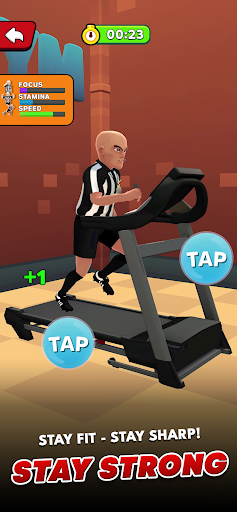
Soccer Referee Simulator 2026 puts you in control of the world’s biggest football matches as the referee responsible for every major decision on the pitch. Call penalties, judge offsides, issue yellow and red cards, review VAR situations, and manage intense tournament games inspired by FIFA World Cup football and international championship atmospheres.
This is not a traditional soccer game where you score goals or control players. Here, your whistle controls the match. Every decision affects the flow of the game, the crowd reaction, the players’ emotions, and the final result. One wrong offside call can change a championship. One penalty decision in extra time can decide an entire tournament.
Experience realistic referee gameplay inside packed 3D stadiums with dynamic crowd reactions, intense football pressure, and nonstop action inspired by World Cup and UEFA-style tournament matches. Fans chant from every stand, coaches argue on the sidelines, and players surround you after controversial moments. Your job is to stay calm, focused, and fair under pressure.
Analyze critical match situations:
• Award penalty kicks correctly
• Judge tight offside decisions
• Show yellow and red cards
• Use VAR-inspired replay systems
• Control fouls and dangerous tackles
• Manage league and tournament matches
• Keep discipline under pressure
Soccer Referee Simulator 2026 combines realistic officiating mechanics with fast-paced football action. Watch every play carefully using multiple camera angles and replay systems. Some decisions require instant reflexes, while others demand concentration and deep analysis.
A striker falls inside the penalty box. Was there contact or did he dive? A forward breaks through the defense. Was he offside by inches? A dangerous tackle happens during extra time in a World Cup-style final. Your whistle decides the outcome.
As matches become more intense, the pressure rises from every direction. Fans react to every call. Captains demand explanations. Coaches protest on the touchline. During international cup matches and championship finals, every decision becomes more important than ever.
Career mode allows you to rise from local league matches to global football tournaments inspired by FIFA World Cup competition. Build your reputation with accurate calls, unlock larger stadiums, and prove you can handle the pressure of elite-level football.
Every match generates detailed referee performance reports showing decision accuracy, foul control, card management, and match consistency. Improve your positioning, sharpen your reactions, and become one of the most respected officials on the pitch.
The discipline system directly affects gameplay. Too many soft calls can create chaos. Too many harsh decisions increase player frustration and crowd pressure. Balancing fairness and authority is one of the most important parts of professional refereeing.
Realistic crowd noise, high-pressure football moments, dynamic player reactions, and authentic match pacing create an immersive referee simulator unlike traditional sports games. Instead of controlling the striker, you protect the integrity of the game itself.
Soccer Referee Simulator 2026 combines football strategy, referee mechanics, VAR systems, penalty decisions, offside analysis, and tournament match management into one immersive sports simulator. Fans of soccer games, football simulators, and realistic sports management experiences will discover a completely different side of football.
Step onto the field, blow the whistle, control the match, and prove you can referee the world’s biggest football tournaments.
Download Soccer Referee Simulator 2026 now and take control of every major decision on the pitch.
https://jlabs.online/referee-simulator-eula
https://jlabs.online/privacy-policy
Show more

1. Download MEmu installer and finish the setup

2. Start MEmu then open Google Play on the desktop

3. Search Soccer Referee Simulator 3D in Google Play
Install
4. Download and Install Soccer Referee Simulator 3D
5. On install completion click the icon to start

6. Enjoy playing Soccer Referee Simulator 3D on PC with MEmu
MEmu Play is the best Android emulator and 100 million people already enjoy its superb Android gaming experience. The MEmu virtualization technology empowers you to play thousands of Android games smoothly on your PC, even the most graphic-intensive ones.
Bigger screen with better graphics; Long duration, without limitation of battery or mobile data.
Full Keymapping support for precise control of keyboard and mouse or gamepad.
Multiple game accounts or tasks on single PC at one time with Multi-Instance manager.
Play Soccer Referee Simulator 3D on PC by following steps: