Sonu - ASMR Slime Virtual Pet
Updated
Current Version
1.0.10
Offered By

With your passion for Sonu - ASMR Slime Virtual Pet, you shouldn’t have to limit yourself to the small screen of a phone. Play like a pro and take full control of the game using a keyboard and mouse. MEmu gives you everything you’re looking for. Download and play Sonu - ASMR Slime Virtual Pet on PC. Play as long as you want — no more worries about battery life, mobile data, or unexpected calls. The all-new MEmu 9 is the best way to play Sonu - ASMR Slime Virtual Pet on PC. With our expertly designed keymapping system, Sonu - ASMR Slime Virtual Pet feels just like a real PC game. The MEmu multi-instance manager lets you run two or more accounts on the same device at the same time. Most importantly, our exclusive emulation engine unlocks your PC’s full potential, delivering smooth and seamless performance.
Show more
Download Sonu - ASMR Slime Virtual Pet on PC with MEmu Android Emulator. Enjoy playing on big screen. ASMR Slime PET – The Ultimate Cute Virtual Pet & Slime Simulator!
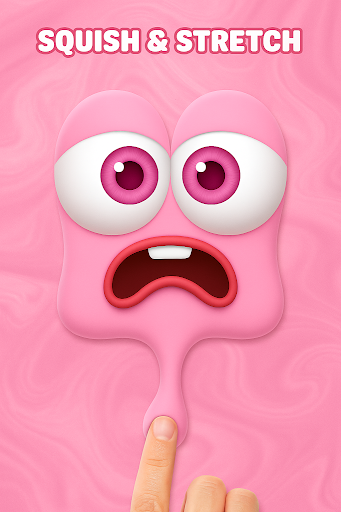
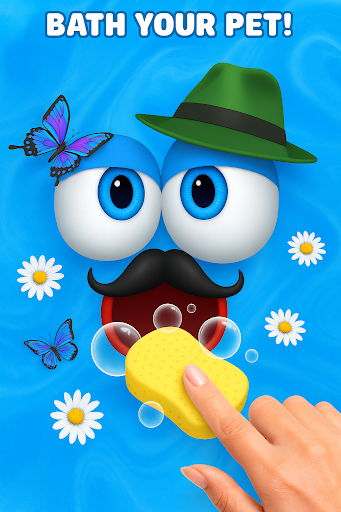
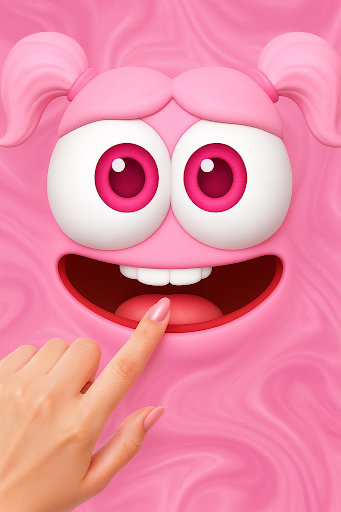
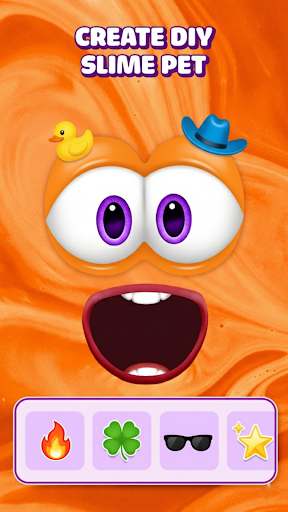
ASMR Slime PET – The Ultimate Cute Virtual Pet & Slime Simulator!
Ever dreamed of having a cute, cuddly pet that’s also a satisfying, squishy slime?
Welcome to ASMR Slime PET, the most relaxing virtual pet game where you can feed, play, dress up, and squish your adorable slime companion in a world full of ASMR joy and creativity.
Discover the perfect mix of ASMR relaxation, slime simulator fun, and virtual pet care — all wrapped in one irresistibly cute experience!
Nurture Your Slime PET
Take care of your lovable slime and watch it grow with happiness!
Feed, bathe, and play with your slime to keep it healthy and glowing.
Each slime has unique reactions — it giggles, wiggles, and even sparkles when loved!
Build a bond that feels alive as you nurture your new favorite pet.
Style & Customize
Unleash your inner DIY artist and make your slime shine!
Mix colors, change textures, add glitter, or dress it up in cute outfits — from hats and bows to funny costumes.
No mess, just creativity!
Create a slime pet that truly reflects your mood and personality.
Dress Up Mode:
Turn your slime into a star with hundreds of fun and fancy accessories.
Express your vibe — dreamy, kawaii, funny, or fabulous!
Satisfying ASMR Experience
Stretch, squish, poke, and pop your slime — feel the relaxing antistress sensations as you listen to soft ASMR sounds.
The soothing squish and sparkle effects will melt your stress away and help you unwind anytime, anywhere.
ASMR Modes include:
Soft squishy touch simulation
Slime popping & bubble bursting
Smooth motion & calming sounds
Visual sparkle & relaxing haptics
Perfect for ASMR lovers, slime fans, and anyone seeking a peaceful, stress-free moment.
Play Fun & Relaxing Mini-Games
Take your slime adventure further with dozens of mini-games that keep the fun going!
From simple puzzles to DIY and satisfying challenges, there’s something for everyone to enjoy.
⭐ Highlights:
Easy to play, perfect for all ages
Cute visuals and soothing sound effects
Great for kids, teens, and adults
Play anytime – online or offline!
Compete with friends, earn rewards, and unlock new items for your slime pet!
Why You’ll Love ASMR Slime PET
Super satisfying slime simulator
Cute and customizable virtual pets
Relaxing ASMR & stress relief sounds
Fun dress-up and DIY styling options
Easy mini-games for endless fun
Suitable for all ages – from kids to adults
ASMR Slime PET isn’t just a game — it’s a calming journey of creativity and joy.
Play, relax, and discover the happiness of caring for your own virtual slime pet.
Download ASMR Slime PET now and dive into the most adorable world of satisfying slime, ASMR relaxation, and cute pet care!
Feed it, style it, and make it sparkle — because every slime deserves love!
Show more

1. Download MEmu installer and finish the setup

2. Start MEmu then open Google Play on the desktop

3. Search Sonu - ASMR Slime Virtual Pet in Google Play
Install
4. Download and Install Sonu - ASMR Slime Virtual Pet
5. On install completion click the icon to start

6. Enjoy playing Sonu - ASMR Slime Virtual Pet on PC with MEmu
MEmu Play is the best Android emulator and 100 million people already enjoy its superb Android gaming experience. The MEmu virtualization technology empowers you to play thousands of Android games smoothly on your PC, even the most graphic-intensive ones.
Bigger screen with better graphics; Long duration, without limitation of battery or mobile data.
Full Keymapping support for precise control of keyboard and mouse or gamepad.
Multiple game accounts or tasks on single PC at one time with Multi-Instance manager.
Play Sonu - ASMR Slime Virtual Pet on PC by following steps: