SP666TURN
Updated
Current Version
6.0
Offered By

With your passion for SP666TURN, you shouldn’t have to limit yourself to the small screen of a phone. Play like a pro and take full control of the game using a keyboard and mouse. MEmu gives you everything you’re looking for. Download and play SP666TURN on PC. Play as long as you want — no more worries about battery life, mobile data, or unexpected calls. The all-new MEmu 9 is the best way to play SP666TURN on PC. With our expertly designed keymapping system, SP666TURN feels just like a real PC game. The MEmu multi-instance manager lets you run two or more accounts on the same device at the same time. Most importantly, our exclusive emulation engine unlocks your PC’s full potential, delivering smooth and seamless performance.
Show more
Download SP666TURN on PC with MEmu Android Emulator. Enjoy playing on big screen. This mysterious game called RunePuff features a classic screen-switching architecture that achieves smooth transitions between menu, gameplay, shop, settings, and game over interfaces with sophisticated state management.
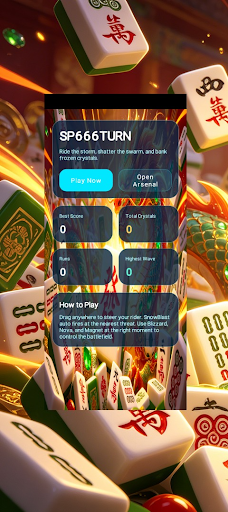


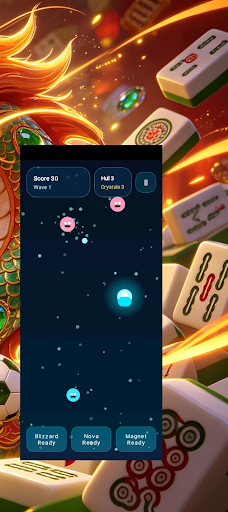
This mysterious game called RunePuff features a classic screen-switching architecture that achieves smooth transitions between menu, gameplay, shop, settings, and game over interfaces with sophisticated state management. The core gameplay revolves around a unique rune system where players collect and utilize various runes with special abilities to complete challenges. The meticulously designed shop system allows players to purchase rare runes and enhancement items using in-game currency, continuously improving their abilities. The settings interface provides personalized options including volume control and graphics optimization, ensuring every player enjoys the optimal gaming experience. The game employs efficient thread management and SurfaceView rendering technology, maintaining silky smooth frame rates even on lower-spec devices, allowing players to immerse themselves in the enchanting world of magical runes.
Show more

1. Download MEmu installer and finish the setup

2. Start MEmu then open Google Play on the desktop

3. Search SP666TURN in Google Play
Install
4. Download and Install SP666TURN
5. On install completion click the icon to start

6. Enjoy playing SP666TURN on PC with MEmu
MEmu Play is the best Android emulator and 100 million people already enjoy its superb Android gaming experience. The MEmu virtualization technology empowers you to play thousands of Android games smoothly on your PC, even the most graphic-intensive ones.
Bigger screen with better graphics; Long duration, without limitation of battery or mobile data.
Full Keymapping support for precise control of keyboard and mouse or gamepad.
Multiple game accounts or tasks on single PC at one time with Multi-Instance manager.
Play SP666TURN on PC by following steps: